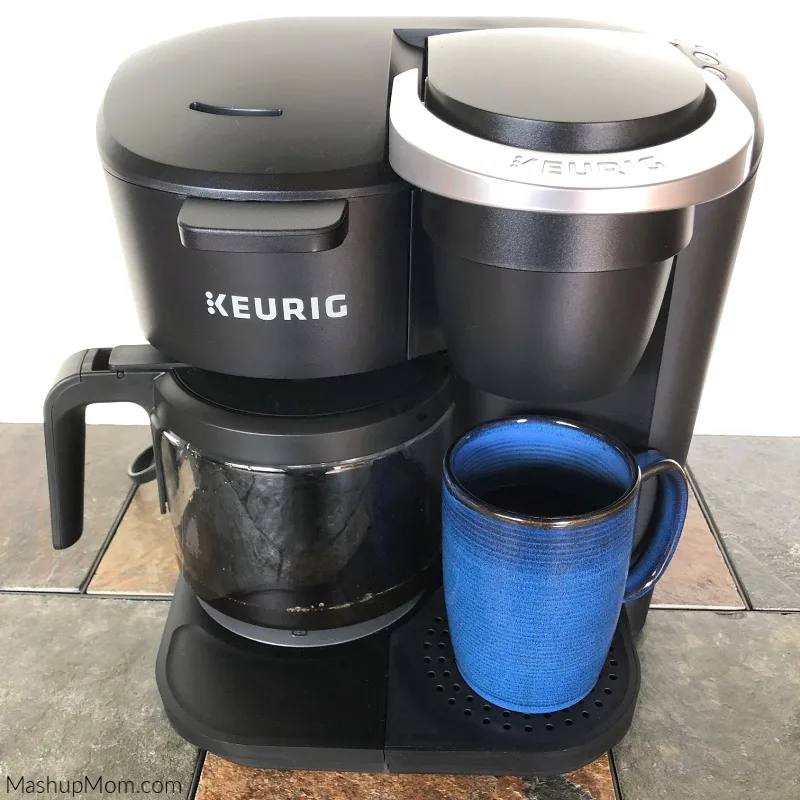
How To Turn On A Keurig Coffee Maker: Easy Guide
Press the power button, add water and a pod, then choose a cup size to brew.
Learning how to turn on a Keurig coffee maker is simple, but the exact steps can vary by model. Most Keurig brewers use a power button, a lit control panel, or an automatic wake-up feature. This guide explains the process clearly, including setup, troubleshooting, safety tips, and common mistakes to avoid.
How to Turn On a Keurig Coffee Maker
The basic process takes less than a minute. Before pressing any buttons, place the brewer on a flat, dry surface near a grounded outlet.
Follow these steps:
- Plug the Keurig coffee maker into the wall.
- Fill the removable water reservoir with fresh, cold water.
- Put the reservoir back in place.
- Lift and close the pod handle without adding a pod yet.
- Press the power button.
- Wait for the brewer to heat.
- Place a mug on the drip tray.
- Insert a K-Cup pod.
- Close the handle firmly.
- Select a cup size and press the brew button.
The exact button may say Power, On/Off, or have a small circle with a line through it. Some newer models turn on when you lift the handle or touch the display.
If your brewer has a screen, it may show “Heating” or “Ready.” Do not open the pod holder while the machine is heating. Once the ready message appears, your Keurig is ready to brew.

Prepare the Keurig Before Turning It On
Good preparation helps the brewer start without errors. It also improves the taste of your coffee.
Check the water reservoir
Remove the reservoir if your model allows it. Rinse it with clean water, then fill it to a level between the minimum and maximum lines.
Do not use hot water in the reservoir. Keurig brewers heat the water inside the machine, so cold or room-temperature water is best.
Avoid filling the tank above the maximum line. Too much water can cause spills when you replace the reservoir.
Check the drip tray
Make sure the drip tray is seated correctly. If it is full, empty it before brewing. A loose or overfilled tray can make the machine look uneven or cause water to spill.
Inspect the pod holder
Look inside the pod holder for an old K-Cup or loose coffee grounds. An old pod can block the needle and stop the machine from brewing.
Use care when checking this area. The entrance and exit needles can be sharp.
Confirm the outlet
Plug the brewer directly into a suitable wall outlet when possible. Avoid using a damaged extension cord or a loose power strip.
If the power button does nothing, test the outlet with another small appliance. This simple check can show whether the problem is the coffee maker or the power source.

How to Turn On Different Keurig Models
Keurig machines share the same basic idea, but their controls are not identical. Knowing the common types can prevent confusion.
Keurig models with a power button
Many classic models have a small power button on the front or side. Press it once, then wait for the indicator light to turn on.
The brewer may take about one to three minutes to heat. The time depends on the model, room temperature, and whether the water lines are already warm.
Keurig models with a touch screen
Touchscreen models may remain dark when they are not in use. Tap the screen or press the power button to wake the display.
Follow the instructions on the screen. Some models ask you to set the time, choose a language, or confirm a cleaning prompt before the first brew.
Keurig models with a lift-to-start feature
Some brewers wake when you lift the handle. After the display lights up, close the handle and choose your brew size.
If the machine does not wake, press the power button. Automatic wake-up features may be disabled, or the brewer may be in energy-saving mode.
Keurig coffee makers with no visible power button
A few compact models use a simple control panel rather than a clear power button. Look for buttons labeled Brew, Strong, Hot Water, or a cup-size option.
Plug in the machine, add water, and press the brew control. If it does not respond, check the user guide for your model number. The model number is often printed on the back or bottom of the brewer.

How to Brew Your First Cup
Once the machine is on and heated, brewing coffee is easy.
- Place a mug under the spout.
- Lift the handle.
- Put a K-Cup pod into the pod holder.
- Close the handle until it is fully shut.
- Choose a cup size.
- Press Brew.
- Wait until the coffee stream stops.
- Remove the mug carefully.
Do not remove the pod while coffee is still flowing. The pod may be hot, and water inside the holder can cause burns.
Your first cup may not taste perfect if the machine has been stored for a while. Run a cleansing brew with no pod first. This flushes standing water from the internal lines.
For a stronger cup, use a smaller size or a pod designed for a stronger brew. Choosing the largest size can make some coffee taste lighter because more water passes through the same amount of grounds.
What to Do If the Keurig Will Not Turn On
If your Keurig coffee maker does not turn on, stay calm. Most startup problems come from power, water placement, or a control setting.
Try these checks in order:
• Make sure the power cord is firmly connected to the brewer and outlet.
• Test the wall outlet with another device.
• Check the circuit breaker if the outlet has no power.
• Unplug the brewer for five minutes, then plug it back in.
• Confirm that the water reservoir is seated correctly.
• Remove any pod and close the handle fully.
• Press the power button once instead of holding it down.
• Check whether the display is asleep or in energy-saving mode.
Some machines will not brew if the reservoir is empty or incorrectly positioned. A small magnet or sensor in the reservoir area must often line up with the brewer.
Do not keep using the machine if you smell burning, see melted plastic, notice sparks, or find a damaged cord. Unplug it and contact the manufacturer or a qualified service professional.

Why the Keurig Turns Off by Itself
A Keurig may shut off after a period of inactivity. This is often an automatic energy-saving feature, not a fault.
Many models also turn off after brewing or after a set period. To use the brewer again, press the power button or touch the display.
If the machine shuts off during heating, check the water level and reservoir position. A low water level can stop the heating cycle.
Repeated shutdowns may point to an electrical or internal problem. In that case, avoid repeatedly restarting the machine. Review the manual and check whether the brewer is still covered by its warranty.

Common Mistakes to Avoid
Small mistakes can make a working Keurig seem broken. These are the most common ones I see discussed during hands-on setup and troubleshooting.
Forgetting to add water
The brewer cannot heat or brew without enough water. Always check the reservoir before pressing Brew.
Leaving the handle open
Most models will not brew if the pod handle is not fully closed. Close it with steady pressure, but do not force it.
Using the wrong cup size
A large cup setting may produce weaker coffee. Start with a six- or eight-ounce setting if you prefer a richer taste.
Reusing a K-Cup pod
K-Cup pods are designed for one brew. Reusing one usually creates thin coffee and may leave wet grounds in the holder.
Moving the machine while it is hot
Hot water remains inside the brewer after use. Let the machine cool before moving, cleaning, or storing it.
Ignoring descaling
Mineral deposits from water can build up inside the heating system. Keurig recommends regular cleaning and descaling based on use and water conditions.
My practical rule is simple: if the brew becomes slow, noisy, or inconsistent, clean the pod holder and consider a descale cycle. Cleaning often solves problems before repair is needed.

Cleaning and Maintenance After Startup
Proper care helps your Keurig start faster and brew more consistently.
Clean the removable parts
Unplug the machine before cleaning the outside. Wash the water reservoir, lid, drip tray, and pod holder with warm water and mild dish soap unless your model guide says otherwise.
Do not place electrical parts under running water. Dry each removable part before putting it back.
Clean the entrance and exit needles
Coffee grounds can block the needles. A small cleaning tool approved for your model can help clear them.
Never push your fingers into the needle area. The parts are sharp, and the brewer may still contain hot water.
Run a cleansing brew
Remove the pod and place a large mug under the spout. Run one or more brew cycles using fresh water.
This helps remove loose grounds and stale water. It is also a useful step when the machine has been unused for several days.
Descale the brewer
Descaling removes mineral buildup inside the water path. Use a Keurig-approved descaling solution or follow the product manual.
The correct schedule depends on water hardness and how often you brew. If your area has hard water, you may need to descale more often.
Do not mix cleaning chemicals. Never use bleach in the water reservoir or internal brewing system.
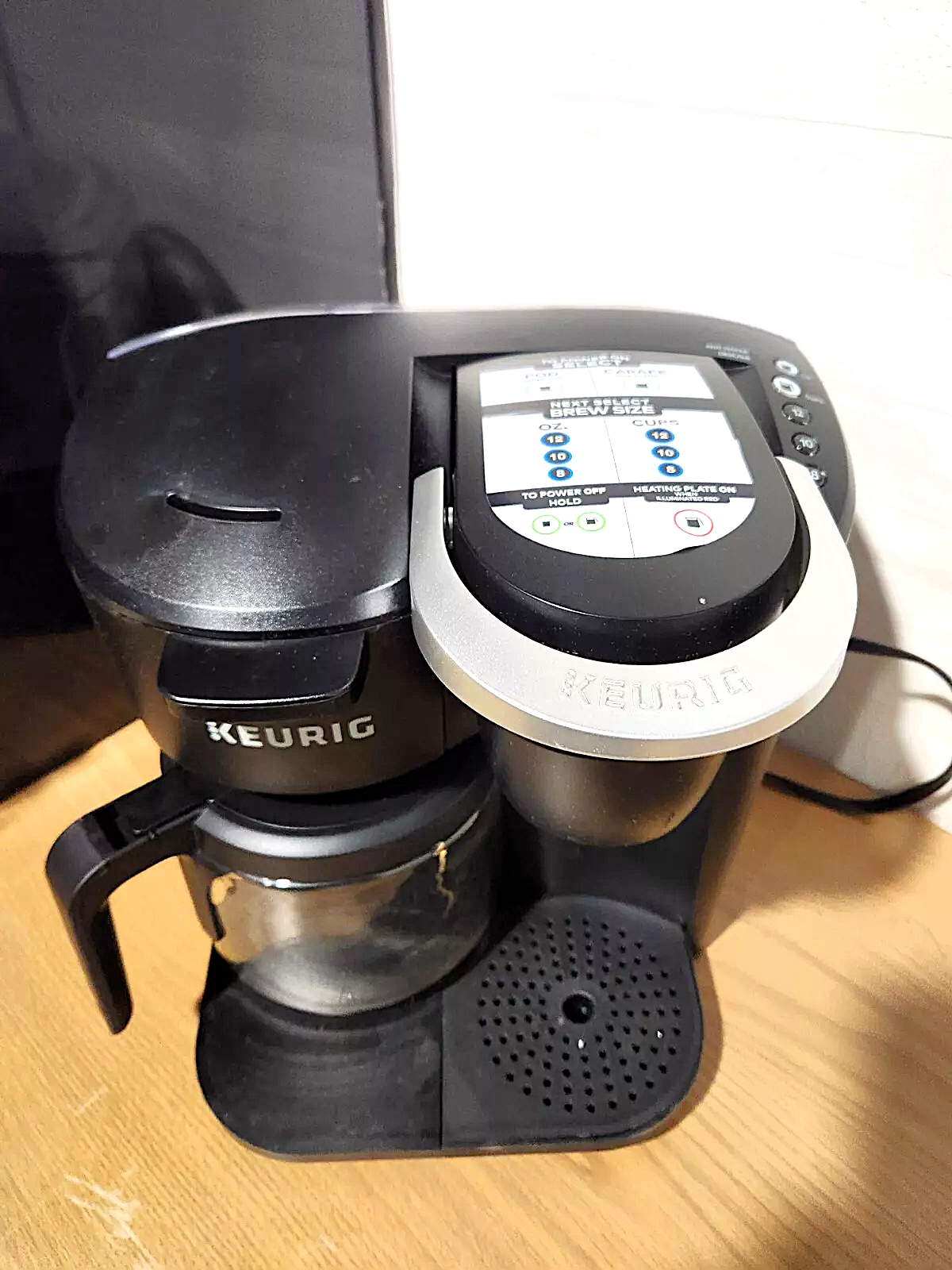
How to Turn On a Keurig Coffee Maker Without a Pod
You can turn on the machine without a pod. In fact, a pod-free cycle is useful for rinsing the system.
To do this, fill the reservoir, place a mug under the spout, and press the power button. Wait for the brewer to heat, then choose a cup size and start a brew cycle without a K-Cup.
The machine will dispense hot water. Use this water for tea, oatmeal, or a quick rinse of the internal lines.
Do not place your hand under the spout. The water can be hot enough to cause a serious burn.