How Do I Fix My Dyson Vacuum Cleaner: Easy Guide
Most Dyson vacuum problems come from blocked airflow, dirty filters, power issues, or worn parts.
If you are wondering, “how do I fix my Dyson vacuum cleaner?” the safest answer is to start with simple checks before opening the machine. Dyson vacuums often stop working because of a full bin, a clogged brush bar, a dirty filter, or a drained battery. This guide explains how to find the fault, fix common problems, avoid damage, and know when professional service is the better choice.
Start with a safe Dyson vacuum diagnosis
Before learning how do I fix my Dyson vacuum cleaner, identify the exact symptom. A vacuum that will not turn on needs a different solution from one that has weak suction or a brush bar that will not spin.
Unplug a corded Dyson before inspection. For a cordless model, remove the charger and switch the machine off. Keep fingers, hair, clothing, and tools away from the brush bar.
Check these basic points first:
• Confirm that the wall outlet works by testing another device.
• Make sure the power cord is fully inserted on corded models.
• Charge a cordless Dyson until the battery indicator shows a full charge.
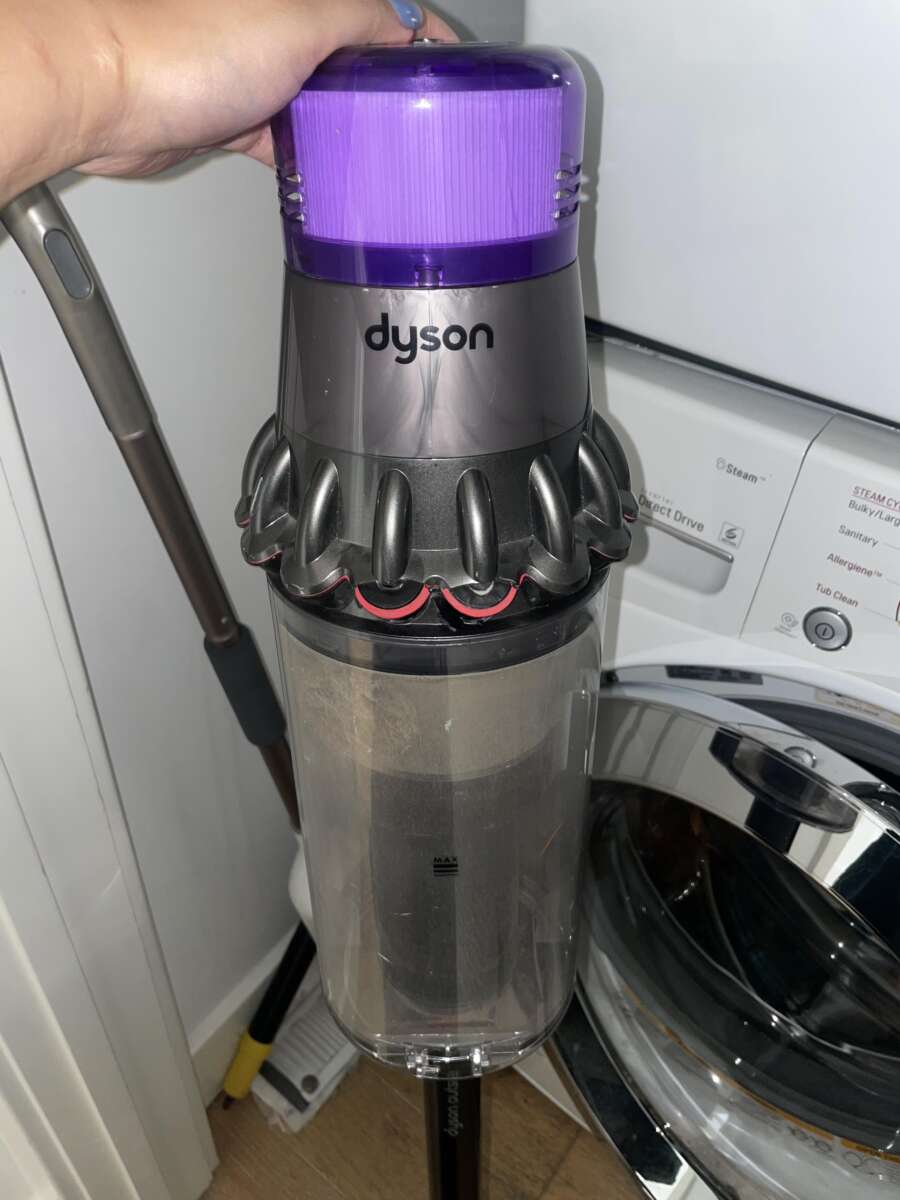
• Empty the dust bin if it is near the maximum line.
• Look for warning lights, a pulsing motor, or an unusual smell.
• Check whether the problem affects the main body, wand, hose, floor head, or battery.
A burning smell, smoke, melted plastic, or a very hot battery needs immediate attention. Stop using the vacuum and contact Dyson support or a qualified repair professional.
How do I fix my Dyson vacuum cleaner when it will not turn on?
When a Dyson vacuum does not start, begin with the power source. Cordless models may appear dead when the battery is not seated correctly, the charger is damaged, or the charging contacts are dirty.
Try these steps in order:
- Plug the charger into a known working outlet.
- Check the charger cable for cuts, bends, or exposed wires.
- Inspect the charging port for dust or packed debris.
- Let the vacuum charge for at least three hours, unless your model guide gives a different time.
- Remove the battery and reinstall it if your model has a removable pack.
- Press the power control firmly and check for indicator lights.
Some Dyson cordless vacuums use a trigger, while others use a power button. A trigger model will not run unless you keep the trigger pressed. This can feel like a fault when the control is simply being used in the wrong way.
If the battery light flashes red, the battery may have a fault or may be too hot. Let it cool in a dry place. Do not put it in a freezer, near a heater, or in direct sunlight.
For corded Dyson models, test another outlet and inspect the reset switch, if your model has one. Never tape over a damaged cord or continue using a plug that feels hot.
If charging does not help, the battery may have reached the end of its useful life. Lithium ion batteries lose capacity over time, especially with heavy use, high heat, and repeated deep discharge.
How do I fix my Dyson vacuum cleaner with weak suction?
Weak suction is one of the most common Dyson vacuum problems. In most cases, airflow is blocked somewhere between the cleaner head and the filter outlet.
Follow this airflow check:
• Empty the dust bin and close it until it clicks into place.
• Remove the wand and look through it for hair, paper, or a toy.
• Check the hose for a soft blockage or crushed section.
• Inspect the cleaner head and remove wrapped hair from the brush bar.
• Wash the reusable filters according to the model instructions.
• Allow every washed filter to dry for at least 24 hours before reinstalling it.
Do not use soap, bleach, or cleaning chemicals on Dyson filters unless the manual specifically permits them. Plain cold water is usually the safest choice for washable filters.
A filter can look clean but still hold fine dust deep inside its fibers. Rinse it until the water runs clear, then squeeze it gently. Do not twist the filter, use a hair dryer, or place it on a radiator.
Also inspect the seals around the bin, wand, and floor head. A loose seal allows air to enter before it reaches the cleaning path. The motor may sound normal, but the vacuum will pick up less dirt.
A useful test is to run the vacuum briefly without the wand or floor head. If suction improves, the blockage is likely in the attachment. If suction remains weak, inspect the filter, bin seal, cyclone, or motor area.

How do I fix my Dyson vacuum cleaner when it keeps pulsing?
A pulsing Dyson often detects restricted airflow. The motor speeds up and slows down because the machine is trying to protect itself from overheating or blockage.
Turn the vacuum off and remove the battery or charger. Then check the following areas:
- Dust bin and cyclone inlet
- Wand
- Hose
- Cleaner head
- Pre motor filter
- Post motor filter
- Air vents
Clean the filters and let them dry fully. A damp filter can restrict airflow and may damage the motor. Never run the vacuum with a missing filter.
If the vacuum pulses only on maximum power, the blockage may be small. Max mode uses more airflow and places more demand on the motor, so even a partly clogged filter can cause a problem.
If pulsing continues after cleaning, inspect the cyclone openings. Fine dust can collect around the small mesh screens. Remove loose dust with a soft, dry brush. Avoid poking deep into the cyclone with a sharp object.
Persistent pulsing may point to a sensor, battery, seal, or motor issue. At that point, continued testing can create more heat than the machine can safely manage.

How do I fix my Dyson vacuum cleaner brush bar?
A brush bar that does not spin can leave carpets looking dirty even when the vacuum motor runs. Hair, thread, pet fur, and carpet fibers often wrap around the bar and stop it.
First, switch off the vacuum and disconnect power. Turn the cleaner head over and remove visible hair with scissors. Cut along the length of the hair, away from your fingers, then pull it free.
Check whether your floor head has a brush bar release or end cap. Some models let you remove the brush bar for cleaning. Others need a coin or flat tool to unlock the end cap. Use only the method shown in your model’s guide.
Look for these signs of a mechanical problem:
• The brush bar spins freely by hand but stops under load.
• The bar makes a grinding or clicking sound.
• The brush bar spins briefly and then stops.
• The drive belt looks loose, split, or stretched.
• The cleaner head smells hot after a short use.
Some Dyson heads stop the brush bar on hard floors or when the control is set for a different surface. Check the floor setting before assuming the part is broken.
Do not use oil on the brush bar. Oil attracts dust and can damage plastic parts or electrical contacts. If the bearing feels rough or the belt is damaged, replace the approved cleaner head or part rather than forcing it to run.

How do I fix my Dyson vacuum cleaner filter?
Filter care is central to learning how do I fix my Dyson vacuum cleaner because a blocked filter can cause weak suction, pulsing, noise, and overheating.
Most washable Dyson filters need regular cleaning. The exact schedule depends on the model and how often you use it. Homes with pets, children, fireplaces, or renovation dust usually need more frequent filter care.
Use this method:
- Turn the vacuum off and remove the filter.
- Tap loose dust into a trash can.
- Rinse the filter with cold water.
- Squeeze it gently without twisting.
- Continue rinsing until the water is clear.
- Shake off extra water.
- Leave it in a warm, well ventilated place for at least 24 hours.
- Reinstall it only when it is completely dry.
Do not wash a nonwashable filter. Check the model guide if you are unsure. Filters are designed for a specific machine, so a generic replacement may fit poorly or reduce airflow.
Replace a filter if it is torn, misshapen, permanently gray, or still causes restricted airflow after cleaning. A clean filter protects the motor and helps the vacuum maintain steady suction.

How do I fix my Dyson vacuum cleaner battery problems?
Battery problems are common in cordless vacuum cleaners. A battery may lose power because of age, heat, heavy use, or a charging fault.
Run these checks:
• Charge the vacuum in a cool, dry room.
• Make sure the battery clicks fully into place.
• Clean the charging contacts with a dry cloth.
• Check the charger for damage.
• Do not store the vacuum in a very hot garage or cold outdoor area.
• Do not use a battery that is swollen, cracked, leaking, or unusually hot.
A healthy battery should provide a fairly steady run time. A sudden drop from full power to empty can indicate a worn battery or a battery management fault. Run time also changes by mode, floor type, tool, and blockage.
Use only a compatible Dyson battery from a trusted source. A poor-quality replacement may have the wrong protection system or unsafe cells. Battery repair and cell replacement should be handled by a qualified technician.
One mistake I often see during vacuum troubleshooting is blaming the battery before checking the filter. A blocked filter makes the motor work harder, which can make a good battery appear weak. Clean the airflow path first, then assess battery performance.

How do I fix my Dyson vacuum cleaner attachments and hose?
Attachments can reduce cleaning power when they are blocked or not connected correctly. Remove each tool and inspect both ends.
A crevice tool may collect lint. A mini motorized tool may wrap with hair. A wand may contain a sock, tissue, or small toy. Shine a flashlight through the part and remove only what you can reach safely.
Check for cracks around the wand and hose. Even a small split can cause a loud change in airflow. A loose connection can also create a whistle or reduce suction.
Do not push a long stick through the hose. It can puncture the hose or force the blockage deeper. Instead, separate the parts and clear them from the nearest opening with a soft, blunt tool.
Wash an attachment only when the model instructions allow it. Keep electrical motorized heads dry. Never submerge a powered tool or rinse it while connected to the vacuum.