Can I Clean My PS4 With A Vacuum Cleaner: Safe Guide
Yes, you can clean your PS4 with a vacuum cleaner, but only with care and limited suction.
If you are asking, “can I clean my PS4 with a vacuum cleaner,” the safest answer depends on where and how you use it. A vacuum can remove loose dust from the outside vents, but strong suction, static electricity, or a spinning fan can damage delicate parts. This guide explains the safest method, what to avoid, and when compressed air or professional cleaning is a better choice.
Can I Clean My PS4 With a Vacuum Cleaner?
Yes, you can use a vacuum cleaner to clean the outside of your PS4. The safest approach is to keep the vacuum nozzle slightly away from the vents and use low suction. Do not press the nozzle directly against the console.
A vacuum is useful for collecting loose dust. It is less useful for removing dust packed deep inside the heat sink, fan, or power supply. In those areas, a vacuum may move dust around rather than remove it.
When people ask, “can I clean my PS4 with a vacuum cleaner,” they often mean two different things:
• Can I vacuum the outside vents? Yes, if you use low power and avoid direct contact.
• Can I put a vacuum nozzle inside the PS4? No. This can create static, spin the fan too fast, or damage small parts.
Sony recommends keeping the console well ventilated and free from dust. That basic care helps the PS4 cool air through the system and reduces the risk of overheating.
Why Dust Is a Problem for Your PS4
Your PS4 pulls cool air through its vents and pushes warm air out. Over time, dust can collect on the intake vents, fan blades, heat sink, and power supply. This buildup acts like a blanket around the console.
A dusty PS4 may show warning signs such as:
• A fan that runs loudly for long periods
• Excess heat around the rear or top of the console
• Sudden shutdowns during games
• Slow performance caused by thermal throttling
• A message saying the PS4 is too hot
• Dust coming from the vents
Noise does not always mean the PS4 is dirty. A demanding game can make the fan work harder. However, loud fan noise combined with heat, poor airflow, or shutdowns often suggests that cleaning may help.
In my experience with electronics maintenance, the biggest mistake is waiting until a console becomes very loud. Light cleaning every few months is safer than trying to remove years of compacted dust in one session.

Is It Safe to Vacuum PS4 Vents?
Vacuuming the PS4 vents is usually safe when you follow a few simple rules. Keep the PS4 powered off, unplug every cable, and let it cool before cleaning. Then use a small brush or a vacuum held several inches from the vent openings.
The main risks are static electricity and fan damage. Household vacuums can create static charges, especially when used on plastic surfaces or dry floors. A static discharge may harm sensitive electronic components.
A vacuum can also spin the internal fan at a very high speed. The fan is designed to run under electronic control, not like a small wind turbine. Letting it spin freely may stress the motor or send electrical current back into the circuit.
Use these precautions:
• Shut down the PS4 fully instead of placing it in Rest Mode.
• Unplug the power cable and all accessories.
• Wait at least 20 to 30 minutes for the console to cool.
• Use the lowest useful vacuum setting.
• Keep the nozzle away from the vents.
• Do not touch the nozzle to the console.
• Hold the fan still if you can safely reach it during an opened-console repair.
• Never vacuum liquid, damp dust, or cleaning fluid.
If your vacuum has a powerful motor, a metal nozzle, or a narrow crevice tool, do not use it directly on the PS4. Those attachments can create strong suction and increase the chance of static or physical damage.
How to Clean a PS4 With a Vacuum Cleaner
If you want to know how to clean a PS4 with a vacuum cleaner, use this low-risk method for surface dust. It does not replace a full internal cleaning, but it works well for regular care.
Step 1: Shut Down and Unplug the Console
Turn off the PS4 through the power menu. Wait until the indicator light is completely off. Unplug the power cord, HDMI cable, USB devices, and network cable.
Place the console on a clean, dry table. Avoid carpet, blankets, and other surfaces that can create static or block airflow.
Step 2: Inspect the Vents
Look at the front, sides, and rear vents. Check for dust mats, pet hair, and lint. A flashlight can help you see buildup without opening the console.
Do not insert a cotton swab, paper towel, screwdriver, or vacuum nozzle into the vents. Small pieces can break off and fall inside.
Step 3: Brush Loose Dust Away
Use a clean, soft-bristled brush to loosen dust near the vents. A camera lens brush or a new, dry paintbrush works well. Move the brush outward so dust leaves the console instead of going deeper inside.
A soft brush also helps lift pet hair. Do not use a wet cloth or household spray near the openings.
Step 4: Collect the Dust With the Vacuum
Turn the vacuum to its lowest setting. Hold the nozzle about 2 to 4 inches away from the vent while brushing dust outward.
Move the nozzle slowly. Do not hold it over one vent for a long time. The goal is to catch loose dust in the air, not to pull dust through the console with force.
Step 5: Wipe the Case
Use a dry microfiber cloth on the top, sides, and bottom of the PS4. For marks, lightly dampen the cloth with water, then wring it out well. Never spray cleaner directly on the console.
Make sure the PS4 is fully dry before reconnecting it.
Step 6: Check the Airflow
Put the PS4 in an open area with space around it. Leave several inches between the console and a wall, cabinet, or other device. Do not place objects on top of it.
This method answers “can I clean my PS4 with a vacuum cleaner” with a safe yes, as long as you only remove surface dust and avoid direct suction.

What You Should Not Do
Some popular cleaning tricks can cause more harm than good. Avoid these methods when cleaning a PS4:
• Do not vacuum directly inside the vents.
• Do not use maximum suction.
• Do not use a shop vacuum on the console.
• Do not blow dust into the PS4 with your mouth.
• Do not use water, alcohol, or spray cleaner inside the case.
• Do not clean the PS4 while it is turned on.
• Do not place the vacuum nozzle against the fan opening.
• Do not use a hair dryer, even on a cool setting.
• Do not open the power supply unless you have proper training.
The power supply can hold dangerous electrical charge even after the PS4 is unplugged. This is one reason a deep internal cleaning may be better handled by an experienced repair technician.
One repair-bench lesson is worth remembering: forcing dust through a small opening often pushes it toward the heat sink or power supply. Gentle outward cleaning is slower, but it is much safer.
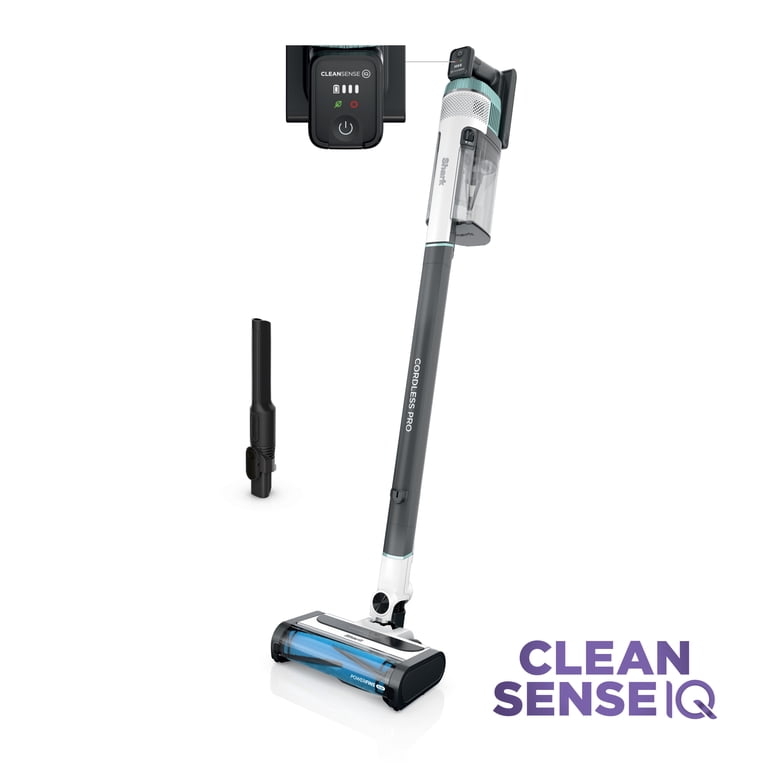
Vacuum Cleaner vs. Compressed Air for PS4 Cleaning
Many people compare a vacuum with compressed air. Both tools have a place, but they do different jobs.
A vacuum collects dust. Compressed air moves dust. If you use compressed air without a vacuum nearby, dust can settle on furniture or move deeper into the console.
For surface cleaning, use a vacuum and soft brush. For deeper cleaning, compressed air can help when the PS4 is opened and the fan is held still. Use short bursts and keep the air can upright.
Compressed air has its own risks:
• Liquid propellant can spray out if the can is tilted.
• Strong air can push dust into tight areas.
• The fan can spin too fast.
• Moisture may form if the can becomes cold.
• A careless blast can loosen small parts or labels.
An electric air duster may also work, but powerful models can be too aggressive. The safest tool depends on your skill, the dust level, and whether you are cleaning the outside or inside.
When a Deep Internal Cleaning Is Needed
A vacuum may not solve the problem if dust has formed a thick layer inside the PS4. Signs of heavy buildup include a fan that becomes loud within minutes, overheating warnings, repeated shutdowns, or visible dust packed behind the vents.
A full internal cleaning may require removing the top cover and other parts. The exact process varies among the original PS4, PS4 Slim, and PS4 Pro. Some models also have different screw locations and cable layouts.
If you open the console, remember these points:
• Take photos before removing cables.
• Keep screws in labeled groups.
• Hold the fan still when using compressed air.
• Use an electronics-safe brush.
• Do not touch the power supply unnecessarily.
• Replace thermal paste only if you understand the process.
• Check that every cable is seated before closing the case.
Thermal paste can dry out over many years, but replacing it is not always needed during a basic dust cleaning. Applying too much paste can make cooling worse. If you are unsure, a console repair shop is often cheaper than replacing a damaged motherboard.

How Often Should You Clean a PS4?
Most PS4 owners should inspect the vents every one to three months. Clean the outside when you see dust or notice reduced airflow. Homes with pets, smokers, rugs, or high dust levels may need more frequent cleaning.
A deeper cleaning may be useful every one to two years, depending on the environment and how often you play. A PS4 used daily in a warm, dusty room will need more care than one used occasionally in a clean, cool room.
Good placement also reduces dust buildup:
• Keep the PS4 on a hard, flat surface.
• Avoid closed entertainment cabinets.
• Keep it away from radiators and sunny windows.