How To Clean A Dyson Canister Vacuum Cleaner: Quick Guide
Cleaning a Dyson canister vacuum cleaner is simple: unplug it, empty the dust bin, wash the removable filters with cold water, clear blockages, and let every washable part dry fully before use. Most Dyson bagless canister vacuums need filter cleaning at least once a month, but the exact steps vary by model.
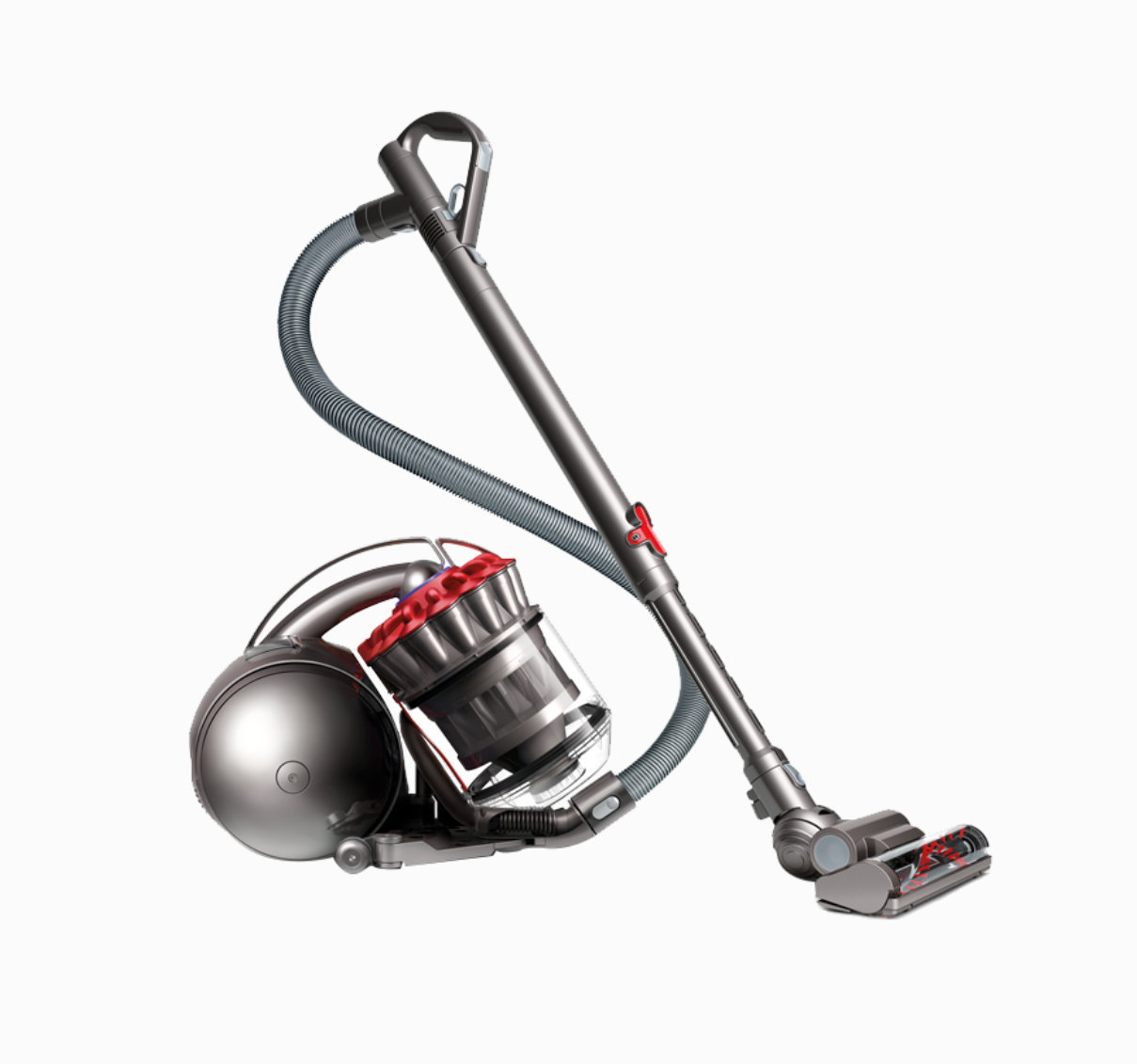
This guide applies to Dyson canister vacuums commonly used in the United States, including many Dyson Ball, Big Ball, DC, and Cinetic models. Always check your model’s US Dyson manual before removing a part or washing a filter. A vacuum that looks similar may have a different filter layout.

What You Need Before Cleaning a Dyson Canister Vacuum
Gather a few basic items before you start:
- Cold running water
- A dry microfiber cloth
- A soft brush, such as an old toothbrush
- Scissors for cutting hair from the brush bar
- A trash bag
- A flashlight for checking tubes and hoses
- A clean, dry place for air-drying filters
Do not use soap, bleach, disinfectant, or other cleaning products on Dyson filters unless the manual for your exact model says otherwise. Dyson commonly directs owners to rinse washable filters with cold water only.
Also avoid using a hair dryer, heater, clothes dryer, or direct high heat. Heat can damage filter materials and seals.
Find your Dyson model first
Look for the model label on the vacuum body, near the dust bin, under the machine, or on the handle. The model may appear as a name such as:
- Dyson Ball Animal
- Dyson Ball Multi Floor
- Dyson Big Ball
- Dyson Cinetic Big Ball
- Dyson DC14, DC25, DC33, or another DC model
The filter count and location can differ. Some models have one washable filter. Others have a pre-motor filter and a post-motor filter.

How to Empty the Dyson Dust Bin
Empty the dust bin before cleaning the rest of the vacuum. A full bin can reduce airflow and spread dust back into the room.
- Turn off and unplug the vacuum.
- Carry the vacuum outside or place the bin inside a large trash bag if you are sensitive to dust.
- Hold the bin over the trash.
- Press the dust-release button or lever.
- Let the contents fall out.
- Close the bin before moving it away from the trash.
Do not force the release button. If the bin does not open, check the model manual for the correct release control.
Wash the dust bin only if your manual allows it
Some Dyson dust bins can be wiped with a damp cloth. Some removable clear bins may be rinsed after the cyclone assembly is removed. Other models should not be submerged.
If your manual allows washing:
- Remove the cyclone or bin assembly as directed.
- Rinse the approved plastic bin with cold water.
- Wipe stuck-on dust with a soft cloth.
- Leave the bin open until it is fully dry.
- Reattach it only when no moisture remains.
Never immerse the motor, cyclone pack, electrical contacts, or main vacuum body. Do not put the bin in a dishwasher.
Clean the cyclone shroud carefully
Fine dust can collect around the small holes in the cyclone shroud. This buildup may reduce airflow.
Use a dry or slightly damp soft brush to loosen dust from the outside of the shroud. Do not push objects deep into the cyclone assembly. Do not rinse the cyclone unless Dyson specifically approves that step for your model.
If dust remains trapped inside the cyclone, contact Dyson support or a qualified vacuum repair service instead of flooding the assembly with water.
How to Wash Dyson Vacuum Filters
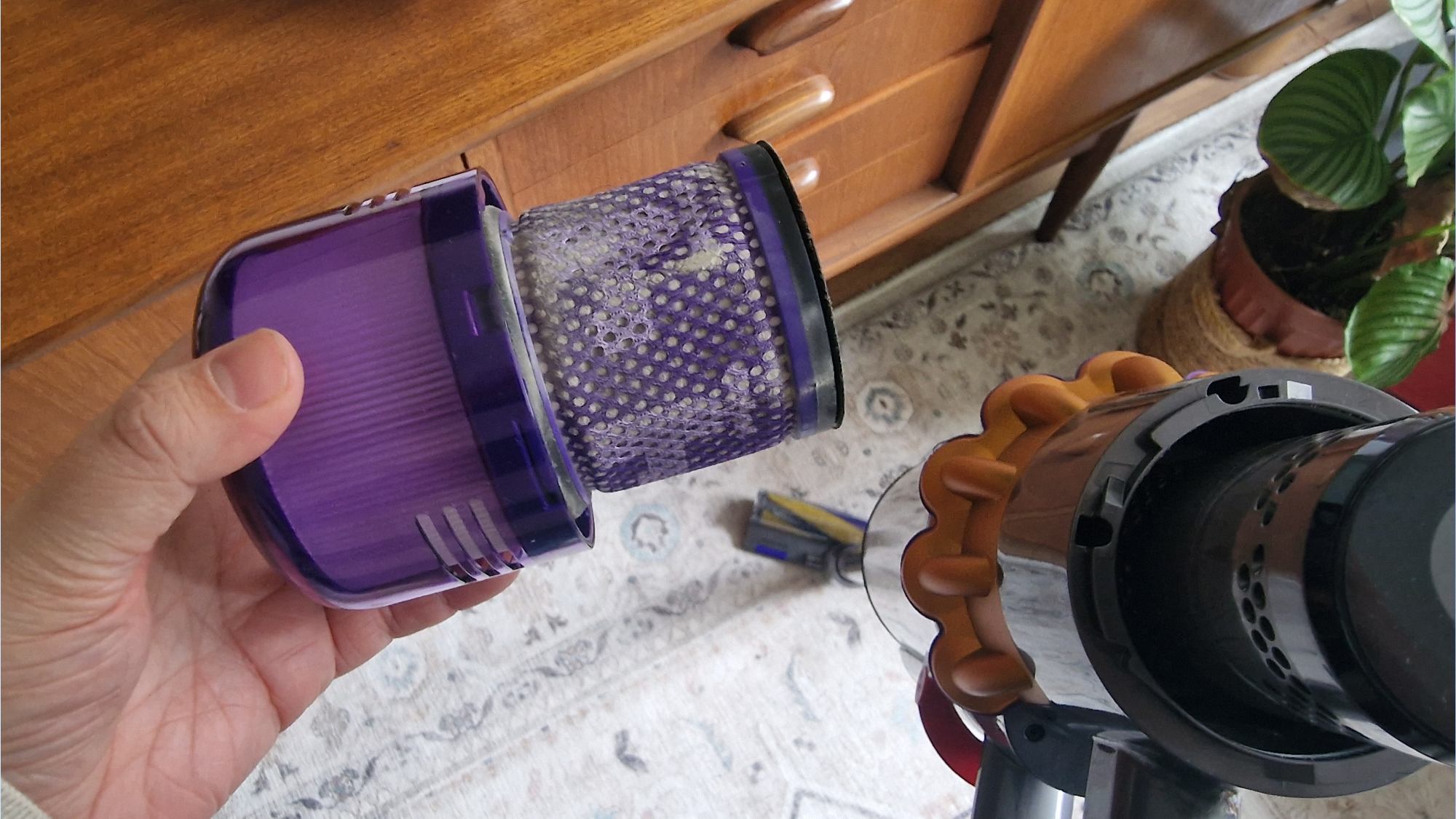
Washable filters are one of the most important parts of regular Dyson maintenance. Dirty filters restrict airflow and can cause the vacuum to make a higher-pitched sound, lose suction, or shut off.
Follow these filter-washing steps
- Unplug the vacuum.
- Locate each filter by checking the manual or filter markings.
- Remove the filter without forcing it.
- Tap loose dust into a trash can.
- Rinse the filter under cold running water.
- Gently squeeze and rinse it until the water runs clear.
- Shake out excess water.
- Place the filter in a warm, dry area with good airflow.
- Wait at least 24 hours before reinstalling it.
Some Dyson manuals state that filters should be washed about once a month under normal use. Homes with pets, fine dust, remodeling debris, or frequent vacuuming may need more frequent checks.
The key rule is simple: a filter must be completely dry before it goes back into the vacuum.
Do not wash every filter you see
A filter that looks like foam, felt, or pleated fabric may be washable, but appearance alone is not enough to confirm that. Some post-motor filters are washable on certain models and non-washable on others.
Check the instructions for your exact model before rinsing a filter. If Dyson labels a filter as replaceable rather than washable, install the correct replacement instead.
When to replace a Dyson filter
Replace a filter when it:
- Has a tear, split, or hole
- No longer holds its shape
- Smells bad after proper washing and drying
- Remains heavily clogged after cleaning
- Causes poor airflow even after the vacuum is clear
- Has a damaged seal or frame
A washable filter is not permanent. Its service life depends on dust load, cleaning frequency, and physical wear.

How to Clean the Dyson Hose, Wand, and Air Path
Blockages often hide in the hose, wand, or airway. A clean filter will not restore suction if a sock, toy, hairball, or dust clump is blocking the air path.
Clear the hose
- Disconnect the hose from the vacuum.
- Shine a flashlight through it.
- Look for visible debris.
- If the manual allows hose removal and rinsing, rinse it with cold water.
- Hold the hose so water can drain fully.
- Air-dry it for at least 24 hours, or longer if water remains inside.
Do not reinstall a wet hose. Moisture can reach electrical parts or create a damp area where odor and residue develop.
If you cannot remove the hose, do not force it. Use a flexible, non-sharp tool only when the manual recommends that method. Never push a metal rod through the hose.
Clear the wand and airway
Remove the wand if your model allows it. Check both ends for obstructions. Use a flashlight to inspect bends and narrow openings.
A blockage may sit where the wand joins the floor head or where the hose enters the canister. Check each connection point rather than looking only inside the long tube.
Check the floor head
Turn the floor head over after unplugging the vacuum. Remove hair, thread, and string from the brush bar with scissors. Cut parallel to the bar, then pull the debris away.
Do not cut the brush bristles, belts, or electrical wires. If the brush bar is removable on your model, follow the manual rather than prying it out.

How to Clean the Dyson Brush Bar and Floor Head
The brush bar collects hair, pet fur, carpet fibers, and thread. This buildup can stop the brush from spinning or make the vacuum harder to push.
For a standard rotating brush bar
- Unplug the vacuum.
- Turn the cleaning head upside down.
- Remove the end cap or soleplate only if your model manual permits it.
- Cut wrapped hair with scissors.
- Pull the debris away by hand.
- Wipe the head with a dry or slightly damp cloth.
- Allow all cleaned areas to dry.
- Reassemble the floor head securely.
Do not wash a motorized floor head unless Dyson specifically says it is washable. Water can damage the motor and wiring.
For a non-spinning brush bar
A brush bar that will not spin may have several causes:
| Symptom | Likely cause | First check |
|---|---|---|
| Brush bar stops on carpet | Hair or thread buildup | Clean the bar |
| Vacuum makes a loud click | Jammed brush bar | Remove debris and check end caps |
| Brush bar works briefly, then stops | Blockage or overheating | Let the machine cool and inspect airflow |
| Brush bar never spins | Wrong setting or electrical fault | Check the floor mode and connections |
| Vacuum shuts off | Restricted airflow or thermal protection | Clean filters and check for clogs |
If the brush bar still will not turn after cleaning, stop using the head. A damaged belt, motor, switch, or electrical connection may need service.

How to Clean the Outside of the Dyson Vacuum
The outer body needs only light cleaning.
- Unplug the vacuum.
- Wipe the body with a dry microfiber cloth.
- Use a slightly damp cloth for sticky marks.
- Keep water away from switches, vents, contacts, and openings.
- Dry the surface before storing the vacuum.
Do not spray cleaner directly onto the vacuum. Spray can enter gaps around the motor or controls.
Clean the wheels and underside as well. Hair wrapped around a wheel can make the machine drag or pull to one side.
Keep the electrical cord safe
Inspect the cord and plug while wiping the machine. Stop using the vacuum if you see:
- Exposed wire
- Cuts through the outer jacket
- Burn marks
- A loose plug
- Damage near the cord entry point
Do not repair a damaged power cord with tape. Have the vacuum inspected by a qualified repair professional or contact Dyson support.
How to Reassemble and Test the Vacuum
Reassemble the vacuum only after all washed parts are dry.
- Install each filter in its original position.
- Confirm that filters sit flat and their seals are secure.
- Reattach the dust bin.
- Reconnect the hose and wand.
- Lock the floor head into place.
- Plug in the vacuum.
- Turn it on for a short test.
A clean vacuum should start without a burning smell, unusual rattle, or sharp whine. Air should move through the hose and floor head, and the brush bar should operate when the correct floor setting is selected.
Turn the vacuum off at once if it:
- Smells hot or electrical
- Produces smoke
- Makes a grinding sound
- Loses power repeatedly
- Shuts off within seconds
- Leaks dust around the bin or filter
A brief shutoff can occur when a Dyson motor protects itself from overheating. Let the vacuum cool, then check the filters, hose, wand, and floor head for blockages. Repeated shutoffs need further diagnosis.

Dyson Vacuum Cleaning Schedule
The right schedule depends on how often you vacuum and what you collect.
| Part | Normal task | Suggested check |
|---|---|---|
| Dust bin | Empty before it reaches the fill line | Every use or as needed |
| Washable filters | Rinse with cold water and air-dry | About monthly, or more often in dusty homes |
| Hose and wand | Check for blockages | When suction drops |
| Brush bar | Remove hair and thread | Weekly in homes with pets |
| Floor head | Wipe and inspect | Monthly |
| Power cord | Inspect for damage | Several times a year |
These are practical starting points, not universal rules. Dyson’s instructions for your exact model take priority.
A home with shedding pets may need brush-bar cleaning every few uses. A home with little carpet may need it less often. If the vacuum collects drywall dust, fireplace ash, or very fine debris, inspect the filters quickly because fine particles can block them fast.

What Not to Do When Cleaning a Dyson Vacuum
Avoid these common mistakes:
- Do not run the vacuum without its required filters.
- Do not reinstall a damp filter.
- Do not wash the motor or main body.
- Do not submerge the cyclone assembly.
- Do not use compressed air near the motor or electronics.
- Do not use bleach, solvents, or scented cleaners on filters.
- Do not vacuum liquid unless the machine is specifically designed for wet pickup.
- Do not pick up hot ash, burning material, or sharp glass.
- Do not force a stuck bin, hose, or filter.
- Do not keep using the vacuum after a burning smell or damaged cord appears.
A wet filter can restrict airflow and may damage the motor. A missing filter can allow fine dust to reach internal parts. Both mistakes can turn a routine cleaning job into a repair.
Dyson Vacuum Still Has Low Suction After Cleaning
If suction remains weak, work through the checks in this order:
- Confirm the dust bin is empty.
- Check that every filter is installed correctly.
- Make sure the filters are fully dry.
- Inspect the hose, wand, and floor head for clogs.
- Remove hair from the brush bar.
- Check that the bin and hose seals close tightly.
- Test the vacuum without the floor head.
- Compare the result with the floor head attached.
This last test can help locate the problem. If airflow is strong without the floor head but weak with it attached, the head or its airway may be blocked. If airflow is weak everywhere, the filter, hose, bin seal, cyclone, or motor may be involved.
Use the sound and smell as clues
- High-pitched whistle: possible air leak or blocked filter
- Deep change in motor sound: restricted airflow
- Rattle: loose object or damaged component
- Burning smell: jammed brush bar, slipping belt, or electrical problem
- Musty smell: damp filter or residue in the bin or hose
- Dust blowing back: missing filter, poor seal, or damaged filter
Do not keep testing a vacuum that smells hot or electrical. Unplug it and arrange service.
When to contact Dyson or a repair professional
Contact Dyson support or a qualified repair service when:
- The machine has a damaged cord or plug.
- The motor runs but airflow stays poor after all checks.
- The cyclone cannot be cleared safely.
- The brush bar motor does not work after removing debris.
- The vacuum repeatedly shuts off.
- A part is cracked, loose, or missing.
- The vacuum is still under warranty.
Use the model number when requesting help. It allows the technician or support agent to identify the correct filter, floor head, and dismantling instructions.

Key Takeaways
- Unplug the Dyson before cleaning or inspecting it.
- Empty the bin often.
- Wash only filters and parts that the exact model manual identifies as washable.
- Use cold water and no cleaning chemicals on washable filters.
- Air-dry filters for at least 24 hours.
- Clear hair from the brush bar and inspect the hose, wand, and floor head.
- Never immerse the motor, electrical parts, or unapproved assemblies.
- Stop using the vacuum if it smells burnt, smokes, rattles, or has a damaged cord.
Frequently Asked Questions
How often should I clean a Dyson canister vacuum?
Empty the bin after each use or when it reaches the fill line. Check the brush bar weekly if you have pets. Wash the filters about once a month under typical conditions, unless your model manual gives a different schedule.
Can I wash a Dyson filter with soap?
Usually, Dyson washable filters should be rinsed with cold water only. Soap can leave residue and may damage the filter material. Follow the instructions for your specific US model.
How long should a Dyson filter dry?
Allow a washed filter to air-dry for at least 24 hours. It may take longer in a cool or humid room. Do not reinstall it until it is dry inside and out.
Why does my Dyson smell after cleaning?
A smell may come from a damp filter, trapped debris in the hose, hair around the brush bar, or residue in the bin. Let all washable parts dry fully and check for clogs. A hot or electrical smell is different: unplug the vacuum and stop using it.
Can I rinse the Dyson dust bin?
That depends on the model. Some bins can be rinsed after the cyclone is removed, while others should only be wiped. Check the model manual before using water. Never immerse the motor, cyclone, electrical contacts, or main body.
Why does my Dyson turn off by itself?
A Dyson may shut off when airflow is restricted and the motor gets too warm. Check the filters, hose, wand, bin, and floor head. Let the machine cool before testing it again. Repeated shutoffs may indicate a fault that needs service.
Final Recommendation
Clean your Dyson canister vacuum in stages: empty the bin, wash only approved filters, clear the air path, remove brush-bar debris, and dry every wet part completely. The model-specific Dyson manual is the final authority, especially for filter locations, removable parts, and whether a bin or floor head can be rinsed.
For official instructions, use the Dyson US Support page and search by the model number printed on your vacuum.

Liora Pennings is a seasoned chef and kitchen enthusiast with a passion for turning everyday cooking into an effortless experience. With years of hands-on culinary expertise, she specializes in practical techniques, ingredient know-how, and smart kitchen solutions that help home cooks elevate their meals. At KitchFlair.com, Liora shares her best tips, time-saving tricks, and honest product reviews to guide readers toward a more efficient, enjoyable, and inspired cooking routine. Whether you’re a beginner or a seasoned home chef, Liora’s friendly, knowledge-packed insights make every visit to the kitchen a little easier—and a lot more delicious.