How To Repair Vacuum Cleaner Motor Overheating Quickly: Fix
Clear airflow, clean or replace filters, check brushes and bearings, and reset or replace thermal cutoff quickly.
I have repaired dozens of motors and written repair guides for years. This article explains how to repair vacuum cleaner motor overheating quickly with clear steps, safety checks, tools, and real troubleshooting tips. You will learn what causes overheating, how to fix it fast, when to replace parts, and how to avoid repeat problems. Read on for practical, trusted advice from hands-on experience.

Why vacuum cleaner motors overheat
Vacuum motors run hot when they work hard or when airflow is blocked. Dust and lint choke vents and filters. Worn brushes or bad bearings make the motor draw more current. A failed thermal cutoff or a bad capacitor can stop the motor from cooling correctly. Low voltage, a slipping belt, or repeated vacuuming on thick carpets can push the motor past its safe limit.
Common causes include:
- Clogged filters, bags, or hoses that restrict airflow.
- Dirty or blocked motor vents and cooling passages.
- Worn carbon brushes that reduce electrical contact.
- Seized or rough bearings that increase friction.
- Faulty thermal cutout or broken wiring.
- Belt slip or jammed brush roll.
Understanding the cause helps you focus on the fastest fix. When you know why the motor overheats, you can act quickly and safely.

Quick safety checklist before you start
Safety is first. A hot motor and electrical parts are dangerous. Do these checks before any repair.
Steps to follow:
- Unplug the vacuum and remove the bag or canister.
- Let the motor cool for at least 30 minutes if it was hot.
- Wear safety glasses and work gloves.
- Work in a well-lit, ventilated area.
- Keep a fire extinguisher nearby if you smell burning.
- Use a multimeter only if you know basic electrical safety.
Follow these steps every time you try to repair vacuum cleaner motor overheating quickly. They cut risk and make the work faster.

Step-by-step: How to repair vacuum cleaner motor overheating quickly
This section gives a clear, fast repair path. Work top to bottom. Test often.
-
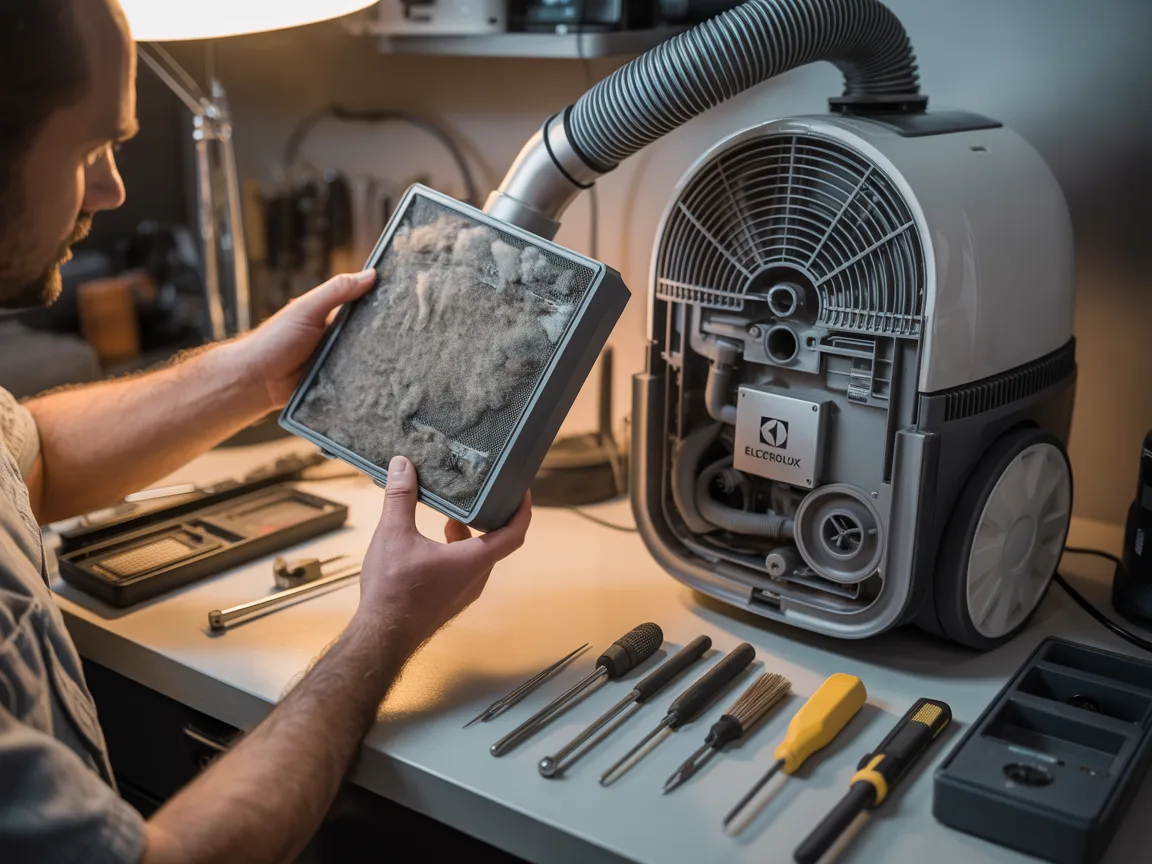
Clear filters, bags, and airflow
- Remove and clean pre-motor filters and exhaust filters.
- Replace disposable bags or empty canisters.
- Inspect and clear any clogs in hoses and attachments.
- Test vacuum briefly to see if airflow is restored.
-
Clean motor vents and cooling paths
- Open the housing per the manual.
- Use low-pressure compressed air or a soft brush.
- Avoid spinning the fan too fast with compressed air.
- Reassemble and test motor run time.
-
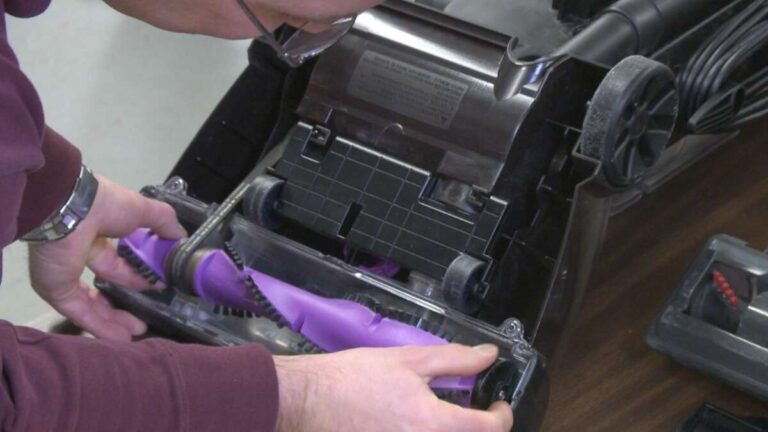
Check the brush roll and belt
- Remove the brush roll. Clear hair and debris.
- Inspect the belt for signs of wear or stretch.
- Replace a cracked or loose belt. A tight belt improves cooling.
-
Inspect carbon brushes and commutator
- Pull brushes to check wear length. Replace if short or crumbly.
- Lightly clean the commutator with a fiberglass pencil if dirty.
- Replace brushes in matched pairs to ensure balance.
-
Test bearings and rotor
- Spin the rotor by hand. Listen for grinding or roughness.
- Replace bearings if noisy or rough. Lubricate sealed bearings only if the manual allows.
-
Check thermal cutoff and wiring
- Locate the thermal cutoff or thermostat. Test for continuity.
- Replace any blown thermal cutoff with the exact rating.
- Inspect wiring for melting or burned insulation. Replace damaged wires.
-
Final electrical checks
- Measure motor current with a clamp meter. Compare to spec.
- Check motor capacitor if present. Replace if weak.
- If current is high with clean airflow, the motor armature may be failing.
-
Test under load
- Reassemble the vacuum.
- Run the vacuum on a normal setting for several minutes.
- Monitor temperature and current. Stop if it heats quickly.
Follow these steps when you need to repair vacuum cleaner motor overheating quickly. Work methodically and re-test after each fix.

Tools and parts you will need
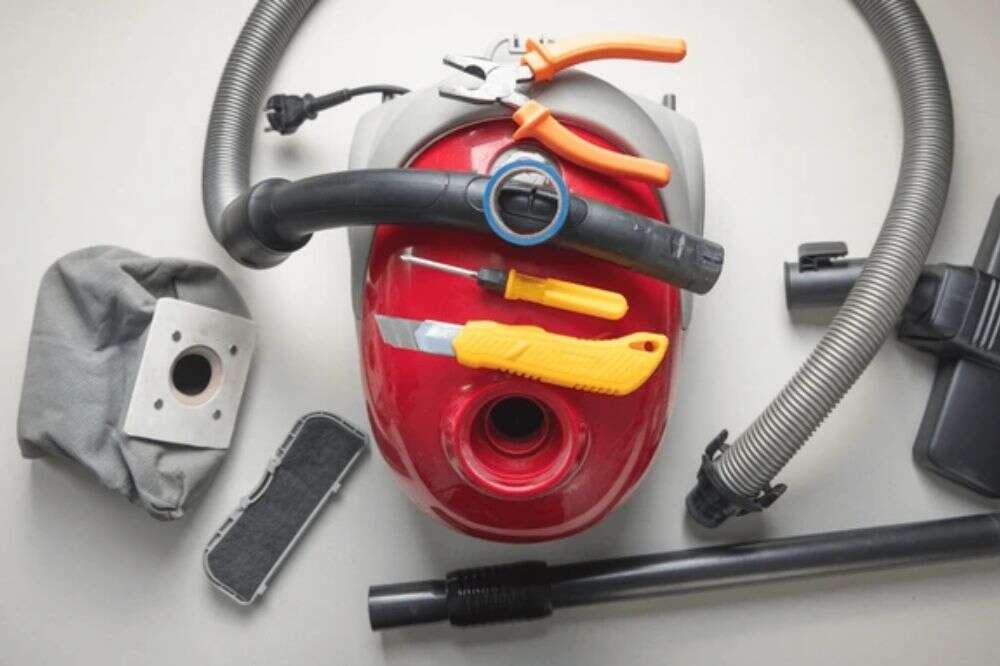
Simple tools speed the job. Have these on hand before you begin.
Essential tools:
- Multimeter and clamp meter for electrical checks.
- Screwdrivers and nut drivers that fit your model.
- Compressed air can or low-pressure compressor.
- Small wire brush or fiberglass pen for commutator cleaning.
- Needle-nose pliers and a soldering iron for wire repairs.
- Replacement parts: filters, belts, carbon brushes, thermal cutoff.
Extra helpful items:
- Rubber gloves and safety glasses.
- Small vacuum or brush to clean housing.
- Small container for screws and parts.
- Service manual or schematic for your model.
Being prepared lets you repair vacuum cleaner motor overheating quickly and without delays.
When to repair versus when to replace
Some issues are repairable. Others justify replacement. Use this quick guide.
Repair if:
- The problem is clogged filters, a worn belt, or dirty vents.
- Carbon brushes or thermal cutouts are the only failed parts.
- Motor windings show no signs of burning.
Replace if:
- The motor smells burnt or windings are visibly scorched.
- Bearing damage requires expensive motor rebuild.
- Repair cost exceeds the value of the vacuum.
- The vacuum is older and parts are hard to find.
When you learn how to repair vacuum cleaner motor overheating quickly, weigh time and cost. A simple part swap is worth doing. A fully damaged motor often needs replacement.

Preventive maintenance to avoid overheating
Prevention saves time. A short routine keeps the motor cool and healthy.
Weekly or bi-weekly:
- Empty canister or change bag.
- Clear hair from the brush roll.
- Check hose and inlet for blockages.
Monthly:
- Wash or replace filters per the manual.
- Clean motor vents with low-pressure air.
- Inspect belts and replace if worn.
Annually:
- Replace carbon brushes if the manual suggests it.
- Lubricate or check bearings per the service guide.
- Test motor amperage to catch early wear.
A little care makes it easy to repair vacuum cleaner motor overheating quickly — because problems never get big.

Troubleshooting common symptoms and fixes
Match the symptom to the likely cause. Then pick the fastest fix.
Symptom: Motor shuts off after short run
- Likely cause: Thermal cutoff tripping or airflow block.
- Fast fix: Let motor cool, clean filters, test thermal cutoff.
Symptom: Motor runs but suction is weak
- Likely cause: Clog or leaky hose.
- Fast fix: Inspect hoses, clean filters, seal leaks.
Symptom: Burning smell
- Likely cause: Worn brushes or motor windings.
- Fast fix: Stop use. Inspect brushes and windings. Replace damaged parts.
Symptom: Excess noise or grinding
- Likely cause: Bad bearings or foreign object.
- Fast fix: Remove object or replace bearings.
If quick fixes don’t work, the motor may need detailed electrical testing or a rebuild. That is when repair shops or a replacement motor make sense.

Personal experience and lessons learned
As a repair tech, I’ve fixed many overheated vacuum motors. One common case: a vacuum that cut out after two minutes. I found a clogged foam filter and a failing brush roll. Cleaning the filter and replacing the brushes fixed it. The owner saved money and the vacuum lasted two more years.
Lessons I share:
- Always start with airflow checks. Most fixes are there.
- Replace brushes in pairs. Mismatched brushes cause wobble.
- Keep a spare thermal cutoff for common models. It’s a quick save.
- If a motor smells burnt, stop repairs and consider replacement.
These real cases taught me how to repair vacuum cleaner motor overheating quickly in safe, repeatable steps.

People also ask — quick Q&A
Q: Can I fix an overheated vacuum motor myself?
A: Yes, for simple issues like filters, belts, brushes, and vents. Stop and seek pro help if windings smell burned or if the motor shows visible damage.
Q: How long should a vacuum motor run before cooling?
A: Most motors cool within 20–30 minutes if they have no damage. If overheating repeats quickly, find the root cause.
Q: Will replacing carbon brushes fix overheating?
A: If worn brushes cause poor contact and heat, replacing them can solve the problem. Check other parts too, like vents and bearings.
Frequently Asked Questions of how to repair vacuum cleaner motor overheating quickly
How quickly can I expect a motor to cool after cleaning filters?
Most motors start cooling within minutes after airflow is restored. Let the motor sit for 20–30 minutes before testing again.
Are thermal cutoffs easy to replace?
Yes, thermal cutoffs are usually simple to swap if you match the temperature and specs. Always disconnect power and follow the manual.
Can worn brushes cause the motor to overheat quickly?
Yes. Worn brushes reduce electrical contact and raise current draw, which can cause rapid heating and frequent trips.
Is it safe to use compressed air on the motor?
Low-pressure compressed air is safe for dust removal if you avoid spinning the fan too fast. Keep pressure low and work gently.
When should I call a pro instead of fixing it myself?
Call a pro if windings are burnt, bearings need press-fit replacement, or if you feel unsure about electrical checks. Professional repair avoids further damage.
Conclusion
You now have a clear, practical plan for how to repair vacuum cleaner motor overheating quickly. Start with airflow and filters. Then check brushes, belts, bearings, and thermal cutoffs. Test after each step and stop if you smell burning. With simple tools and the right parts you can fix many issues fast.
Take action today: inspect filters and vents, and try the quick fixes. If you found this helpful, share your experience or ask a question below.

Liora Pennings is a seasoned chef and kitchen enthusiast with a passion for turning everyday cooking into an effortless experience. With years of hands-on culinary expertise, she specializes in practical techniques, ingredient know-how, and smart kitchen solutions that help home cooks elevate their meals. At KitchFlair.com, Liora shares her best tips, time-saving tricks, and honest product reviews to guide readers toward a more efficient, enjoyable, and inspired cooking routine. Whether you’re a beginner or a seasoned home chef, Liora’s friendly, knowledge-packed insights make every visit to the kitchen a little easier—and a lot more delicious.