How To Charge Dyson Vacuum Cleaner: Easy Step-By-Step Guide
Introduction
If you use a Dyson vacuum in the United States, charging it is usually simple: connect the correct Dyson charger to the vacuum or its wall dock, then leave the battery to charge until the indicator shows it is ready. Most cordless Dyson vacuums need several hours for a full charge, but the exact time depends on the model and battery.
This guide explains how to charge Dyson cordless vacuums, including models such as the V7, V8, V10, V11, V12, V15, and Gen5detect. It also covers dock setup, charging lights, common problems, battery care, and safety tips.

What You Need Before Charging a Dyson Vacuum
Before you charge your Dyson vacuum, check these basic items:


- The correct Dyson charger for your model
- A working wall outlet in the United States
- The vacuum battery and charging port
- A dry indoor area
- The wall dock, if your model includes one
Dyson cordless vacuums use model-specific charging systems. A charger that fits one Dyson model may not work correctly with another. Use the charger supplied with the vacuum or an approved replacement listed for your exact model.
Do not use a damaged charger, frayed cable, cracked plug, or loose wall outlet. If the battery is swollen, smells unusual, gets very hot, or shows signs of damage, stop using the vacuum and contact Dyson Support.
Find your Dyson model
You can often find the model name in one of these places:
- On the front or side of the vacuum
- Near the battery
- On the filter or dust bin area
- On the original box
- In the Dyson app, if your model connects to it
- On the purchase receipt or product registration record
The model matters because charging time, battery type, charging port, and light patterns can vary.
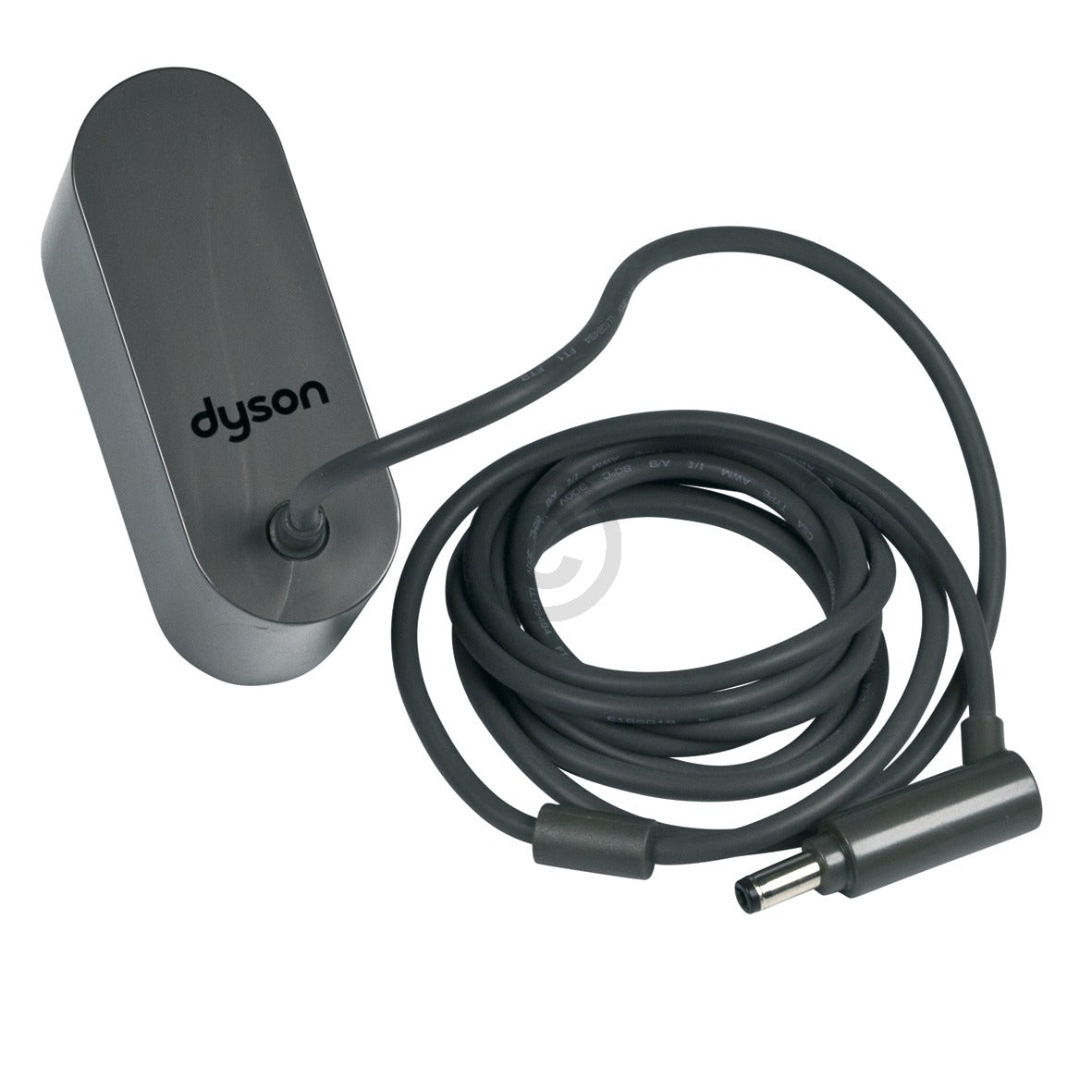
How to Charge a Dyson Cordless Vacuum
The basic process is the same for most Dyson cordless models.
-
Turn the vacuum off.
Release the power trigger or press the power button, depending on your model. -
Place the vacuum in a safe position.
You can charge some models by connecting the charger directly to the handheld unit. Other models charge through a wall-mounted dock. -
Connect the charger.
Plug the charger into the vacuum or into the charging point on the dock. Then plug the charger into a wall outlet. -
Check the charging light.
A flashing light usually means the battery is charging. The display or light may change when charging is complete. -
Allow the battery to charge fully.
Keep the vacuum connected for the charging period listed in your model’s Dyson manual. -
Remove the charger when needed.
You can leave many Dyson cordless vacuums on their charging dock between uses. Follow the instructions for your model, especially if the battery or charger has a fault.


A Dyson vacuum may not run while it is charging. This is normal for many cordless models. The vacuum is designed to charge first and clean later.
Charging a Dyson with a wall dock
A wall dock gives the vacuum a fixed place to charge. To use it:
- Make sure the dock is mounted securely.
- Confirm that the charger cable is connected to the dock.
- Slide or hang the vacuum onto the dock.
- Check that the vacuum sits firmly in place.
- Look for the charging light or screen.
The dock must be mounted to a solid wall surface. Do not mount it above a sink, stove, heater, or other wet or hot area. Keep enough space around the vacuum so you can remove it without hitting nearby objects.
Charging a Dyson without the wall dock
You do not always need the wall dock. If your model supports direct charging, plug the charger into the charging port on the handheld unit or battery.
Place the vacuum on a stable surface while it charges. Keep the motor, filter openings, and battery area clear. Do not cover the vacuum with clothing, towels, or other items.

How Long Does a Dyson Vacuum Take to Charge?
A full Dyson charge often takes about 3 to 5 hours, but the exact time depends on the model, battery, age, and charger. Some Dyson manuals list a different charging period, so your model’s manual is the best source.
| Dyson vacuum type | Typical full-charge range | What can change the time |
|---|---|---|
| Older cordless models | About 3 to 5 hours | Battery age and charger condition |
| Newer cordless models | About 3 to 5 hours | Battery type and model design |
| Click-in battery models | Varies by battery | Separate battery charger or vacuum charging port |
| Corded Dyson models | No charging time | They use a wall outlet while cleaning |
These ranges are general guidance, not a guarantee. A battery that is very cold, very hot, deeply discharged, or near the end of its service life may charge more slowly or fail to reach a full charge.
The vacuum may show a full battery before the rated charge period ends. It may also continue to manage the battery after the main charging indicator changes. For the most accurate result, use the instructions for your exact Dyson model.
Does a Dyson vacuum use electricity after it is full?
A plugged-in cordless vacuum can still draw some power while connected to its charger. Modern battery systems manage charging, but this does not mean every model should remain connected forever if Dyson tells you otherwise.
If you will not use the vacuum for a long period, follow the storage instructions in the manual. Store the battery in a dry place at a moderate indoor temperature. Avoid hot garages, freezing rooms, and direct sunlight.

What Do Dyson Charging Lights Mean?
Dyson charging lights differ by model. In general, these patterns are common:
- Flashing blue light: The battery is charging.
- Solid blue light: Charging may be complete or the charger is connected, depending on the model.
- No light: The vacuum may be fully charged, switched off, disconnected, or unable to charge.
- Flashing red light: The battery or vacuum may have a fault.
- Warning symbol or message: The screen may be reporting a blockage, filter issue, battery problem, or temperature condition.
Do not assume that every blue light means the same thing on every Dyson vacuum. Check the model-specific guide before treating a warning light as normal.


If the light flashes red, unplug the charger and inspect the vacuum for visible damage. Do not keep trying to charge a battery that becomes hot, swells, leaks, or smells burnt.
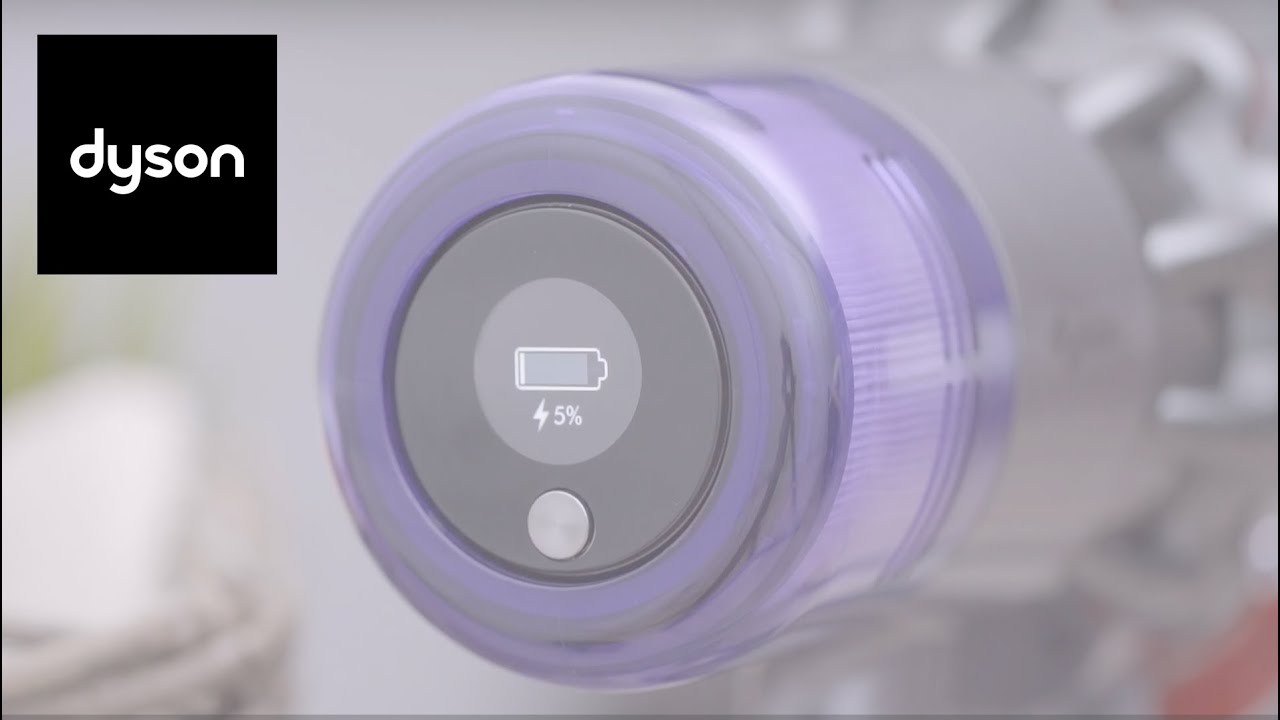
Why Is My Dyson Vacuum Not Charging?
If your Dyson vacuum will not charge, start with the safest and simplest checks.
1. Check the wall outlet
Plug another small device into the same outlet. If that device does not work, reset the circuit breaker or try another outlet.
Avoid using a damaged extension cord or power strip. Connect the Dyson charger directly to a suitable indoor wall outlet when possible.
2. Check the charger connection
Push the charger firmly into the vacuum or dock. Look for dirt, hair, or damage around the charging contacts and port.
Do not scrape the port with metal tools. If you see melted plastic, bent contacts, or exposed wires, stop using the charger.
3. Remove and reinstall the battery
Some Dyson models have a removable click-in battery. Turn the vacuum off, remove the battery if the design allows it, and reinstall it until it locks in place.
Do not remove a battery that is not designed to be user removable. Never open a lithium-ion battery pack.
4. Let the vacuum return to room temperature
A Dyson vacuum may stop charging if the battery is too hot or too cold. Move it indoors and let it sit until it reaches room temperature. Do not heat a cold battery with a heater or cool a hot battery in a refrigerator.
5. Check for a blockage or filter warning
Some models display a warning when airflow is blocked. Empty the dust bin and clean the filter according to the manual. A wet filter can prevent safe operation, so let washable filters dry fully before reinstalling them.
6. Try the correct charger
Third-party chargers may have the wrong voltage, plug design, or charging controls. Use the original charger or an approved replacement for the exact Dyson model.
7. Contact Dyson Support
If the vacuum still will not charge, contact Dyson Support or an authorized service provider. Have the model name, serial number, purchase date, and charger details ready.

Dyson Vacuum Charges but Stops Quickly
A Dyson that charges but runs for only a short time may have a low battery, a blocked filter, a blockage in the airway, or a high-power setting that uses more energy.


Try these steps:
- Fully charge the vacuum.
- Empty the dust bin.
- Clean the filter as directed.
- Check the wand and cleaner head for clogs.
- Test the vacuum in its lowest power mode.
- Compare the run time with the model’s manual.
Run time is not one fixed number. It changes with the cleaner head, surface, suction mode, battery age, and debris load. A vacuum may run much less time in a high-power mode than in its standard mode.
If the vacuum shuts off after a few seconds, a blockage or battery fault is more likely than normal battery use. Check the screen or indicator for a warning.
When should you replace a Dyson battery?
Consider a replacement battery when:
- The vacuum loses power much faster than it once did.
- It shuts off even after a full charge.
- It will not hold a charge.
- The battery warning returns after basic checks.
- The battery has reached the end of its useful service life.
Use a Dyson replacement battery made for the exact model. Some Dyson batteries are secured with screws, while others click in and out. Follow the model’s instructions, and do not modify the battery pack.
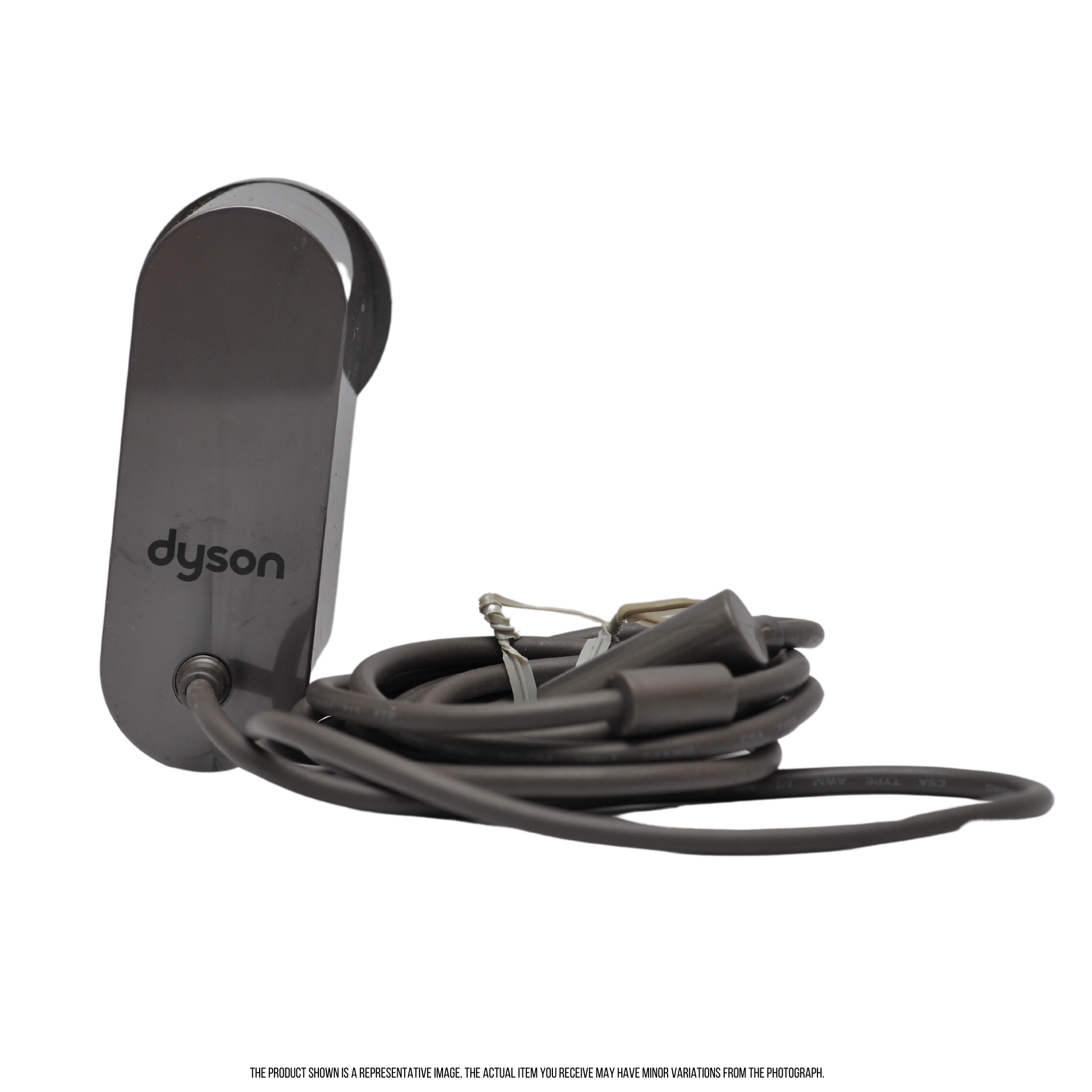
How to Charge a Dyson Battery Safely
Dyson cordless vacuums use lithium-ion batteries. These batteries store a large amount of energy in a small package, so safe charging matters.
Follow these rules:
- Charge the vacuum indoors in a dry area.
- Keep the charger and outlet away from water.
- Use the correct Dyson charger.
- Do not charge a visibly damaged battery.
- Do not cover the vacuum while it charges.
- Keep the battery away from strong heat.
- Do not open, crush, puncture, or modify the battery.
- Keep loose batteries away from keys, coins, and other metal objects.
- Stop using the battery if it swells, leaks, smokes, or smells unusual.
If a lithium-ion battery catches fire, do not handle it. Leave the area and call 911 in the United States. Follow local fire department guidance. Do not place a damaged battery in household trash. Contact your local household hazardous waste program for disposal instructions.

Common Charging Mistakes to Avoid
The most common mistakes are easy to prevent.
Using the wrong Dyson charger
Chargers may look similar while having different electrical specifications. Match the charger to the exact model, not just the brand.
Charging a wet vacuum
Never charge the vacuum after cleaning it with water. Washable filters must be fully dry before you put them back in the vacuum. Keep the motor and electrical parts dry.
Ignoring a red warning light
A red light can signal a fault. It should not be treated as a normal charging sign without checking the manual.
Blocking the filter or motor area
A covered or dirty vacuum can overheat. Keep vents open and clean the filter on the schedule Dyson gives for your model.


Mounting the dock in an unsafe place
Avoid wet areas, high heat, and weak wall surfaces. A loose dock can damage the vacuum or injure someone if it falls.
Expecting the same run time in every mode
Max or Boost mode uses more power. A shorter run time in that mode can be normal, but a sudden major drop may point to a battery or blockage problem.

Frequently Asked Questions
Can I leave my Dyson vacuum charging overnight?
Many Dyson cordless models are designed to sit on their charging dock between uses. Still, follow the instructions for your exact model. Do not leave a damaged vacuum, battery, charger, or outlet connected overnight.
Can I charge a Dyson vacuum without the dock?
Often, yes. Many models let you connect the charger directly to the vacuum or battery. The charging method depends on the model.
Why does my Dyson blink blue while charging?
A blinking blue light commonly means the battery is charging. Check the model manual because Dyson uses different light patterns across its product range.
Can I use a Dyson vacuum while it is charging?
Most cordless Dyson vacuums do not operate while connected to the charger. This is normal and helps prevent use during charging.
How do I know when my Dyson is fully charged?
The indicator may stop flashing, turn solid, disappear, or show a full battery symbol. The exact sign depends on the model.
Is it safe to use a third-party Dyson charger?
Only use a third-party charger if it is clearly approved for your exact Dyson model and meets the required electrical specifications. An incorrect charger can damage the battery or create a safety risk.
Conclusion
To charge a Dyson vacuum, switch it off, connect the correct charger to the vacuum or wall dock, and check the charging indicator. Allow the model-specific charging time, keep the unit dry and uncovered, and use only an approved charger.
If the vacuum does not charge, test the outlet, inspect the connection, let the battery reach room temperature, and check for blockages or filter warnings. Stop using the vacuum if the battery is damaged, unusually hot, swollen, or leaking. For model-specific light meanings and charging times, use the Dyson support page or manual for your exact vacuum.

Liora Pennings is a seasoned chef and kitchen enthusiast with a passion for turning everyday cooking into an effortless experience. With years of hands-on culinary expertise, she specializes in practical techniques, ingredient know-how, and smart kitchen solutions that help home cooks elevate their meals. At KitchFlair.com, Liora shares her best tips, time-saving tricks, and honest product reviews to guide readers toward a more efficient, enjoyable, and inspired cooking routine. Whether you’re a beginner or a seasoned home chef, Liora’s friendly, knowledge-packed insights make every visit to the kitchen a little easier—and a lot more delicious.