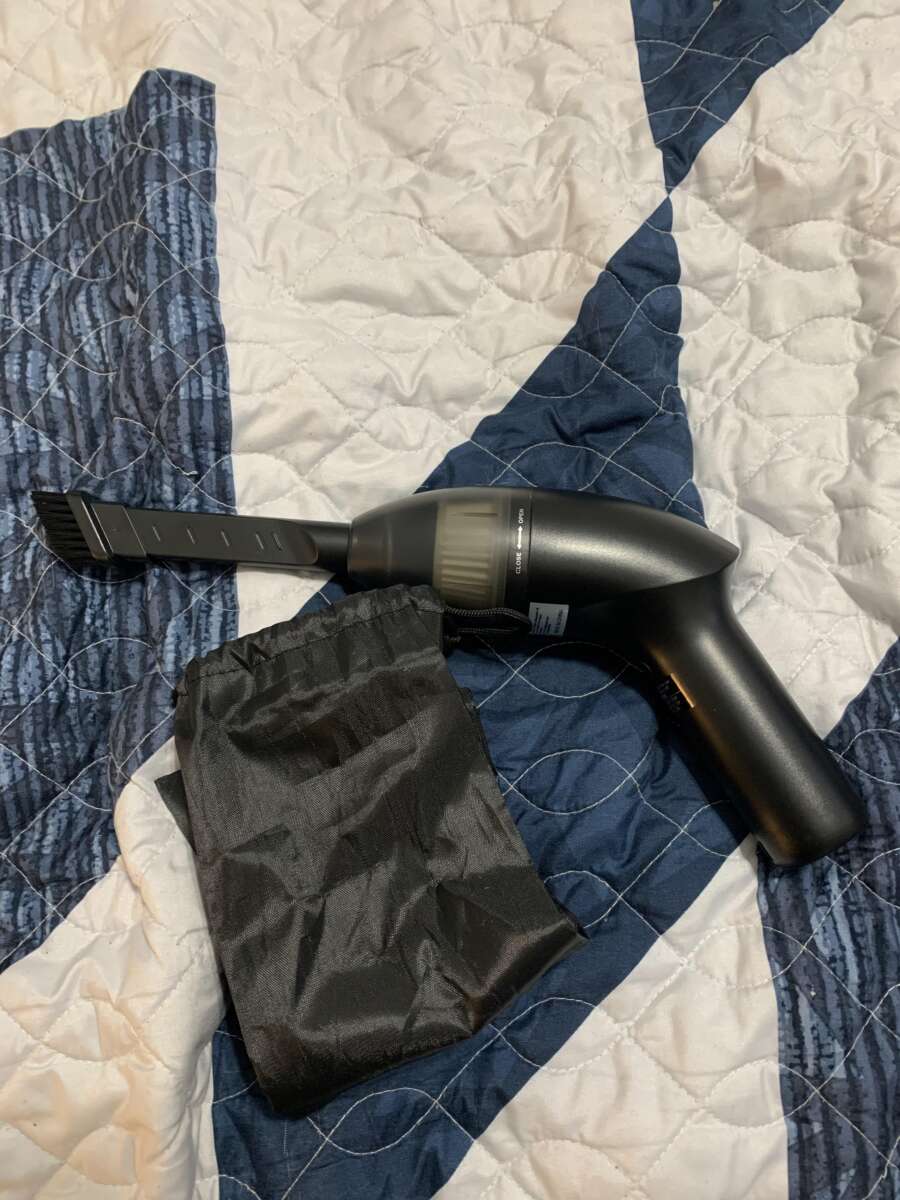
Can I Clean My PS5 With A Vacuum Cleaner: Safe Guide
Yes, you can clean your PS5 with a vacuum cleaner, but use it carefully.
Knowing how to clean a PS5 safely helps prevent overheating, loud fan noise, and poor performance. A vacuum can remove loose dust from the outside vents and dust traps, but strong suction or careless use may harm delicate parts. This guide explains the safest method, common mistakes, cleaning frequency, and when a deeper service is needed.
Can I Clean My PS5 With a Vacuum Cleaner?
Yes, you can clean your PS5 with a vacuum cleaner if you use it on the outer vents and dust-catcher areas only. Keep the console powered off, unplugged, and cool before you begin.
A vacuum is useful for loose dust. It is not a full repair tool. It cannot safely remove thick dust from the fan, heat sink, or inside circuit boards unless the console is opened.
When people ask, “Can I clean my PS5 with a vacuum cleaner?” the most accurate answer is: yes, but use low suction and never force the nozzle into the console.
Sony designed the PS5 with ventilation openings and dust-catcher holes. These areas can collect dust over time. Cleaning them may improve airflow and reduce the amount of dust pulled deeper into the system.
However, vacuuming does not fix every cooling issue. A blocked room, poor console placement, a damaged fan, or dried thermal material may still cause high temperatures.

Why Dust Is a Problem for Your PS5
Your PS5 uses a fan and heat sink to move heat away from its processor. Dust can gather around the air intake, exhaust vent, fan, and heat sink fins.
A thin layer of dust may not cause an instant problem. Over time, though, it can restrict airflow. The fan may then spin faster to keep the console cool.
Signs of a dusty PS5 may include:
- Louder fan noise during games
- The console feeling hotter than usual
- Random shutdowns
- Performance warnings related to heat
- Dust around the rear vents
- A room that smells warm or dusty after long play sessions
A PS5 may also sound louder during demanding games. That does not always mean it needs cleaning. Some games place more load on the system, so the fan naturally works harder.
Still, regular dust removal is a simple form of prevention. Think of the vents as the PS5’s breathing passages. If they become blocked, the console has to work harder to breathe.
Is It Safe to Vacuum a PS5?
Vacuuming the outside of a PS5 is usually safe when done with care. The main danger is not the idea of removing dust. The danger comes from high suction, rough contact, and trying to reach areas that are not meant to be cleaned from outside.
Static electricity is often discussed as a vacuum risk. Household vacuums can create static, especially when used on some surfaces. The exact risk varies by vacuum, nozzle, and environment, but caution is still sensible.
Follow these safety rules:
- Shut down the PS5 fully instead of using Rest Mode.
- Unplug the power cable and all other cables.
- Let the console cool for at least 30 minutes.
- Use the lowest useful suction setting.
- Keep the plastic nozzle near the vent, not pressed hard against it.
- Do not insert the nozzle into the fan or ports.
- Do not touch internal parts with the vacuum nozzle.
- Stop if the nozzle pulls against a surface.
- Keep liquids, sprays, and cleaning fluids away from the console.
If your vacuum has a metal nozzle, use extra care. A soft brush attachment or plastic crevice tool is a better choice. Never drag a metal nozzle across the PS5’s ports or exterior.

How to Clean Your PS5 With a Vacuum Cleaner
The safest way to clean your PS5 with a vacuum cleaner is to work from the outside in. You do not need to remove the outer panels for routine dust removal.
1. Shut down and unplug the console
From the home screen, select the power menu and choose Turn Off PS5. Wait until all lights are off. Then unplug the power cable, HDMI cable, USB cables, and network cable.
Do not clean the console while it is running. A powered-off console is safer and gives dust time to settle before you remove it.
2. Move the PS5 to a clean area
Place the PS5 on a firm table with good light. Avoid cleaning it on a carpet, bed, or blanket. These surfaces can hold dust and may block the vents.
Keep the console upright or lay it flat in the same position recommended for its stand. Do not shake it. Shaking can move dust deeper into the system.
3. Wipe the outer shell
Use a dry microfiber cloth to remove dust from the plastic panels. Wipe gently around the front, sides, and top.
Do not use furniture polish, glass cleaner, alcohol sprays, or disinfectant wipes on the console. Some products can damage the surface or leave moisture near the vents.
4. Vacuum the ventilation openings
Hold the vacuum nozzle close to the external vents without forcing it inside. Move slowly across the rear exhaust area, side vents, and other visible openings.
Use short passes. You want to lift loose dust, not create a powerful seal over the vent.
5. Clean the dust-catcher areas
On many PS5 models, removing the white outer panels reveals dust-catcher holes near the internal fan area. You can remove the panels by following the console’s official instructions and lifting them gently.
Once the panels are off, use the vacuum around the dust-catcher holes. Keep the nozzle outside the holes. Do not push it down toward the fan.
6. Reassemble and test
Replace the panels carefully. Make sure they sit flat and click into place. Reconnect the cables, turn on the PS5, and listen for unusual sounds.
A short test is enough. You do not need to start a long gaming session right away.
How to Remove the PS5 Side Panels Safely
Cleaning behind the side panels can help you reach dust-catcher areas. It also creates a risk if you use too much force.
Before removing a panel:
- Turn off and unplug the PS5.
- Remove the vertical stand if you use one.
- Place the console on a soft, clean cloth.
- Follow the correct panel direction for your PS5 model.
- Lift gently instead of bending or twisting the panel.
The original PS5 and newer PS5 Slim models do not use identical panel designs. The correct removal motion may differ. Check the official instructions for your exact model before starting.
Do not remove the internal fan, power supply, or heat sink for normal cleaning. These parts are deeper inside the console and are easy to damage.
If a panel will not move with light pressure, stop. Forcing it can break clips or scratch the plastic. A broken panel is a much bigger problem than a little dust.

What Not to Do When Cleaning a PS5
Many cleaning problems happen because people try to clean too deeply or too quickly. Avoid these common mistakes when you clean your PS5 with a vacuum cleaner.
- Do not vacuum while the console is powered on.
- Do not use maximum suction directly on a vent.
- Do not insert the nozzle into the fan.
- Do not use a shop vacuum close to exposed electronics.
- Do not spray compressed air into the console without a clear plan.
- Do not use water or household cleaners.
- Do not spin the fan forcefully with a finger or tool.
- Do not open the power supply unless you are trained.
- Do not place the PS5 on carpet during regular use.
- Do not cover the console with fabric or decorative objects.
Compressed air deserves special attention. It can push dust farther into the console rather than removing it. It can also spin a fan at high speed if used carelessly.
A vacuum with excessive suction can also pull loose parts, labels, or small pieces of debris toward the nozzle. Gentle, controlled cleaning is safer than trying to make the console look new in one pass.
Vacuum Cleaner vs. Compressed Air for PS5 Cleaning
Both tools can remove dust, but they work in different ways.
A vacuum pulls dust away from the console. This makes it useful around external vents and dust-catcher holes. Compressed air pushes dust away from the nozzle, which may drive it deeper into the system.
For routine PS5 maintenance, a soft microfiber cloth and a low-suction vacuum are usually enough. A soft brush can help loosen dust near the outer vents, but keep the brush dry and use light pressure.
Here is a simple comparison:
- Vacuum cleaner: Best for loose dust on external vents and dust-catcher holes.
- Microfiber cloth: Best for the outer shell and stand.
- Soft brush: Useful for loosening surface dust.
- Compressed air: Use with caution because it may push dust inside.
- Professional service: Best for heavy internal dust or hardware problems.
The best tool depends on the condition of the console. If the vents have a light coating of dust, do not use an aggressive method meant for a badly clogged computer.

How Often Should You Clean Your PS5?
Most homes need light PS5 cleaning every one to three months. The right schedule depends on dust, pets, smoking, carpet, and how often you use the console.
Clean the vents sooner if:
- You have cats or dogs that shed.
- The PS5 sits on carpet.
- You smoke or use the console near cooking areas.
- Your room has visible dust.
- The console runs for many hours each day.
- The fan has become louder over time.
A quick monthly check takes less than five minutes. Look at the rear vents and side openings. If you see a gray layer of dust, clean the outside before it builds up.
Do not clean too often with aggressive tools. Repeated rough contact can cause more harm than normal dust. Gentle maintenance is the goal.
Placement also matters. Keep the PS5 in an open space with several inches of clearance around its vents. Avoid closed cabinets unless they have strong airflow.
What If Your PS5 Is Still Loud After Cleaning?
If your PS5 remains loud after you clean the vents, dust may not be the only cause. The fan may be reacting to a demanding game, warm room, blocked airflow, or an internal buildup that the outside vacuum could not reach.
Try these checks:
- Move the console away from walls and cabinets.
- Make sure the rear exhaust is not facing a narrow space.
- Test another game to compare fan noise.
- Check whether the console is unusually hot.
- Confirm that all vents are clear.
- Install system software updates.
- Listen for clicking, grinding, or rattling sounds.
A steady fan sound during a graphics-heavy game can be normal. A grinding or scraping sound is not normal and may point to a fan problem.
If the PS5 shuts down from heat, displays a warning, or makes a harsh mechanical noise, stop using it until it can be inspected. Vacuuming cannot repair a failing fan or damaged power component.
Opening the console may affect warranty service, depending on the issue and region. When in doubt, use official support or a qualified repair technician.

Practical Lessons From PS5 Cleaning
One common mistake is treating the PS5 like a dusty floor. People press the vacuum nozzle hard against the vent and use full power. That can create a strong seal and place unnecessary stress near the airflow path.
A better approach is slow and light. Hold the nozzle a small distance away, use short passes, and stop often to inspect the vent.
Another lesson is that prevention works better than deep cleaning. A console kept off the floor and away from pet hair collects far less dust. Moving it to a shelf with open space can make a bigger difference than buying a stronger vacuum.
I also recommend taking a quick photo of the cable connections before moving the console. It sounds minor, but it prevents confusion when reconnecting HDMI, power, USB, and network cables.
Most importantly, do not rush. If a panel feels stuck or a part looks difficult to reach, leave it alone. Saving a few minutes is not worth breaking an expensive console.
Frequently Asked Questions About Cleaning a PS5 With a Vacuum Cleaner
Can I clean my PS5 with a vacuum cleaner while it is on?
No. Shut down the PS5 completely, unplug it, and let it cool before cleaning. Cleaning a powered console can increase the risk of static, accidental damage, and airflow problems.
Can I vacuum the PS5 fan directly?
You should not insert a vacuum nozzle into the fan. Vacuum only the outer vents and approved dust-catcher areas, because direct contact may damage fan blades or internal parts.
Can I clean my PS5 with a vacuum cleaner without removing the panels?
Yes. You can remove loose dust from the outer vents without taking off the panels. Removing the panels may help with dust-catcher cleaning, but it is not required for light maintenance.
Is compressed air better than a vacuum for PS5 cleaning?
Not always. Compressed air can push dust farther inside or spin the fan too quickly, while a gentle vacuum can pull loose dust away from external areas.
How often should I clean my PS5?
Check the vents each month and clean them when you see visible dust. Homes with pets, carpets, smoke, or heavy console use may need cleaning more often.
Can vacuuming fix an overheating PS5?
It may help if blocked vents are the cause, but it cannot fix every overheating problem. A faulty fan, poor placement, internal dust, or a hardware fault may require professional service.
Can I use a regular household vacuum on my PS5?
Yes, but use low suction and a soft or plastic attachment. Keep the nozzle outside the vents and avoid high-powered shop vacuums near exposed components.
Conclusion
You can clean your PS5 with a vacuum cleaner, but the safe method is gentle and external. Power the console off, unplug it, use low suction, and clean only the vents and dust-catcher areas without forcing the nozzle inside.
Good placement, regular checks, and a dry microfiber cloth can reduce dust before it becomes a cooling problem. If the PS5 still overheats, shuts down, or makes grinding sounds after cleaning, seek qualified support instead of vacuuming deeper.
Take a few minutes to inspect your console today, clean it carefully, and share your own PS5 maintenance tips in the comments.

Liora Pennings is a seasoned chef and kitchen enthusiast with a passion for turning everyday cooking into an effortless experience. With years of hands-on culinary expertise, she specializes in practical techniques, ingredient know-how, and smart kitchen solutions that help home cooks elevate their meals. At KitchFlair.com, Liora shares her best tips, time-saving tricks, and honest product reviews to guide readers toward a more efficient, enjoyable, and inspired cooking routine. Whether you’re a beginner or a seasoned home chef, Liora’s friendly, knowledge-packed insights make every visit to the kitchen a little easier—and a lot more delicious.