How To Descale A Ninja Coffee Maker: Easy Guide
To descale a Ninja coffee maker, run a descaling solution through it, rinse it well, and reset the clean light.
Minerals from tap water can build up inside your Ninja coffee maker. This buildup may slow brewing, make coffee taste bitter, and leave the clean light on. I have found that the best results come from using the correct descaling solution, following the machine’s clean cycle, and rinsing the system more than once. This guide explains how to descale a Ninja coffee maker safely, including what to use, what to avoid, and how often to repeat the process.
Why You Need to Descale a Ninja Coffee Maker
Descaling removes mineral deposits caused by hard water. These deposits are made mostly of calcium and magnesium. Over time, they can collect inside the water lines, heating system, valves, and brew path.
A small amount of scale may not seem serious. However, it can affect both the taste and performance of your machine. A coffee maker with heavy scale is like a garden hose with dirt inside it. Water still passes through, but the flow becomes weaker and less reliable.
Regular descaling can help:
• Improve water flow and brewing speed
• Reduce unusual noises during brewing
• Support a more even brewing temperature
• Remove stale mineral tastes
• Prevent weak or incomplete brews
• Turn off the clean or descale indicator
• Extend the useful life of the coffee maker
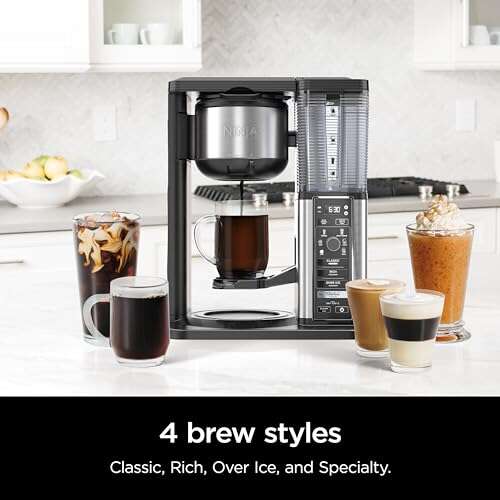
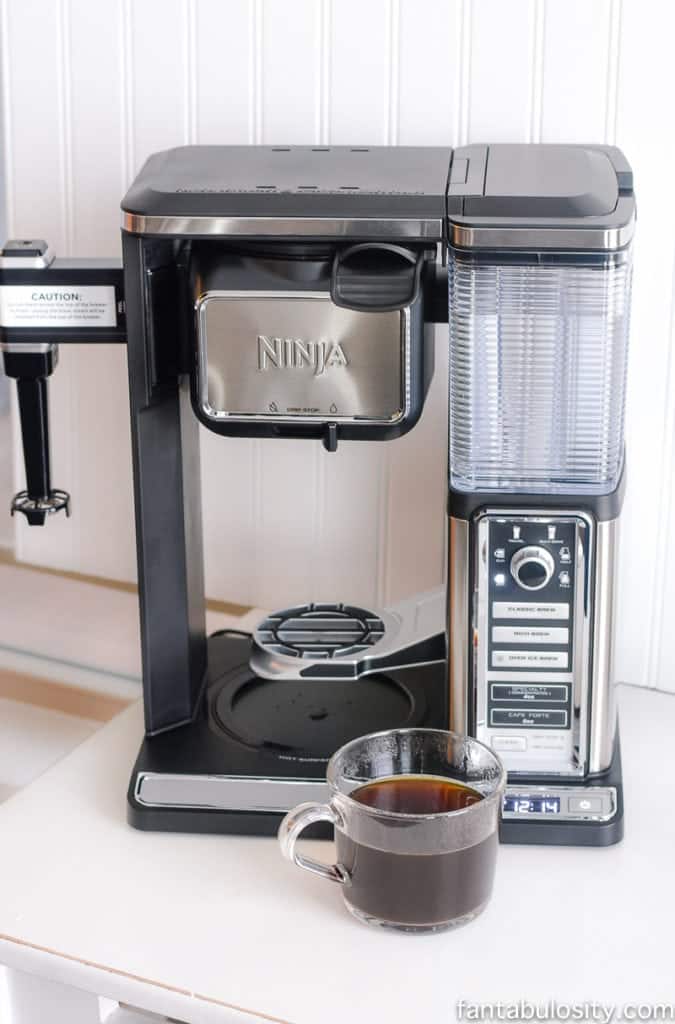
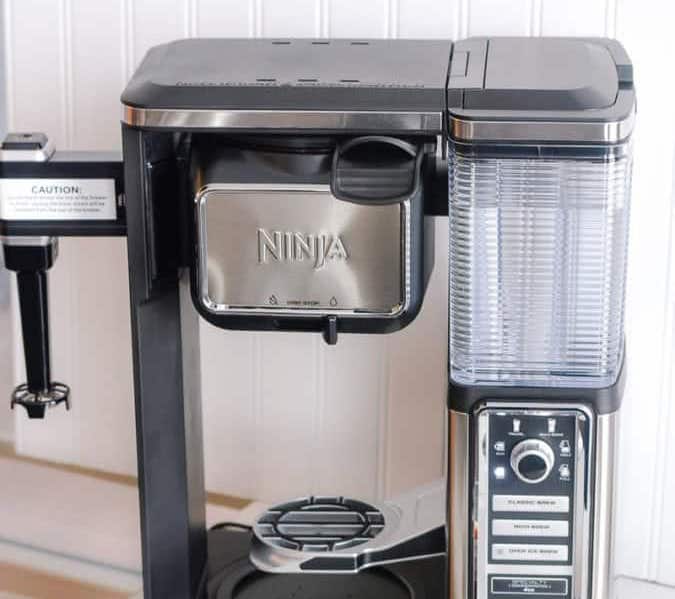
Ninja coffee makers vary by model. Some have a dedicated Clean button, while others use a control panel setting. The steps below work for many Ninja drip, specialty, hot and cold brew, and dual-brew models, but your owner’s manual should always take priority.
What You Need Before You Start
Gather everything before you begin. The process is simple, but stopping halfway can leave solution inside the machine.
You will need:
• A manufacturer-approved coffee maker descaling solution
• Fresh water
• The empty water reservoir
• The permanent filter or paper filter, if your model uses one
• The empty glass carafe or thermal carafe
• A clean sink
• A soft, damp cloth
A commercial descaling solution is usually the safest choice because it is made for coffee equipment. Some products come as liquid concentrate. Others come as tablets or powder. Follow the mixing directions on the label.
Some Ninja manuals may allow a diluted white vinegar solution. Do not assume that vinegar is suitable for every model. Vinegar has a strong smell, may require more rinsing, and can be less convenient than a product made for coffee makers. If your manual says to use a specific Ninja descaling product, use that product.
Before you descale a Ninja coffee maker, also check these points:
• Remove all coffee grounds from the brew basket.
• Empty the carafe.
• Remove any coffee pod or capsule.
• Turn off the warming plate, if your model has one.
• Make sure the machine is at room temperature.
• Keep the machine near a sink for easy rinsing.

How to Descale a Ninja Coffee Maker
The exact button names may differ, but the basic process is similar across many models. Do not add coffee during any part of the cleaning cycle.
1. Empty and prepare the coffee maker
Remove the filter basket, permanent filter, and carafe. Throw away any used coffee grounds. Wash the removable parts with warm, soapy water, then rinse them well.
Wipe the showerhead area and the space around the brew basket with a soft cloth. Do not use a sharp object to scrape inside the machine. A sharp tool can damage the plastic parts or the water outlet.
2. Mix the descaling solution
Read the instructions on your descaler. Add the recommended amount of solution to the water reservoir. Then add the correct amount of water.
Do not make the mixture stronger than the label recommends. A stronger solution does not always clean better. It may leave a harsh smell or require extra rinsing.
3. Put the empty carafe in place
Place the empty carafe under the brew outlet. Make sure it sits correctly on the warming plate or carafe platform.
If your Ninja model has a brew basket, leave it empty. If it uses a permanent filter, place the clean filter back into the basket unless the manual says to remove it.
4. Start the Clean or Descale cycle
Plug in the coffee maker. Press the Clean button, Descale button, or the control setting used for cleaning.
On many models, the clean light begins to flash. The machine may pause during the cycle. This is normal. The solution needs time to move through the internal parts and loosen mineral scale.
Do not press other brew buttons while the clean cycle is running. Do not unplug the machine unless the manual tells you to stop it.
5. Let the cycle finish
The cycle may take about 30 minutes, though the time varies by model. Some machines pump solution in stages. Others pause to let the solution work.
The carafe may collect a small amount of cloudy liquid or flakes. This can be normal when mineral deposits are being removed. If the machine stops early, check the water reservoir, carafe position, and power connection before trying again.
6. Empty the carafe
When the cycle ends, carefully empty the liquid into the sink. The liquid may be warm, so use care.
Wash the carafe with warm water. If the solution label gives special disposal instructions, follow them.
7. Rinse the reservoir
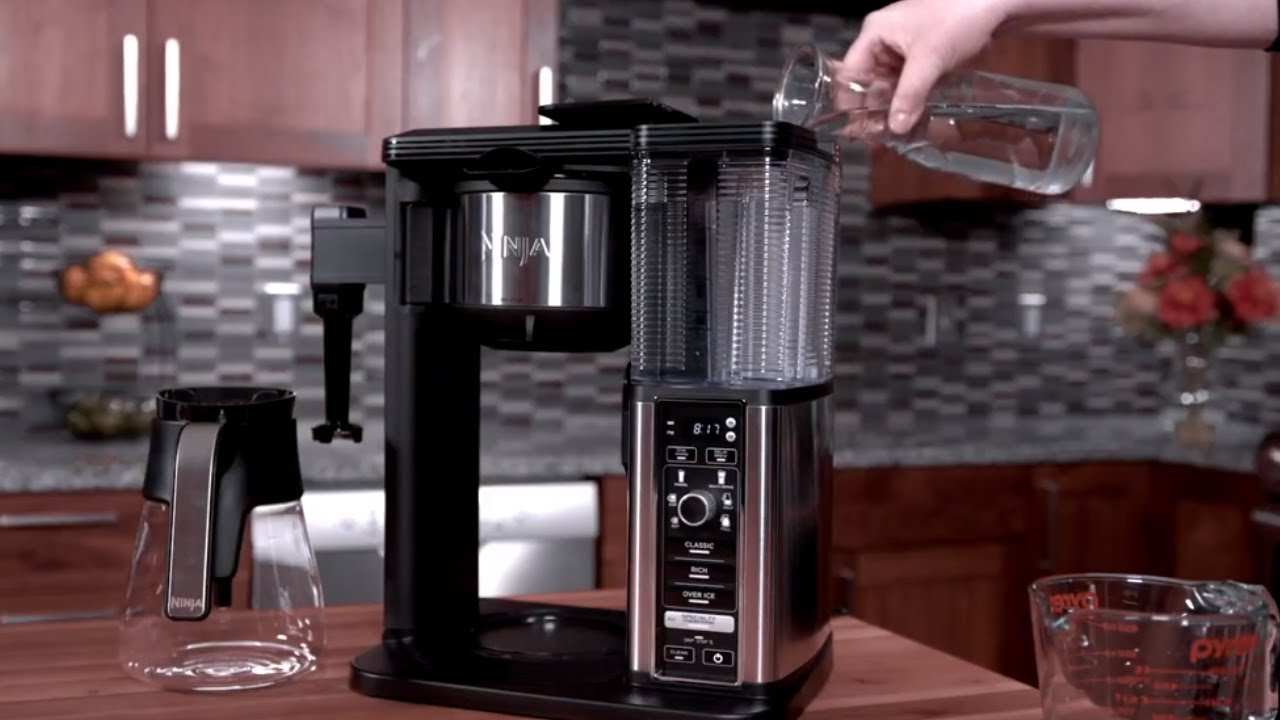
Remove the water reservoir and rinse it thoroughly. Fill it with fresh, clean water.
Avoid using flavored water, sparkling water, or highly mineralized bottled water for rinsing. Plain tap or filtered water is best.
8. Run one or more rinse cycles
Place the empty carafe back under the brew outlet. Run a full water-only brew cycle.
After the cycle ends, empty the carafe. Fill the reservoir again with fresh water and run another full cycle if you smell the solution or vinegar.
This second rinse is one of the most useful steps in learning how to descale a Ninja coffee maker. Many people rush through it, and their first cup afterward has a chemical taste.
9. Wash the removable parts again
Wash the carafe, filter basket, and permanent filter with warm, soapy water. Rinse each part well.
Dry the parts before reassembling the coffee maker. Leave the lid of the reservoir open for a while so moisture can evaporate.
10. Reset the clean light if needed
Many Ninja models turn off the clean light automatically after the cycle. Other models may need you to press and hold the Clean button for a few seconds.
If the light stays on, check your manual for the reset method. Do not ignore the light if the machine still needs a complete clean cycle. A reset alone does not remove mineral scale.

How to Descale Different Ninja Coffee Maker Types
Ninja makes several coffee maker styles. The cleaning idea is the same, but the controls and water paths may differ.
Ninja drip coffee makers
Standard drip models often have a Clean button. Use the solution in the reservoir, place the carafe below the outlet, and start the clean cycle.
Do not brew a normal coffee pot with grounds during descaling. The clean cycle must run with an empty filter basket.
Ninja Specialty coffee makers
Specialty models may have several brew sizes and strength settings. Choose the Clean setting rather than a standard brew size.
The machine may take longer than a normal brew. This is expected because the clean program may heat and pause the solution to remove scale more effectively.
Ninja Hot and Cold Brew models
Hot and cold brew models can contain more than one water path. Descale the machine with the setting recommended in the manual.
Do not use coffee, tea, fruit, or flavor additives during the process. Afterward, run fresh-water rinse cycles until there is no cleaner smell.
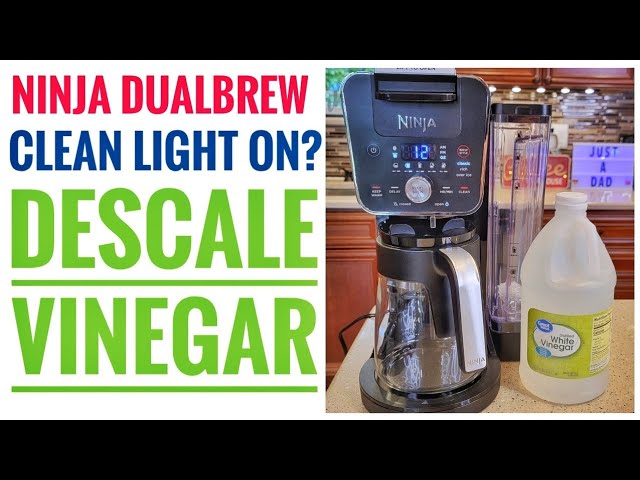
Ninja DualBrew coffee makers
DualBrew machines may use ground coffee and pods. Remove both the filter basket and any pod before cleaning.
Pay attention to the pod adapter. Remove and wash it separately if the manual permits. A descaling cycle cleans internal water paths, but it does not replace washing removable parts.
Ninja espresso and specialty systems
Some Ninja espresso machines use a different cleaning process from drip coffee makers. They may have separate cleaning tablets, rinse programs, or milk system instructions.
Do not apply the drip coffee maker method to an espresso machine unless the manual confirms it. Espresso systems often have pumps, screens, and seals that need model-specific care.

What to Use for Descaling
The best product depends on your Ninja model and its instructions. In most cases, a coffee maker descaling solution is the most controlled option.
Descaling solution
Commercial descalers are made to break down mineral deposits. They often have clear mixing instructions and less odor than vinegar.
Choose a product that is labeled for coffee makers. Never use bathroom limescale remover, bleach, dish soap in the water tank, or any chemical not designed for food-contact equipment.
White vinegar
Some coffee maker manuals allow white vinegar. If yours does, use only the stated ratio and complete several water-only rinse cycles.
Vinegar is not a universal solution. It may leave an odor, and it may not be recommended for every Ninja model. Always check the instructions for your exact machine before using it.
Filtered water
Filtered water can reduce the amount of mineral buildup between cleanings. However, filtered water is not always the same as distilled water. Some filters remove chlorine and improve taste but leave many minerals behind.
Use the type of water recommended by Ninja. Avoid relying on distilled water unless your manual says it is acceptable.
How Often Should You Descale a Ninja Coffee Maker?
Many Ninja coffee makers show a clean light when descaling is needed. That indicator should be your main guide.
As a general starting point, descale every three to six months. You may need to descale more often if you:
• Use hard tap water
• Brew several pots each day
• Notice slower water flow
• Hear loud humming or popping sounds
• See white flakes in the carafe
• Taste a mineral or bitter flavor
• Notice that the clean light stays on
Homes with very hard water may need monthly cleaning. Homes with soft or filtered water may go longer between cycles.
The clean light is helpful, but it is not perfect. It may measure usage or operating conditions rather than directly measuring the amount of scale inside the machine. If performance changes, descale the coffee maker even if the light has not appeared.
Signs Your Ninja Coffee Maker Needs Descaling
Your coffee maker may need cleaning before the indicator turns on. Watch for changes in speed, sound, and taste.
Common signs include:
• Brewing takes longer than usual.
• The machine stops before filling the carafe.
• Water drips instead of flowing steadily.
• The coffee tastes bitter, sour, or metallic.
• The machine makes more noise than normal.
• The clean light flashes or remains lit.
• White or chalky particles appear in the water.
• The coffee is weaker than usual despite using the same grounds.
A taste problem does not always mean scale. Old coffee oils, stale beans, a dirty filter, or an unwashed carafe can cause similar symptoms. Clean the removable parts first, then descale if the problem continues.
Common Mistakes to Avoid
A few shortcuts can create new problems. These mistakes are easy to avoid.
Using coffee during the clean cycle
Coffee grounds can block the filter and contaminate the cleaning solution. Always run the cycle with an empty basket.
Skipping the rinse
This is the most common mistake. A machine can look clean but still contain solution in its internal water path. Run at least one full water cycle, and run a second if any odor remains.
Making the solution too strong
More concentrate does not mean faster cleaning. Use the label directions or the ratio in the Ninja manual.
Forgetting the carafe
The carafe must sit under the outlet during cleaning. If it is missing or placed incorrectly, liquid may spill onto the counter or warming plate.
Scrubbing with abrasive tools
Steel wool, scouring powder, and sharp tools can scratch plastic and metal surfaces. Use a soft cloth or a nonabrasive sponge.
Cleaning only the water tank
Mineral deposits can form inside the heating system and water lines. Washing the reservoir alone will not descale a Ninja coffee maker.
Ignoring the model number
Ninja uses different controls across its product range. Find the model number on the base, back, or side of the machine. Then use the matching manual for button instructions and approved cleaners.

How to Keep Mineral Buildup Under Control
Descaling is important, but daily care can slow the return of scale.
Use fresh water for every brew. Do not leave water sitting in the reservoir for several days. Standing water can develop an unpleasant smell and may leave residue.
Empty the carafe after brewing. Rinse it daily and wash it often with warm, soapy water. Coffee oils can build up quickly, especially in the lid and spout.
Clean the filter basket and permanent filter after each use. A blocked filter can make the coffee maker appear slow even when mineral scale is not the cause.
Keep the machine dry between uses. Leave removable lids open when practical, but keep the coffee maker away from children, pets, and splashing water.
A simple care routine looks like this:
• After each brew: Empty the grounds and rinse the basket.
• Every few days: Wash the carafe and removable parts.
• When needed: Wipe spills and coffee residue from the base.
• Every three to six months: Descale the internal water system.
• After descaling: Run fresh-water rinse cycles and check the coffee taste.
What to Do If the Clean Light Stays On
If the clean light remains on after descaling, do not panic. The cycle may not have completed, or the machine may need a reset.
Try these steps:
-
Confirm that the reservoir contained enough solution and water.
-
Make sure the carafe was correctly positioned.
-
Run the full Clean cycle again with fresh descaler.
-
Complete two water-only rinse cycles.
-
Reset the Clean indicator according to the manual.
-
Unplug the machine briefly only if the manual allows it.
If the light still remains on, the machine may have a sensor, pump, or flow problem. Contact Ninja support or an authorized service provider. Avoid opening the machine yourself, especially if it is under warranty.
How to Tell Whether Descaling Worked
A successful descaling should produce noticeable improvements, though the change may be gradual.
Check whether:
• Water flows at a normal speed.
• The machine makes less unusual noise.
• The brew finishes without stopping.
• The coffee no longer has a mineral taste.
• The clean light turns off.
• No flakes appear in the carafe.
For a final test, brew a small pot using fresh water and your usual coffee. If the taste is still strange, wash the carafe and filter again. Coffee oils can remain even after the internal system is clean.
If the machine still brews slowly after two correct descaling cycles, scale may not be the only issue. A blocked valve, damaged pump, electrical fault, or incorrect filter may require professional help.
Frequently Asked Questions About How to Descale a Ninja Coffee Maker
How often should I descale a Ninja coffee maker?
Descale it when the clean light appears or about every three to six months. Use a shorter interval if your water is hard or you brew several times each day.
Can I use vinegar to descale a Ninja coffee maker?
Only use vinegar if the instructions for your exact model allow it. A manufacturer-approved coffee maker descaler is often the safer and easier option.
How many rinse cycles should I run after descaling?
Run at least one full water-only cycle. Run two or more cycles if you notice a cleaner smell or taste.
Why is my Ninja coffee maker still slow after descaling?
The filter basket, water outlet, or valve may be blocked with coffee residue. If cleaning and a second descaling cycle do not help, the machine may need service.
Can I descale my Ninja coffee maker with coffee grounds inside?
No. Always remove coffee grounds, pods, and capsules before starting the Clean cycle. The machine should contain only the approved solution and water.
What happens if I ignore the clean light?
Mineral scale may continue to build inside the water system. Brewing can become slower, coffee quality may decline, and the machine may eventually stop working correctly.
Should I use distilled water after descaling?
Follow the water guidance for your model. Filtered water may improve taste and reduce some buildup, but distilled water is not automatically right for every coffee maker.
Conclusion
Learning how to descale a Ninja coffee maker is simple: empty the machine, add the approved descaling solution, run the Clean cycle, rinse it with fresh water, and reset the indicator if needed. The most important steps are using the correct solution and never skipping the rinse cycles.
Regular descaling helps protect brewing speed, flavor, and machine performance. Check your model’s manual, set a reminder for the next cleaning, and share your experience or questions in the comments.

Liora Pennings is a seasoned chef and kitchen enthusiast with a passion for turning everyday cooking into an effortless experience. With years of hands-on culinary expertise, she specializes in practical techniques, ingredient know-how, and smart kitchen solutions that help home cooks elevate their meals. At KitchFlair.com, Liora shares her best tips, time-saving tricks, and honest product reviews to guide readers toward a more efficient, enjoyable, and inspired cooking routine. Whether you’re a beginner or a seasoned home chef, Liora’s friendly, knowledge-packed insights make every visit to the kitchen a little easier—and a lot more delicious.