How Does Automatic Vacuum Cleaner Work: Easy Guide
An automatic vacuum cleaner uses sensors, motors, brushes, and software to map rooms, collect dirt, and recharge itself.
If you have ever watched a robot vacuum glide under a sofa, you may wonder how it knows where to go. The answer combines simple cleaning mechanics with sensors, navigation software, rechargeable batteries, and automatic docking. This guide explains how does automatic vacuum cleaner work, what happens during a cleaning cycle, and how to get better results at home.
How Does Automatic Vacuum Cleaner Work?
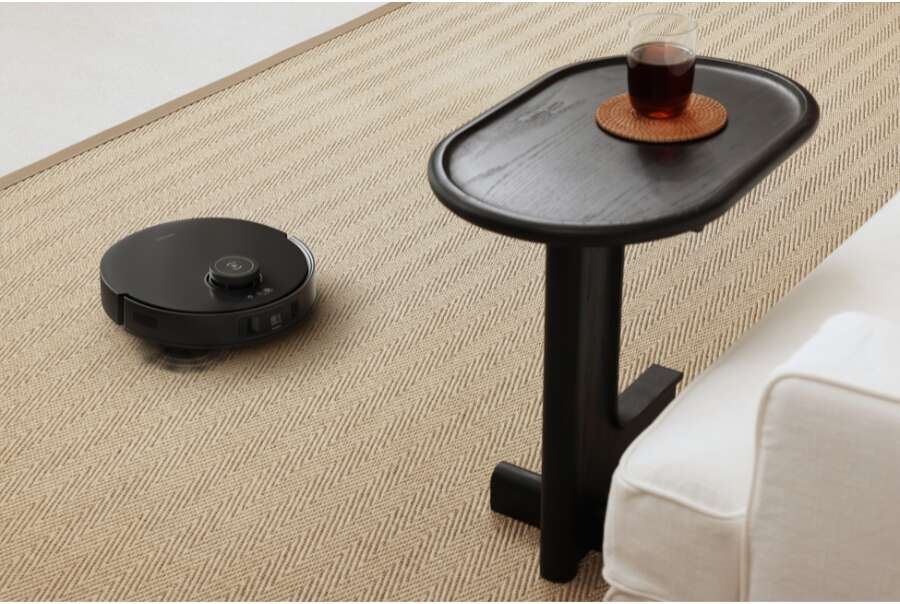
An automatic vacuum cleaner, often called a robot vacuum, cleans floors with very little human help. It moves across a room, detects walls and furniture, loosens dirt with brushes, pulls debris into a dust bin, and returns to its charging dock when needed.
The machine works like a small mobile computer. Its wheels provide movement, its sensors act like eyes, and its software acts like a brain. Together, these parts help the vacuum decide where to clean and how to avoid common obstacles.
Most models follow this basic process:
- The vacuum starts from its dock.
- Sensors scan the nearby space.
- Side brushes move dirt toward the main brush.
- The main brush lifts dirt from the floor.
- A motor creates suction and pulls debris into the dust bin.
- Navigation software guides the machine through the room.
- The vacuum returns to the dock when the battery is low or the job is complete.
How does automatic vacuum cleaner work in a busy home? It repeats this process while adjusting to floor type, room shape, furniture, and cleaning settings.
The Main Parts Inside an Automatic Vacuum Cleaner
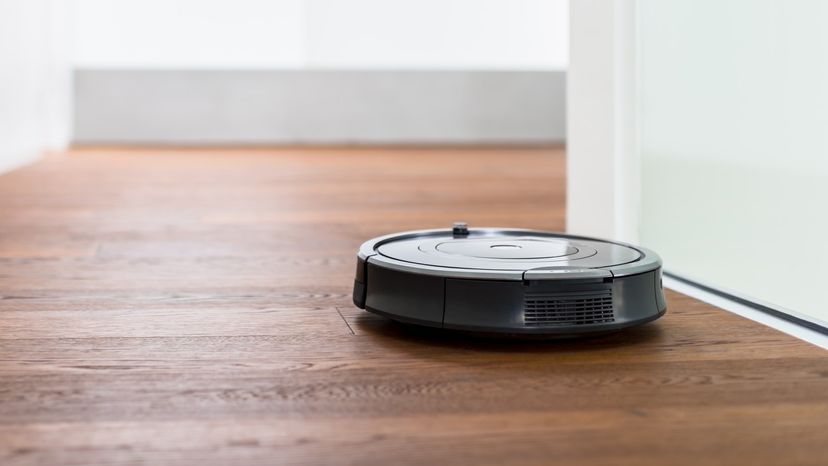
Understanding the main parts makes the whole system easier to follow. Each part has a clear job, but the parts must work together for reliable cleaning.
Suction motor
The suction motor creates airflow. This airflow pulls dust, crumbs, hair, and small particles from the floor into the dust bin.
Some robot vacuums use a single motor speed. More advanced models adjust suction based on the floor or the cleaning mode. Strong suction can help with carpets, while lower suction often uses less battery power on hard floors.
Main brush roll
The main brush roll sits under the vacuum. It spins as the machine moves and lifts dirt from the surface.
Many brush rolls combine bristles with rubber fins. Bristles can loosen dirt from carpet, while rubber parts may collect pet hair from hard floors. Hair can still wrap around the roll, so regular cleaning is important.
Side brushes
One or two side brushes spin near the outer edges of the machine. They sweep dirt away from walls and corners and push it toward the main brush.
Side brushes do not replace normal corner cleaning. Their round shape limits how deeply they can reach into sharp corners. Still, they help collect dust that would otherwise stay along baseboards.
Wheels and drive motors
Two powered wheels control movement. The robot can move forward, turn left, turn right, and rotate in place.
A smaller front wheel helps balance the machine. The drive system also lets the vacuum cross small floor transitions, such as the edge between tile and low-pile carpet.
Dust bin and filter
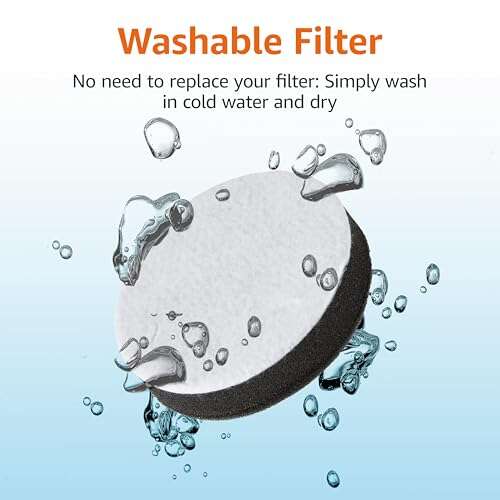
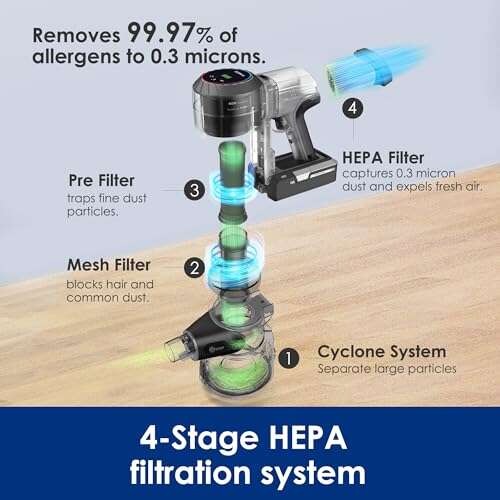
The dust bin stores collected dirt. A filter traps fine particles before air leaves the machine.
High-efficiency filters can reduce the amount of fine dust released back into the room. People with allergies should check the filter type and replace it as the manufacturer recommends.
Battery and charging contacts
A rechargeable battery powers the motors, sensors, and computer. Metal contacts on the robot connect with contacts on the dock.
Battery size affects cleaning time. A larger home may need a model with longer runtime or a recharge-and-resume feature.
How Robot Vacuum Sensors Help It Navigate
Sensors are central to how does automatic vacuum cleaner work. Without them, the machine would bump into objects, fall down stairs, and miss large parts of the floor.
Cliff sensors
Cliff sensors look for sudden drops. They are most useful near stairs, balconies, and raised landings.
These sensors usually send light toward the floor and measure the reflection. If the signal changes sharply, the vacuum assumes a drop is nearby and turns away.
Dark rugs can sometimes confuse cliff sensors because they may absorb light. If the robot refuses to cross a dark mat, check the manual before covering the sensors.
Bumper sensors
A soft bumper sits around the front of many robot vacuums. When it touches furniture, the robot detects the contact and changes direction.
Bumper sensors are simple and reliable. However, they may still tap chair legs or cabinets. This light contact is usually normal and helps the vacuum understand its surroundings.
Infrared sensors
Infrared sensors can detect nearby objects and help the machine avoid direct collisions. They may also help the robot find its charging dock.
These sensors work well with clear, solid objects. They may struggle with glass, shiny surfaces, or very dark furniture.
Wall and edge sensors
Wall sensors help the vacuum follow edges. This allows it to clean along baseboards and furniture lines.
The robot may run close to a wall without touching it. This edge-cleaning behavior helps collect dust that builds up around room borders.
Optical and camera sensors
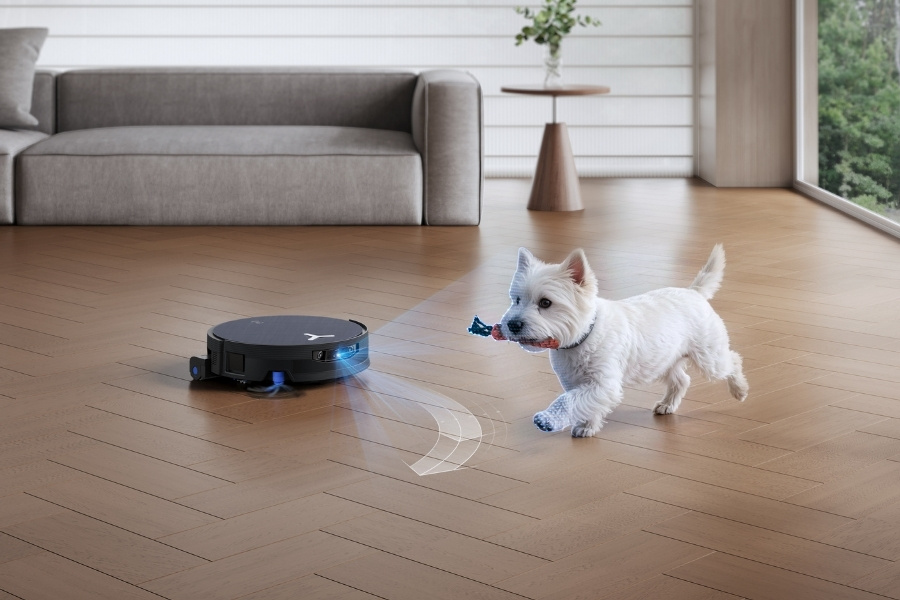
Some models use a camera to identify objects and understand the room. A camera-based vacuum may recognize shoes, cords, pet toys, or furniture.
Camera navigation can improve obstacle avoidance, but it also raises privacy questions for some users. Check how the manufacturer stores and processes images before buying a model with room cameras.
LiDAR sensors
LiDAR uses laser pulses to measure distance. A small laser turret, often placed on top of the vacuum, scans the room and builds a map.
LiDAR is often accurate in low light because it does not depend on visible light. Its raised design can make some models too tall to fit beneath low furniture.
How Mapping and Navigation Work
Modern robot vacuums do more than move randomly. They use software to create a map and choose a cleaning path.
During the first few cleaning runs, the vacuum collects information about walls, openings, furniture, and room size. It then builds a digital map in the companion app or in the robot’s internal memory.
The robot may use one of several navigation methods:
• Random navigation changes direction after bumps or sensor readings. It is common in basic models.
• Gyroscope navigation tracks turns and movement. It helps the robot clean in a more organized way.
• Camera navigation uses visual details to understand location. It may need enough light to work well.
• LiDAR navigation measures distance with lasers. It usually creates a detailed map quickly.
• Combined navigation uses several sensors at once. This can improve accuracy and reduce errors.
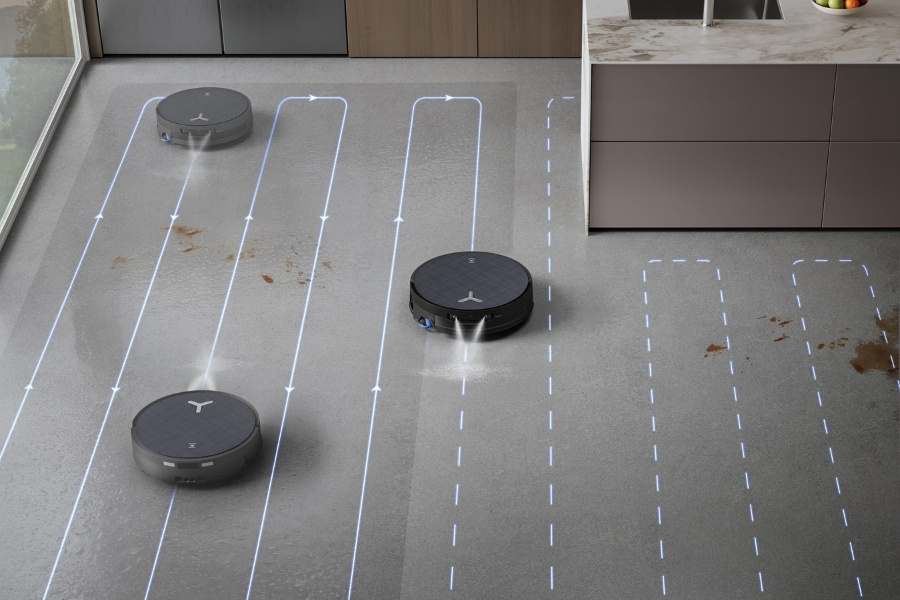
A mapped robot often cleans in straight, parallel lines. This method is more efficient than crossing the same area at random. It can also divide a home into rooms and clean one area at a time.
Some apps allow you to set:
• No-go zones
• Virtual walls
• Room labels
• Cleaning schedules
• Room-by-room cleaning
• Suction levels
• Mopping zones
A map is helpful, but it is not perfect. Moving furniture, opening doors, poor lighting, and tangled cords can change the robot’s path.

How Automatic Vacuum Cleaners Handle Different Floors
An automatic vacuum cleaner can usually clean hard floors and low- to medium-pile carpets. However, results vary by model and floor type.
Hardwood and tile
On hard floors, side brushes gather loose dust and crumbs. The main brush lifts debris, while suction pulls fine particles into the bin.
Use a lower suction setting if the vacuum is noisy or the battery drains too fast. Also check whether the wheels or brush roll could scratch delicate flooring.
Carpet
Carpet needs stronger agitation. The brush roll must reach into the fibers and loosen dirt before suction removes it.
Robot vacuums often slow down or increase suction on carpet. Thick, shaggy, or high-pile carpet can block the brush or stop the wheels from moving freely.
Rugs and mats
Lightweight rugs can move when the robot climbs onto them. Rug edges may also catch in the brush roll.
Use a virtual barrier around rugs that fold, slide, or have long tassels. Secure loose corners when possible.
Pet hair
Pet hair is one of the most common reasons people buy robot vacuums. A robot can reduce daily hair buildup, but it cannot remove every strand in one pass.
Rubber brush rolls often handle hair well. Even so, pet owners should empty the bin and remove wrapped hair often.

How the Automatic Charging Dock Works
The charging dock is both a power station and a navigation point. The vacuum uses sensors or camera signals to locate the dock when it needs to recharge.
When the battery reaches a set level, the robot pauses cleaning. It then follows a route back to the dock and lines up its charging contacts.
Many smart models offer recharge and resume. The robot charges until it has enough power, then returns to the place where it stopped.
Some premium docks can also:
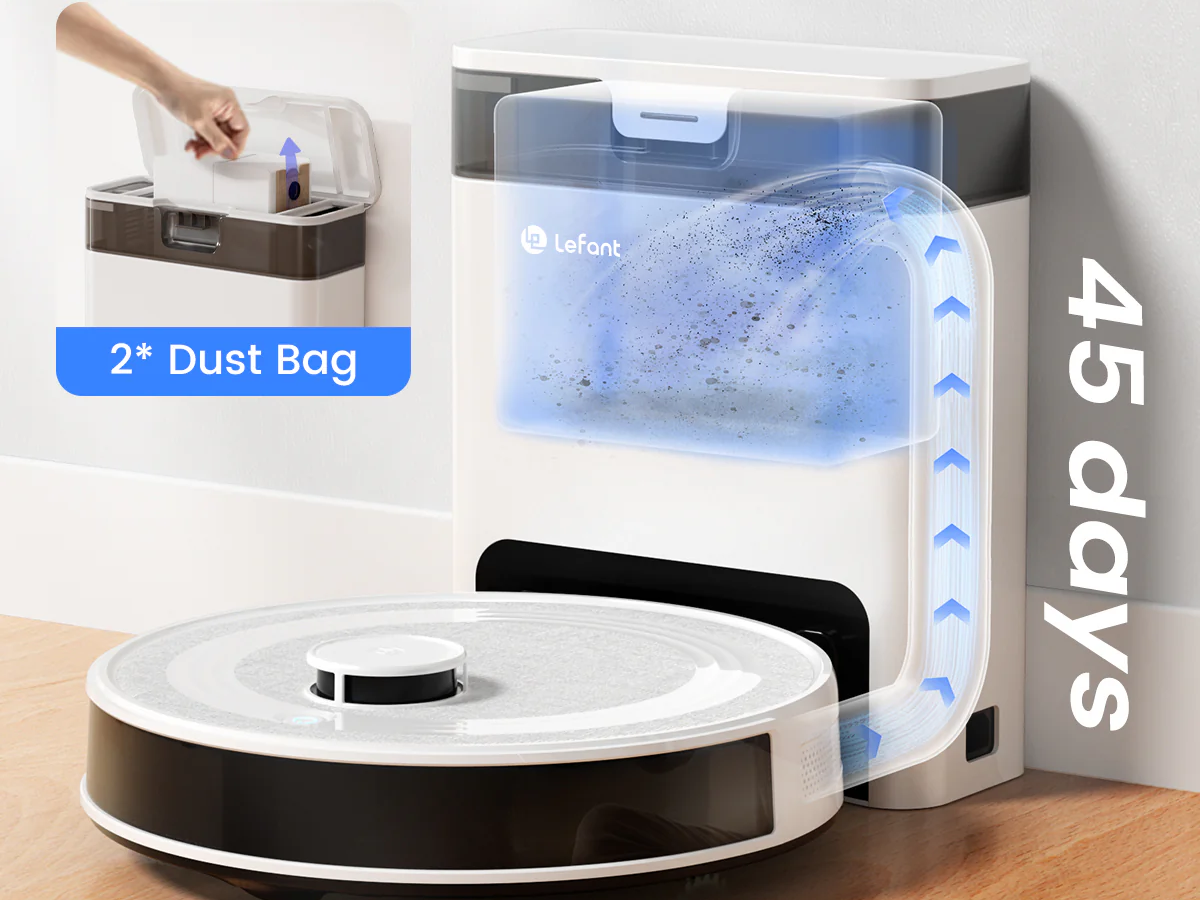
• Empty the robot’s dust bin
• Wash the mop pads
• Dry the mop pads
• Refill a water tank
• Store several weeks of debris
The dock needs open space. Keep it against a wall on a flat surface, and follow the clearance rules in the manual. A blocked dock can make the vacuum wander or fail to connect.

How Automatic Vacuum Cleaners Connect to Apps
Wi-Fi allows many models to connect with a smartphone app. The app sends cleaning instructions and shows maps, schedules, battery status, and maintenance alerts.
Some vacuums also work with voice assistants. You may be able to say, “Clean the kitchen,” or start a scheduled routine from your phone.
A connected robot can be convenient, but it has limits. Wi-Fi outages may prevent remote control, though many models still support basic cleaning from a physical button.
Privacy is another consideration. Read the privacy policy if the robot uses a camera, stores maps online, or connects to a cloud service. You should also use a strong password and update the app when updates are available.

How Effective Is an Automatic Vacuum Cleaner?
An automatic vacuum cleaner is best at regular maintenance. It can collect dust, crumbs, hair, and small bits of debris before they build up.
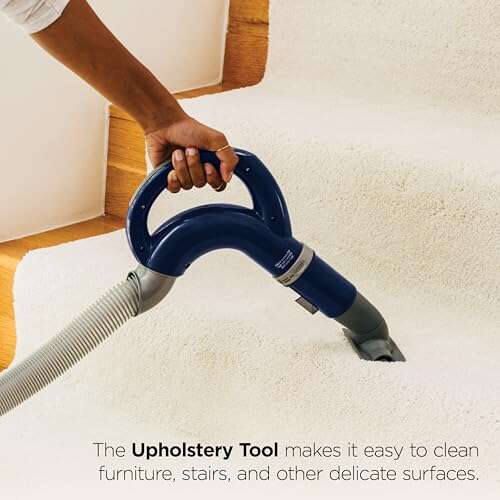
It is not a full replacement for every type of cleaning. You may still need a traditional vacuum for stairs, upholstery, deep carpet cleaning, and tight corners.
The biggest benefit is frequency. A robot can clean several times each week while you work, sleep, or spend time with your family. In my testing experience, frequent light cleaning often makes the floor feel cleaner than occasional heavy cleaning.
Still, results depend on preparation. Pick up cords, socks, toys, and small objects before starting the robot. This simple habit prevents many jams and improves coverage.
Common Problems and How to Fix Them
Even a good robot vacuum can have trouble. Most problems come from blocked parts, poor placement, or confusing floor conditions.
The robot gets stuck
Check for cords, tassels, narrow gaps, and low furniture. Use no-go zones around areas that repeatedly trap the machine.
The vacuum misses areas
Move the dock to an open location and run a new mapping cycle. Also check whether doors were closed during the mapping run.
Suction becomes weak
Empty the dust bin and clean the filter. Look for hair or debris inside the brush area and suction opening.
The robot will not charge
Clean the charging contacts with a dry cloth. Make sure the dock is plugged in and placed on a level floor.
The robot makes a loud noise
Turn it off and inspect the brush roll, side brush, and wheels. A trapped pebble or piece of plastic can create a sudden rattle.
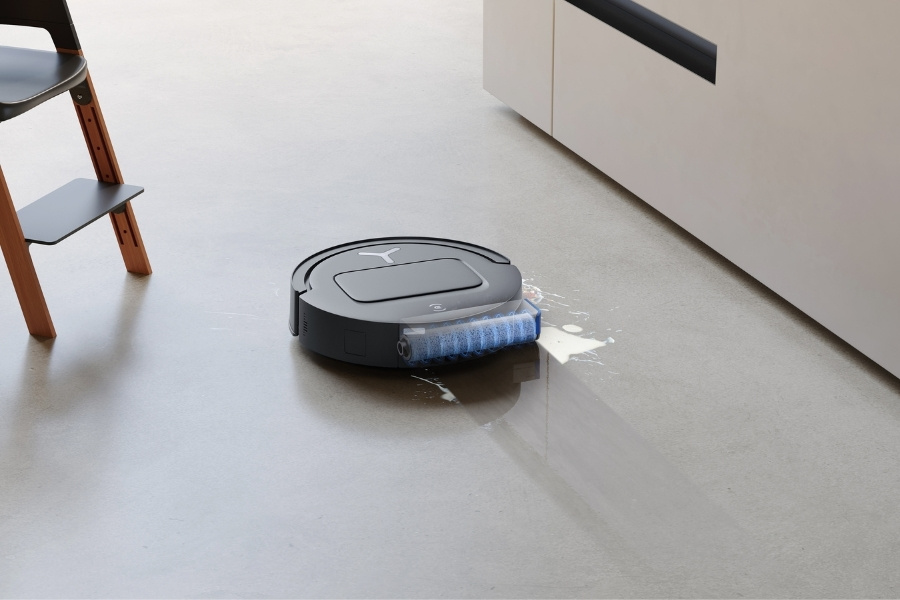
The vacuum leaves streaks while mopping
Wash the mop pad and use the correct water level. A dirty pad can spread grime instead of removing it.
Maintenance Tips for Better Cleaning
Regular care helps the machine clean better and last longer. It also reduces the chance of odors, errors, and costly repairs.
Follow these simple steps:
- Empty the dust bin after heavy cleaning.
- Clean the filter as directed.
- Remove hair from the brush roll each week.
- Check the side brushes for bent or damaged bristles.
- Wipe the sensors with a soft, dry cloth.
- Clean the charging contacts.
- Inspect the wheels for trapped debris.
- Replace filters, brushes, and mop pads when worn.
Do not wash electronic parts unless the manual says they are washable. Let washable filters dry fully before reinstalling them.
One mistake I often see is ignoring the filter until suction drops. A blocked filter forces the motor to work harder and can shorten cleaning time. Small, regular care is much easier than a major cleanup later.
Benefits and Limitations of Automatic Vacuum Cleaners
The main benefits are convenience, frequent cleaning, and smart scheduling. A robot can help busy households, pet owners, and people who find traditional vacuuming difficult.
Other benefits include:
• Cleaning under beds and sofas
• Scheduled daily or weekly runs
• Automatic charging
• Room-based cleaning
• Reduced dust and hair buildup
• Remote control through an app
The limitations matter too. Most robots cannot climb stairs, clean curtains, or reach narrow corners. They may struggle with dark floors, reflective surfaces, thick rugs, cables, and clutter.
Mopping features also vary widely. Some robots only wipe a damp pad across the floor. Others control water flow, scrub with moving pads, and wash themselves at the dock. Read independent reviews and product specifications before treating a robot mop as a replacement for deep floor care.
What to Look for When Buying One
Choose a robot based on your home, not just its advertised suction number. A high number does not always mean better real-world cleaning.
Consider these features:
• LiDAR or camera mapping for larger homes
• Strong obstacle avoidance for homes with pets or children
• A tangle-resistant brush for long hair
• A self-emptying dock for less daily maintenance
• Recharge and resume for large floor areas
• HEPA-level filtration for fine particles
• Carpet boost for mixed flooring
• Room controls for targeted cleaning
• A washable dust bin and easy-to-find replacement parts
A low-cost model may work well in a small home with open rooms. A premium model makes more sense when you have pets, several floor types, or a large layout.
Check the total cost, too. Replacement bags, filters, brushes, mop pads, and batteries affect long-term value.
Frequently Asked Questions About How Does Automatic Vacuum Cleaner Work
Does an automatic vacuum cleaner really clean the floor?
Yes, it can remove dust, crumbs, hair, and small debris from many hard floors and carpets. It works best as a regular maintenance tool, not as a complete replacement for deep cleaning.
How does an automatic vacuum cleaner know where to go?
It uses sensors, wheels, and navigation software to detect walls, furniture, drops, and room boundaries. Advanced models create maps with LiDAR or cameras and use those maps to plan efficient routes.
Can a robot vacuum work without Wi-Fi?
Many robot vacuums can start and stop with buttons even without Wi-Fi. However, features such as maps, schedules, voice control, and room selection may require an internet connection.
How often should an automatic vacuum cleaner run?
Most homes benefit from two to seven cleaning runs per week. Homes with pets, children, or allergies may need more frequent cleaning, while quiet homes with little traffic may need less.
Can an automatic vacuum cleaner pick up pet hair?
Yes, many models can collect pet hair from hard floors and low-pile carpet. Clean the brush roll and empty the dust bin often because long hair can cause tangles and reduce suction.
Does an automatic vacuum cleaner use a lot of electricity?
It usually uses less electricity than many household appliances because its motor is small and it runs on a rechargeable battery. Power use varies with cleaning time, suction level, charging needs, and the type of dock.
Can an automatic vacuum cleaner fall down stairs?
Most models use cliff sensors to detect stairs and other drops. No sensor system is perfect, so test the vacuum near stairs while you are present and keep the sensors clean.
Conclusion
An automatic vacuum cleaner combines suction, brushes, wheels, sensors, mapping software, and a rechargeable battery. It moves through your home, collects daily debris, avoids many obstacles, and returns to its dock when it needs power.
The best results come from choosing the right features, clearing clutter, and completing simple maintenance. Now that you know how does automatic vacuum cleaner work, you can compare models with confidence and set up a cleaning routine that fits your home. Explore trusted product guides, check replacement-part costs, and share your own robot vacuum experience in the comments.

Liora Pennings is a seasoned chef and kitchen enthusiast with a passion for turning everyday cooking into an effortless experience. With years of hands-on culinary expertise, she specializes in practical techniques, ingredient know-how, and smart kitchen solutions that help home cooks elevate their meals. At KitchFlair.com, Liora shares her best tips, time-saving tricks, and honest product reviews to guide readers toward a more efficient, enjoyable, and inspired cooking routine. Whether you’re a beginner or a seasoned home chef, Liora’s friendly, knowledge-packed insights make every visit to the kitchen a little easier—and a lot more delicious.