How To Use Uwant Vacuum Cleaner: Easy Step-By-Step Guide
Use your UWANT vacuum by charging it, choosing the right mode, attaching the proper tool, and cleaning the filter after use.
Learning how to use a UWANT vacuum cleaner is simple once you understand its controls, cleaning modes, attachments, and care routine. UWANT makes several types of vacuums, including cordless stick vacuums, wet and dry floor cleaners, handheld models, and robot vacuums, so some buttons and features may vary.
This guide explains the safest and most effective way to use a UWANT vacuum cleaner on carpets, hard floors, stairs, furniture, and wet messes. It also covers charging, attachments, maintenance, common mistakes, and steps that can help your vacuum clean well for longer.
Get to Know Your UWANT Vacuum Cleaner
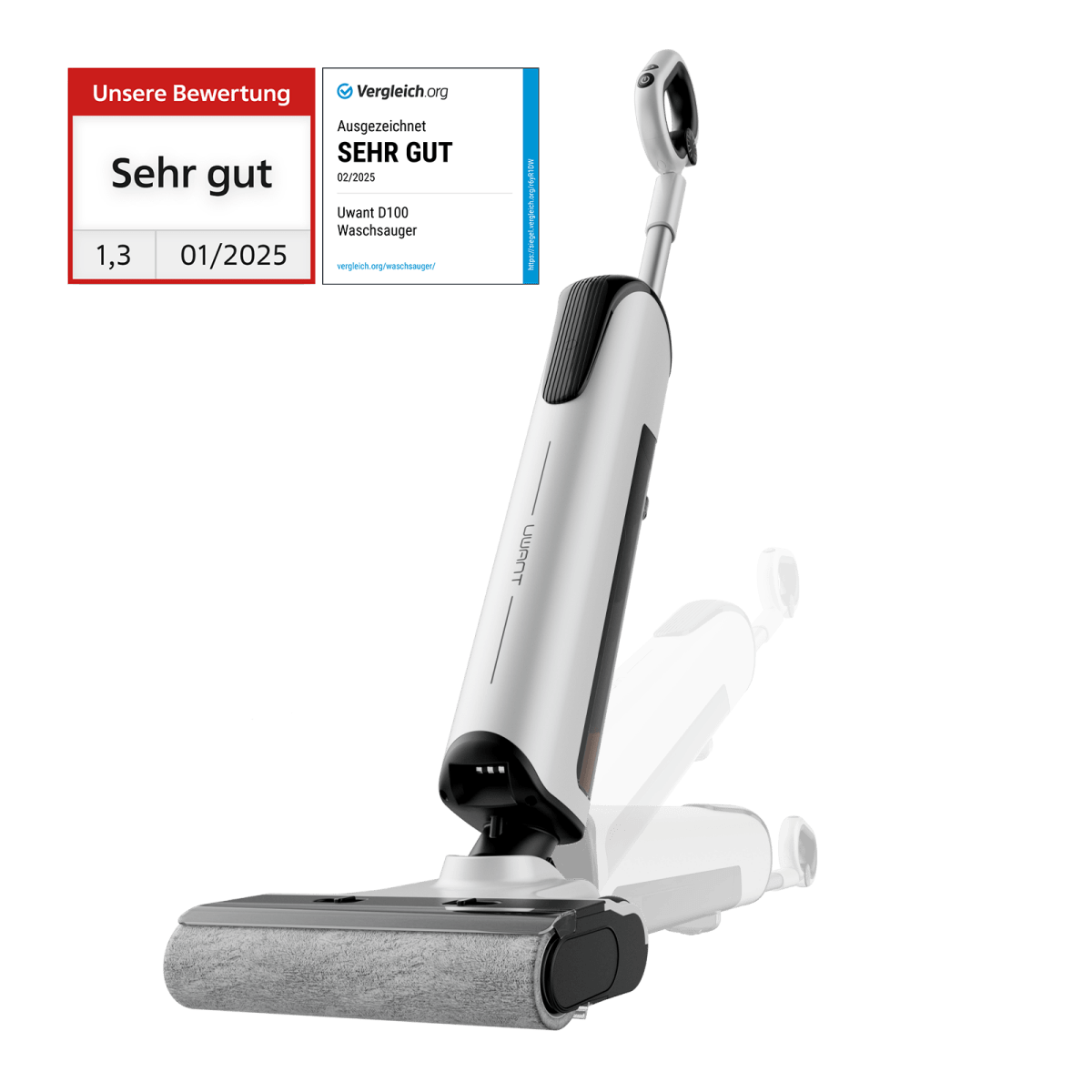
Before learning how to use a UWANT vacuum cleaner, identify the type of model you own. The basic controls are often similar, but the cleaning process can differ.
Most UWANT cordless stick vacuums include:
• A main motor body
• A battery pack
• A dust cup
• A floor head
• A metal or plastic wand
• A crevice tool
• A soft dusting brush
• A charging dock or power adapter
• One or more filters
A UWANT wet and dry floor cleaner may also include a clean-water tank, dirty-water tank, roller brush, self-cleaning button, and drying base. A robot vacuum usually has a charging station, dustbin, side brushes, sensors, and a mobile app.
Look at the labels near the buttons. Common controls include:
• Power: Starts or stops the vacuum.
• Mode: Changes suction power or cleaning mode.
• Display: Shows battery life, suction level, warnings, or maintenance alerts.
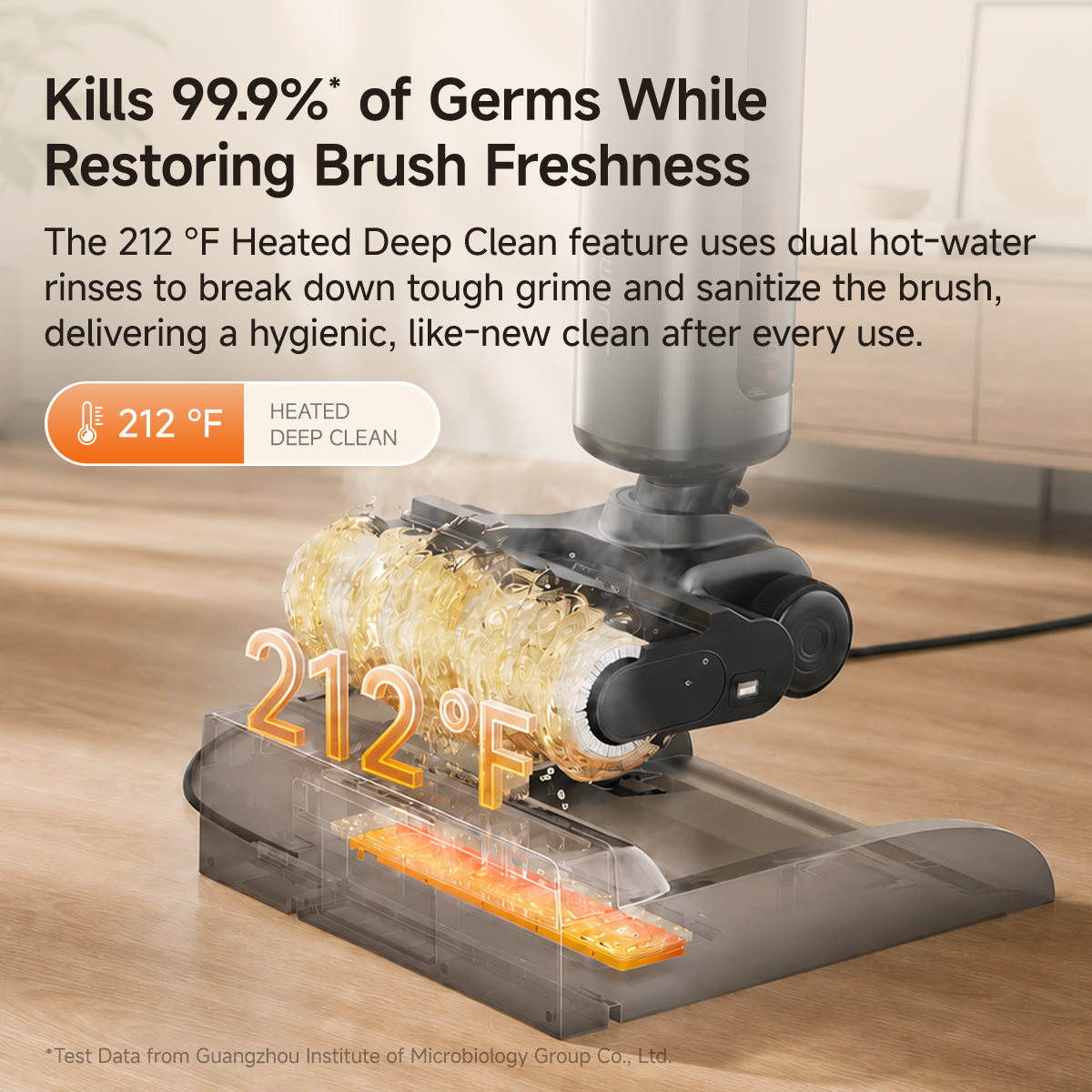
• Self-clean: Runs an automatic brush and tube rinse on compatible wet floor models.
• Release buttons: Remove the dust cup, wand, brush, or water tank.
Always check the manual for your exact model before using a new feature. This matters because a wet and dry UWANT cleaner is built for liquid pickup, while a standard dry vacuum usually should not touch water.
How to Set Up a UWANT Vacuum Cleaner
Correct setup helps prevent weak suction, battery problems, and blocked airflow. Take a few minutes to assemble the vacuum before your first cleaning session.
Follow these steps:
-
Remove all packaging from the vacuum, battery, brush head, filters, and accessories.
-
Attach the battery if it is separate from the main body.
-
Connect the wand to the motor unit until it clicks.
-
Attach the floor head to the other end of the wand.
-
Install the dust cup and filter if they were packed separately.
-
Plug the charger into a safe wall outlet.
-
Place the vacuum on its charging dock or connect the charging cable.
-
Allow the battery to charge fully before the first long cleaning session.
Do not force any part into place. If a component does not click or fit smoothly, remove it and check for packaging material or incorrect alignment.
For a UWANT wet floor cleaner, fill the clean-water tank only to the marked line. Use the cleaning solution recommended in the manual. Too much soap can create foam, leave a film on the floor, or trigger a tank warning.
How to Use a UWANT Vacuum Cleaner Step by Step
The best way to use a UWANT vacuum cleaner is to prepare the room, select the right tool, and clean in slow, steady passes.
1. Prepare the area
Pick up cords, toys, coins, paper, and small objects. These items can block the brush roll or damage the motor.
Move light furniture when possible. Open curtains and turn on a light so you can see dust along edges and under furniture.
2. Choose the right attachment
Use the floor head for large floor areas. Use the crevice tool for narrow gaps, and use the soft brush for shelves, blinds, lampshades, and delicate surfaces.
For sofas and mattresses, use the upholstery or mini motorized tool if your model includes one. Keep the suction level lower on thin fabrics to prevent the tool from pulling at the material.
3. Select a cleaning mode
Many UWANT cordless vacuums offer Eco, Auto, Standard, or Turbo mode. Start with Eco or Auto mode for light dust and hard floors.
Use a stronger mode for:
• Thick carpet
• Pet hair
• Sand near doorways
• Heavy crumbs
• Deep dirt in rugs
Turbo mode gives more suction but uses the battery faster. It can also make the brush and motor warmer, so use it for short areas rather than the entire home.
4. Use slow, overlapping passes
Move the floor head slowly in straight lines. Overlap each pass slightly so you do not leave narrow strips of dirt between movements.
On carpet, make a few passes in different directions. This helps lift dust that sits between carpet fibers. On hard floors, keep the head flat and use the soft roller or setting when available.
5. Clean edges and corners
After cleaning the open floor, use the crevice tool along baseboards, stairs, sofa gaps, and wall edges. Dirt often collects in these places because air movement pushes it toward the room’s perimeter.
6. Watch the display and airflow
Stop if the vacuum shows a blockage alert, unusual noise, or sudden loss of suction. Continuing to run a blocked vacuum can place extra stress on the motor.
A simple rule is useful: if the vacuum sounds different, smells hot, or loses power, stop and inspect it.

How to Use UWANT Attachments Correctly
Attachments turn a cordless vacuum into a useful cleaning system. Choosing the wrong tool can make cleaning slower or damage a surface.
Floor head
Use the main floor head for tile, wood, laminate, vinyl, and carpet. If the head has a mode switch, select the setting that matches the floor.
Avoid pressing down hard. The brush needs room to spin and move across the surface. Too much pressure can reduce airflow and make the vacuum harder to push.
Crevice tool
The crevice tool works well for:
• Baseboards
• Window tracks
• Car seat gaps
• Sofa seams
• Radiator edges
• Spaces beside appliances
Move it slowly. A fast sweep may miss compacted dust in narrow spaces.
Dusting brush
Use the soft dusting brush on blinds, shelves, keyboards, vents, picture frames, and delicate furniture. Start with low suction when cleaning fragile objects.
Do not use the brush on wet dirt unless the attachment is specifically designed for it.
Upholstery tool
An upholstery tool is useful for sofas, chairs, curtains, and mattresses. Vacuum fabric in overlapping lines, then inspect seams where hair and crumbs often hide.
Motorized mini brush
A mini motorized brush can help remove hair from stairs, cushions, and car seats. Check the brush often because long hair can wrap around the roller.
How to Use a UWANT Wet and Dry Floor Cleaner
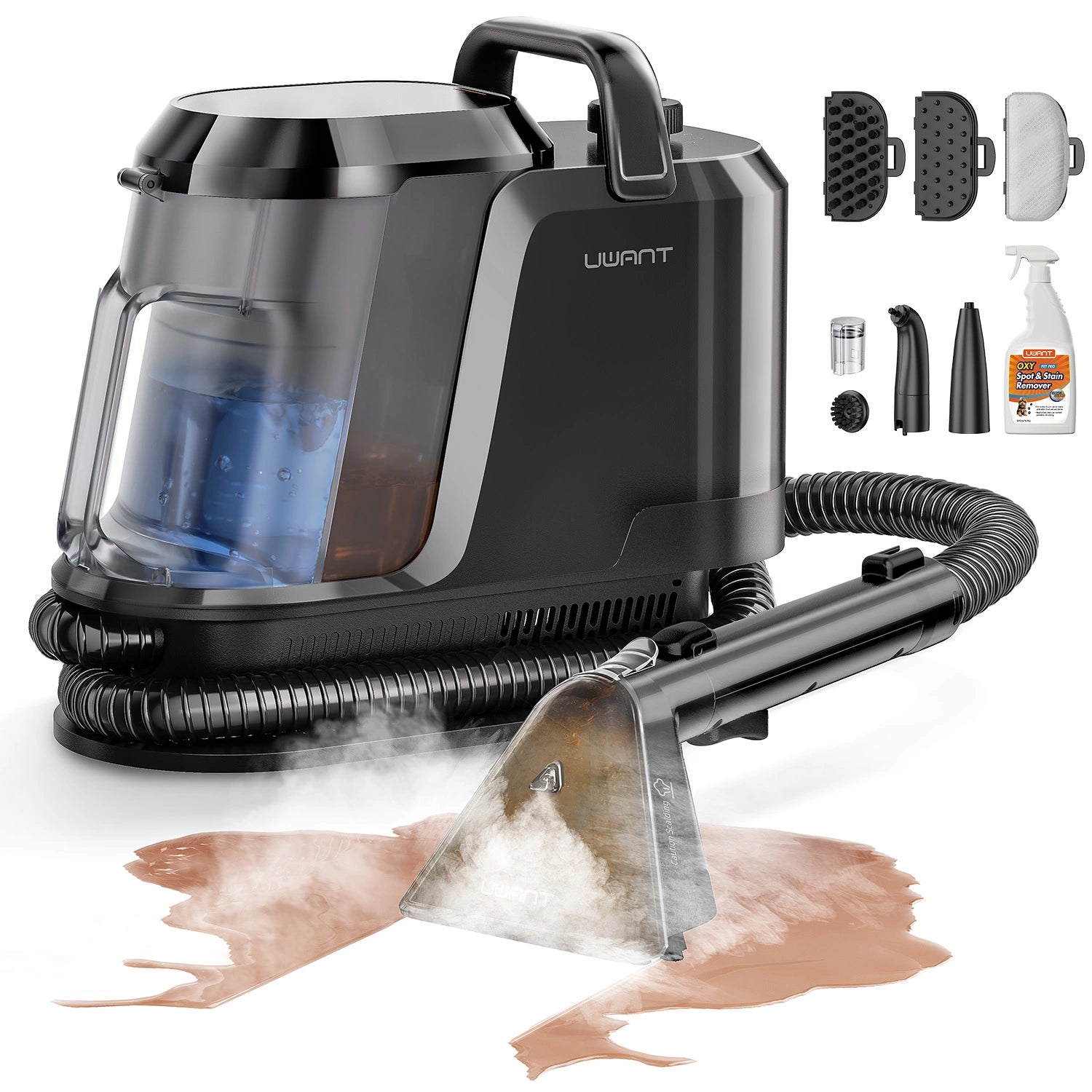
A UWANT wet and dry vacuum cleaner is designed to collect liquid and wash hard floors. It is not the same as a normal dry cordless vacuum.
Use it this way:
-
Remove large objects from the floor.
-
Fill the clean-water tank to its marked level.
-
Add only the approved amount of cleaning solution.
-
Install the tank and roller brush correctly.
-
Turn on the cleaner and select the suitable floor mode.
-
Push the cleaner forward slowly.
-
Pull it back at a steady speed to collect extra water.
-
Use the self-cleaning function after cleaning, if available.
-
Empty the dirty-water tank.
-
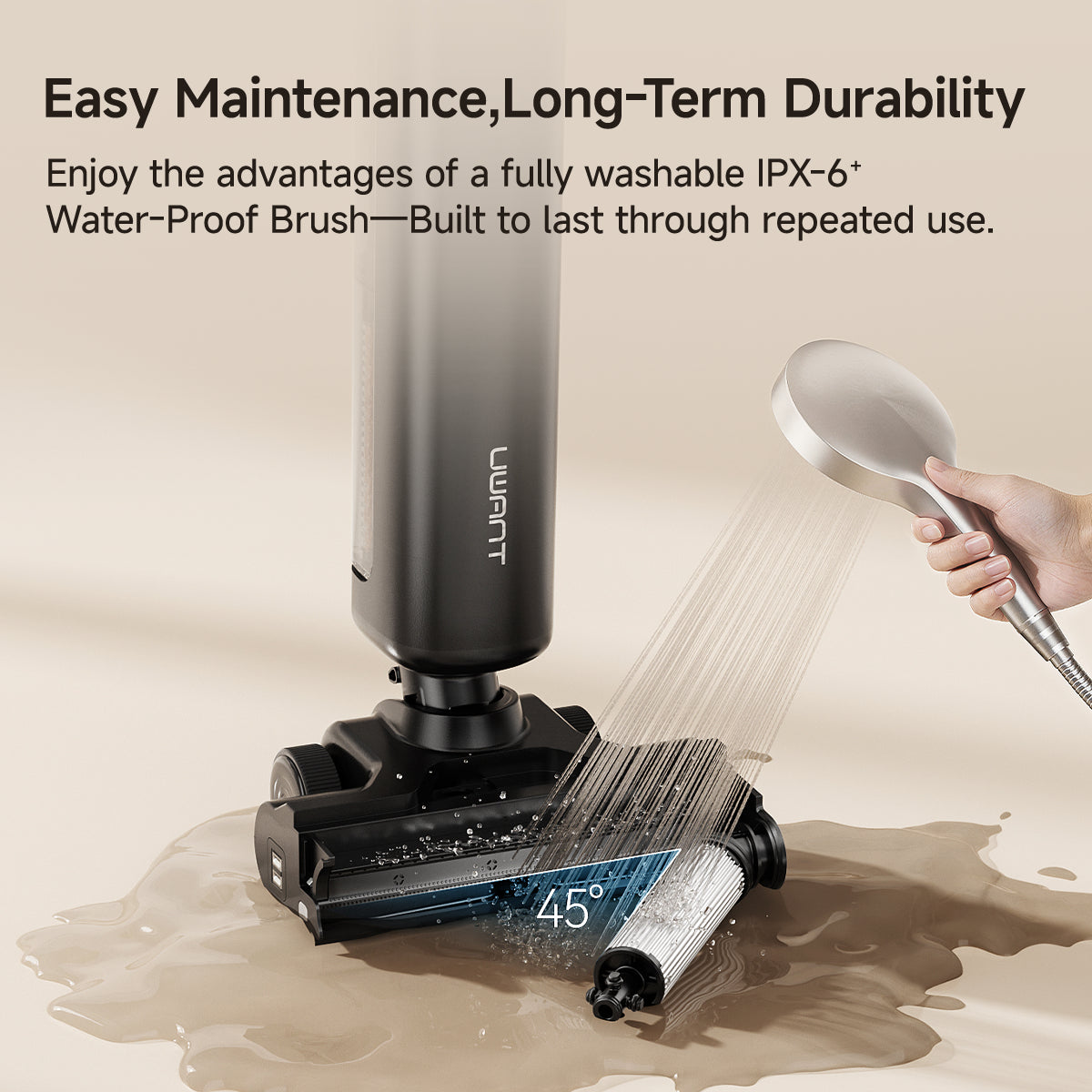
Remove and air-dry the roller and other washable parts.
Do not leave dirty water inside the machine. Dirty water can develop an odor and may allow bacteria or mold to grow.
Do not use a wet floor cleaner to collect sharp glass, hot ash, thick grease, large food pieces, or chemicals unless the manual clearly permits it. Liquid pickup also does not mean every liquid is safe for the machine.
How to Use a UWANT Vacuum Cleaner on Different Floors
Different floors need different settings and techniques. The strongest suction is not always the best choice.
Hardwood floors
Use a soft roller or hard-floor mode when available. Move the vacuum in straight lines and avoid dragging hard debris across the surface.
Check that the floor head is free of grit. A small stone caught in the roller can leave marks.
Tile and vinyl floors
Use the normal floor setting for everyday dust. Focus on grout lines, corners, and areas near kitchen cabinets, where crumbs often collect.
For a wet and dry model, use only enough water to clean the surface. The floor should not remain soaked after the pass.
Carpet and rugs
Use a carpet setting or a stronger suction level when needed. Vacuum slowly so the brush has time to lift dust and hair.
Be careful with loose rugs and rug fringes. Some brush rolls may catch the fringe. Fold the edge back or use a non-motorized tool.
Stairs
Use the main floor head only if it fits safely on each step. A handheld body with a mini brush may provide better control.
Keep one hand on the stair rail when needed. Never stretch too far while operating a cordless vacuum.
Car interiors
Use the crevice tool for seat gaps and the soft brush for dashboards. Lower suction can help prevent damage to delicate trim.
Remove coins and small objects before cleaning. These items can enter the hose or damage the brush.
How to Clean and Maintain a UWANT Vacuum Cleaner
Maintenance is a major part of learning how to use a UWANT vacuum cleaner. A clean filter and clear brush help the vacuum maintain airflow.
After each use:
• Empty the dust cup before it becomes full.
• Check the brush roll for hair and thread.
• Wipe dust from the floor head.
• Store attachments in a dry place.
• Put the vacuum back on charge if needed.
For a washable filter, rinse it with clean water only if the manual says it is washable. Let it dry completely before reinstalling it. A wet filter can restrict airflow and may damage the motor.
A practical maintenance routine looks like this:
-
Empty the dust cup after every large cleaning session.
-
Inspect the roller once a week.
-
Wash the filter according to the manual’s schedule.
-
Clean sensors and charging contacts with a dry, soft cloth.
-
Replace worn filters, rollers, or batteries with compatible parts.
-
Clean the dirty-water tank and roller after every wet cleaning session.
Never operate a standard dry vacuum without its required filter. The filter protects the motor and helps prevent fine dust from returning to the room.

Common UWANT Vacuum Problems and Solutions
The vacuum has weak suction
Check the dust cup, filter, wand, and floor head. A full dust cup or blocked tube is one of the most common causes of low suction.
If the filter is dirty, clean it and allow it to dry fully. If the problem continues, inspect the brush for wrapped hair or contact customer support.
The brush roll will not spin
Turn off the vacuum before checking the roller. Remove hair, string, and threads from the brush ends.
Make sure the floor head is attached correctly. Some models stop the brush when they detect a blockage or an object that could cause damage.
The battery runs out quickly
High-power modes use more energy. Reduce the suction setting when cleaning light dust, and avoid leaving the vacuum in Turbo mode for the whole home.
Battery life can also decline over time. If the vacuum is still under warranty, use the manufacturer’s support process before buying a replacement battery.
The vacuum smells bad
A bad smell often comes from a dirty filter, damp roller, trapped hair, or old debris in the dust cup. Clean and dry the affected parts.
For wet floor cleaners, empty the dirty-water tank after every use. Do not cover or store damp parts in a closed compartment.
The vacuum makes a strange noise
Stop the vacuum and check for a blockage. Look at the roller, wand, floor head, and air path.
Do not keep using the vacuum if you hear grinding, see smoke, or notice a burning smell. Unplug it when appropriate and contact qualified support.
Mistakes to Avoid When Using a UWANT Vacuum Cleaner
Even a high-quality vacuum can perform poorly when used in the wrong way.
Avoid these mistakes:
• Vacuuming water with a dry-only model
• Running the machine with a missing or wet filter
• Filling a wet cleaner above the tank line
• Using unapproved cleaning chemicals
• Leaving hair wrapped around the brush
• Blocking the air vents with clothing or bedding
• Forcing the floor head under furniture
• Storing the vacuum with water inside
• Washing parts that are not labeled washable
• Using Turbo mode for every surface
One lesson that applies to nearly every vacuum is simple: airflow matters more than brute force. A clean filter, clear tube, and open brush head often improve results more than a higher power setting.
Safety Tips for Using a UWANT Vacuum Cleaner
Read the safety section of your model’s manual before first use. Keep the vacuum away from open flames, hot ash, and flammable liquids.
Do not use a damaged charger or battery. Stop using the machine if the battery becomes unusually hot, swollen, or damaged.
Keep children and pets away from the brush roll while the vacuum is running. The rotating brush can catch hair, fingers, cords, and loose fabric.
When cleaning stairs, use short movements and keep stable footing. When using a wet floor cleaner, watch for slippery surfaces until the floor dries.
For allergy-sensitive homes, empty the dust cup carefully. If possible, empty it outdoors and wash your hands afterward. Regular vacuuming can reduce visible dust, but it does not replace ventilation, cleaning, or professional help for serious mold or allergen problems.
How to Get Better Battery Life
A few small habits can help your UWANT vacuum clean more rooms on one charge.
• Use Eco mode for light dust.
• Use Auto mode when available.
• Clean the filter on schedule.
• Keep the brush roll free of hair.
• Avoid holding the power button while moving between rooms.
• Charge the battery with the supplied or approved charger.
• Store the vacuum at a moderate indoor temperature.
Very cold or very hot storage can affect battery performance. The exact runtime depends on the model, floor type, attachment, suction mode, battery age, and cleaning conditions.

Frequently Asked Questions About How to Use UWANT Vacuum Cleaner
How do I turn on a UWANT vacuum cleaner?
Attach the required battery and cleaning head, then press the power button. Some models start in a default mode, while others let you select Eco, Auto, or Turbo mode with a separate button.
Can I use a UWANT vacuum cleaner to pick up water?
Only use water pickup on a UWANT model designed for wet and dry cleaning. Do not use a standard dry cordless vacuum to collect water, spills, or damp debris.
How often should I clean the UWANT vacuum filter?
Check the filter often and clean it when it looks dusty or suction becomes weak. Follow the manual for the exact schedule, and reinstall a washable filter only after it is fully dry.
Why does my UWANT vacuum keep stopping?
A full dust cup, blocked brush, dirty filter, low battery, or overheating can cause the vacuum to stop. Turn it off, let it cool, and check each part before using it again.
Can I use cleaning solution in a UWANT wet vacuum?
Use only the solution and amount approved for your specific model. Too much soap or an unsuitable chemical can cause foam, residue, odors, or damage.
How do I clean the UWANT brush roller?
Turn off the vacuum and remove the roller according to the manual. Cut away wrapped hair and thread, wipe the roller, and let washable parts dry fully before reinstalling them.
How long should I charge a UWANT vacuum cleaner?
Charge it with the supplied charger or approved charging dock until the battery indicator shows a full charge. Charging time varies by model, so check the product manual for the exact figure.
Can I leave my UWANT vacuum on the charging dock?
Most cordless models are designed to rest on their charging dock between uses. Keep the dock in a dry, ventilated area and use the correct charger.
Conclusion
Knowing how to use a UWANT vacuum cleaner comes down to a few clear habits: choose the right attachment, select the correct mode, move at a steady pace, and stop when you notice a blockage or unusual sound. Empty the dust cup often, keep filters dry and clean, and wash wet-cleaner parts after every use.
Treat the vacuum like a small air machine. When its airflow is clear, it can work smoothly and clean more effectively. Start with the steps in this guide, then check your exact UWANT manual for model-specific features and limits. If this guide helped, share your cleaning tips or explore more care advice for your vacuum.

Liora Pennings is a seasoned chef and kitchen enthusiast with a passion for turning everyday cooking into an effortless experience. With years of hands-on culinary expertise, she specializes in practical techniques, ingredient know-how, and smart kitchen solutions that help home cooks elevate their meals. At KitchFlair.com, Liora shares her best tips, time-saving tricks, and honest product reviews to guide readers toward a more efficient, enjoyable, and inspired cooking routine. Whether you’re a beginner or a seasoned home chef, Liora’s friendly, knowledge-packed insights make every visit to the kitchen a little easier—and a lot more delicious.