Energy-Efficient Robot Vacuum: Best Daily Picks
The eufy RoboVac 11S Max is a strong low-energy choice for daily scheduled cleaning in smaller homes.
Choosing the most energy-efficient robot vacuum for daily scheduled cleaning takes more than comparing battery size. You must consider power draw, cleaning time, charging habits, navigation, suction settings, and whether the vacuum runs an energy-hungry self-emptying dock. After comparing these factors, the eufy RoboVac 11S Max stands out for simple, efficient cleaning, while the Roborock Q5 is a better smart-home choice for larger spaces.
What is the most energy-efficient robot vacuum for daily scheduled cleaning?
The eufy RoboVac 11S Max is my top pick when low energy use is the main goal. It has a simple design, modest suction power, a small charging base, and no self-empty station that runs a loud, high-power motor after each cleaning cycle.
This robot vacuum is especially efficient in apartments, small homes, and rooms with hard floors or low-pile rugs. It may not clean as quickly as a premium mapping robot, but its lower power demand can make it a sensible choice for daily cleaning.
For homes that need app control and room mapping, the Roborock Q5 is a stronger alternative. It can plan a more direct route, which may reduce wasted movement and shorten cleaning time. However, its total energy use depends on the cleaning area, suction level, floor type, and how often it returns to charge.
The most energy-efficient robot vacuum for daily scheduled cleaning should have:
• A small, efficient charging dock
• A long battery life
• Low or adjustable suction power
• Reliable scheduling
• Efficient navigation
• No unnecessary self-emptying cycle
• A repairable or replaceable battery
• A cleaning pattern that avoids repeated passes
Energy efficiency does not always mean the smallest battery or lowest suction. A weak robot may need several passes to pick up the same dirt. The best option uses enough power to clean well in one pass, then returns to its dock without needless movement.
How much electricity does a robot vacuum use?
Most robot vacuums use far less electricity than upright or canister vacuums. Their motors are smaller, and they clean for longer periods at lower power. The charging dock also uses very little electricity when the robot is fully charged, although it may still draw a small standby load.
A simple estimate can help:
Electricity cost = power in watts × operating hours ÷ 1,000 × local electricity rate
For example, a robot rated around 30 to 60 watts that runs for one hour each day may use roughly 11 to 22 kilowatt-hours per year during cleaning. At an electricity rate of 16 cents per kilowatt-hour, that equals about $1.76 to $3.52 per year for the cleaning motor alone.
Real use can be higher because the robot charges, resumes cleaning, increases suction on carpets, and may run a self-empty station. A self-empty dock can use more power in a short burst than the vacuum uses during several minutes of normal cleaning.
The most energy-efficient robot vacuum for daily scheduled cleaning is usually a basic model without a self-empty base. Still, convenience matters. If an automatic dock helps you maintain a regular cleaning schedule, its extra energy use may be worthwhile.

Best overall: eufy RoboVac 11S Max
The eufy RoboVac 11S Max is a practical low-energy robot vacuum for daily scheduled cleaning. Its slim body fits under many sofas and beds, and its simple design has fewer features that consume extra power.
It uses a remote control rather than a complex app-based mapping system. That may sound old-fashioned, but it can be an advantage for energy-conscious users. You can set a daily cleaning time without keeping a Wi-Fi connection active or relying on cloud features.
Its main strengths include:
• Slim height for cleaning under furniture
• Quiet operation
• Automatic return to the charging base
• Scheduling through the remote
• Suitable performance on hard floors
• Lower purchase price than many mapping robots
• No automatic dust disposal motor
The eufy RoboVac 11S Max is not perfect. It does not create detailed room maps, avoid cords with advanced sensors, or empty its own dustbin. It can also clean less efficiently in large or cluttered homes because it uses a more random movement pattern.
That last point is important. In a small, open space, the robot can finish its work with reasonable energy use. In a large home with many obstacles, it may bump, turn, and repeat areas. In that setting, a mapping robot may use less energy per square foot, even if its rated motor power is higher.
For many small homes, the eufy RoboVac 11S Max remains the most energy-efficient robot vacuum for daily scheduled cleaning because it combines simple scheduling with low operating demands.
Best smart option: Roborock Q5
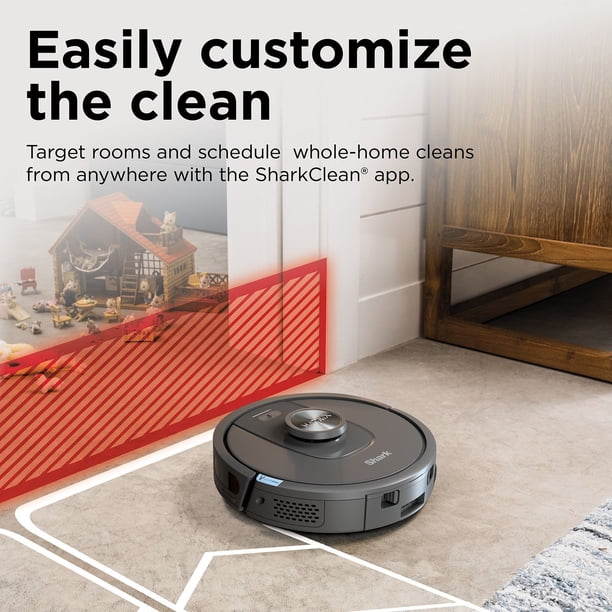
The Roborock Q5 is a better choice for people who want smart scheduling, room maps, and targeted cleaning. Its LiDAR navigation lets it scan rooms and build a map. You can then schedule cleaning for a specific room instead of sending the vacuum through the entire home.
This feature can save energy in real life. Cleaning only the kitchen after dinner uses less electricity than cleaning the kitchen, bedrooms, hallway, and living room every night.
The Roborock Q5 also offers useful control over:
• Cleaning schedules
• Room selection
• No-go zones
• Suction strength
• Cleaning order
• Vacuum-only routines
• Multiple floor maps
The Q5 may use more power during high-suction carpet cleaning than a basic robot. It also has a larger battery and a more powerful motor. Yet efficient navigation can offset some of that demand by reducing random movement.
Choose the Roborock Q5 if your home is larger than a small apartment or has several rooms. It is often the most energy-efficient robot vacuum for daily scheduled cleaning when route planning matters more than the lowest possible motor draw.
What makes a robot vacuum energy efficient?
Energy efficiency depends on the entire cleaning system, not just the motor. A robot that finishes quickly may use less electricity than a low-power robot that runs for twice as long.
Motor power
Robot vacuum motors often operate at different power levels. Low-power modes work well on hard floors with light dust. Higher modes help with carpet, pet hair, and larger debris, but they use more energy and may drain the battery faster.
Use the lowest setting that gives a clean result. There is no need to run maximum suction on a bare kitchen floor every day.
Battery capacity
A larger battery can clean a bigger home, but it also takes more electricity to recharge. Battery size alone does not show efficiency. A robot with a large battery may still be efficient if it maps a home well and avoids repeated passes.
Navigation
Random-navigation robots can work well in small spaces. They may become wasteful in large or cluttered homes. Mapping robots usually follow straight lines and organized paths, which can reduce travel distance.
Charging behavior
Many robots return to the dock before the battery is empty. Some models recharge and resume cleaning. This feature is helpful for large homes, but repeated charging cycles can increase energy use and battery wear.
Dock features
A standard charging dock uses little power. A self-empty base uses a strong suction motor to move debris from the robot into a larger bag. This is convenient, but it adds an extra energy event after cleaning.
Cleaning frequency
Daily cleaning can be efficient when each session is short. It prevents dust and crumbs from building up, so the robot may run at a lower suction setting. However, scheduling a full-home deep clean every day may waste energy if the home does not need it.
Is daily scheduled cleaning energy efficient?
Daily scheduled cleaning can be energy efficient when the schedule matches the home. A short daily run often uses less effort than a long cleaning session once a week.
For example, a household with two adults and a dog may benefit from a 20 to 30-minute daily run in the kitchen and living room. The robot picks up hair and crumbs before they spread. A home with little foot traffic may need cleaning only three times per week.
The most energy-efficient robot vacuum for daily scheduled cleaning should not run longer than needed. Set a schedule based on:
• Number of people in the home
• Pets and shedding levels
• Carpet coverage
• Outdoor dirt and sand
• Cooking habits
• Seasonal conditions
• Allergy concerns
A useful routine is to schedule hard-floor cleaning after breakfast or dinner. Avoid running the robot while people are walking through the room. Fewer interruptions mean fewer stops, turns, and repeated passes.
I have also found that an empty floor makes a major difference. Moving cords, socks, pet toys, and lightweight mats out of the way helps a robot finish sooner. This small habit can improve both cleaning results and energy use.

How to set up an energy-saving cleaning schedule
A good schedule is more important than a complicated one. Start with a low-power cleaning cycle and increase the frequency only where dirt builds up.
-
Run the robot through the home once and watch its route.
-
Note which rooms collect the most dust, hair, and crumbs.
-
Create room-specific schedules when the vacuum supports them.
-
Use standard suction on hard floors.
-
Use higher suction only for carpet, pet hair, or visible debris.
-
Keep the charging dock in an open area.
-
Empty the dustbin before it becomes packed.
-
Clean the filter and brushes on a regular basis.
-
Turn off features you do not use, such as repeated passes.
-
Review the schedule after two weeks and shorten unnecessary runs.
For a small home, a 20 to 40-minute daily schedule may be enough. For a larger home, clean high-traffic rooms daily and schedule bedrooms or low-use areas two or three times each week.
If your robot has carpet detection, let it increase suction only when needed. This is usually more efficient than using maximum power throughout the entire home.
How maintenance affects energy use
A dirty robot vacuum works harder. Hair wrapped around the brush creates resistance, while a clogged filter restricts airflow. The motor may then run longer or use a higher setting to collect the same amount of dirt.
Basic maintenance can improve cleaning efficiency:
• Remove hair from the main brush every week
• Check the side brush for wrapped fibers
• Tap out or replace the filter as directed
• Wipe the sensors with a dry, soft cloth
• Clean the charging contacts
• Keep the wheels free of hair and grit
• Empty the dustbin before it reaches capacity
• Replace worn brushes when cleaning performance drops
A clean filter is especially important in homes with pets. When airflow is restricted, the vacuum may leave fine dust behind even though it sounds like it is working normally.
One mistake I often see is replacing a robot too soon when the real problem is maintenance. A fresh filter and brush can restore performance without the energy and cost of buying another machine.
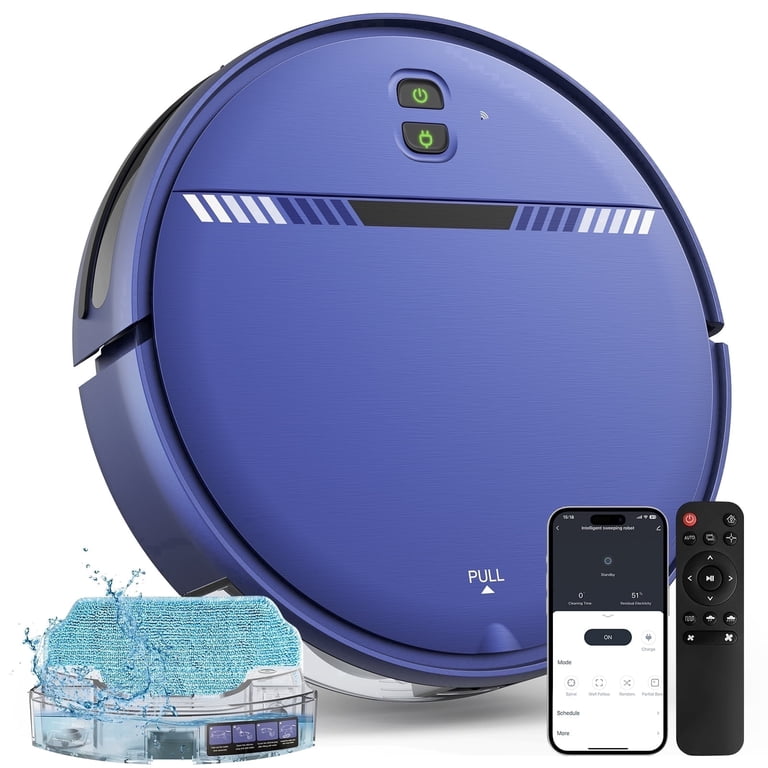
Robot vacuum features that may waste energy
Some features add comfort but not better cleaning. Consider whether you will use them before paying for a more complex model.
Automatic self-emptying
Self-emptying docks are useful for pet owners and people who dislike handling dust. However, the dock uses a high-speed motor each time it transfers dirt. If you empty the robot by hand every few days, you can avoid that extra power use.
Maximum suction
Maximum suction is helpful on thick carpet, but it is often unnecessary on wood, tile, vinyl, or laminate floors. Running it all the time can drain the battery and increase charging cycles.
Repeated cleaning passes
Some robots offer two or three cleaning passes. This may help with heavy dirt, but it can double or triple the energy used in an area. Use repeated passes only when a room needs deep cleaning.
Always-on connectivity
Wi-Fi and app features generally use little electricity compared with the vacuum motor. Still, users who want the simplest setup can choose a remote-controlled model and avoid smart features they will not use.
Mopping systems
Robot mops add pumps, water control, and longer cleaning routines. They can be useful, but they are not necessary if your main goal is energy-efficient vacuuming.
The most energy-efficient robot vacuum for daily scheduled cleaning is often the one with only the features you need. Extra technology can improve convenience, but it does not automatically improve efficiency.
Important limitations before you buy
Energy figures for robot vacuums are not always easy to compare. Manufacturers may list battery voltage, battery capacity, or motor power, but these numbers do not always show total electricity used during a full cleaning cycle.
Actual consumption changes with:
• Floor type
• Suction setting
• Room size
• Navigation style
• Battery age
• Filter condition
• Number of charging cycles
• Self-emptying frequency
• Local electricity prices
Independent tests can help, but test methods vary. A robot measured on a small hard-floor area may look more efficient than one tested on thick carpet. Treat wattage claims as useful clues, not perfect proof.
Another limitation is cleaning quality. A robot that leaves dust behind is not truly efficient if you must follow it with a manual vacuum. The best purchase balances low energy use with reliable results.
For this reason, the eufy RoboVac 11S Max is my low-energy pick for smaller homes, while the Roborock Q5 may be more efficient for larger homes because of its organized navigation.
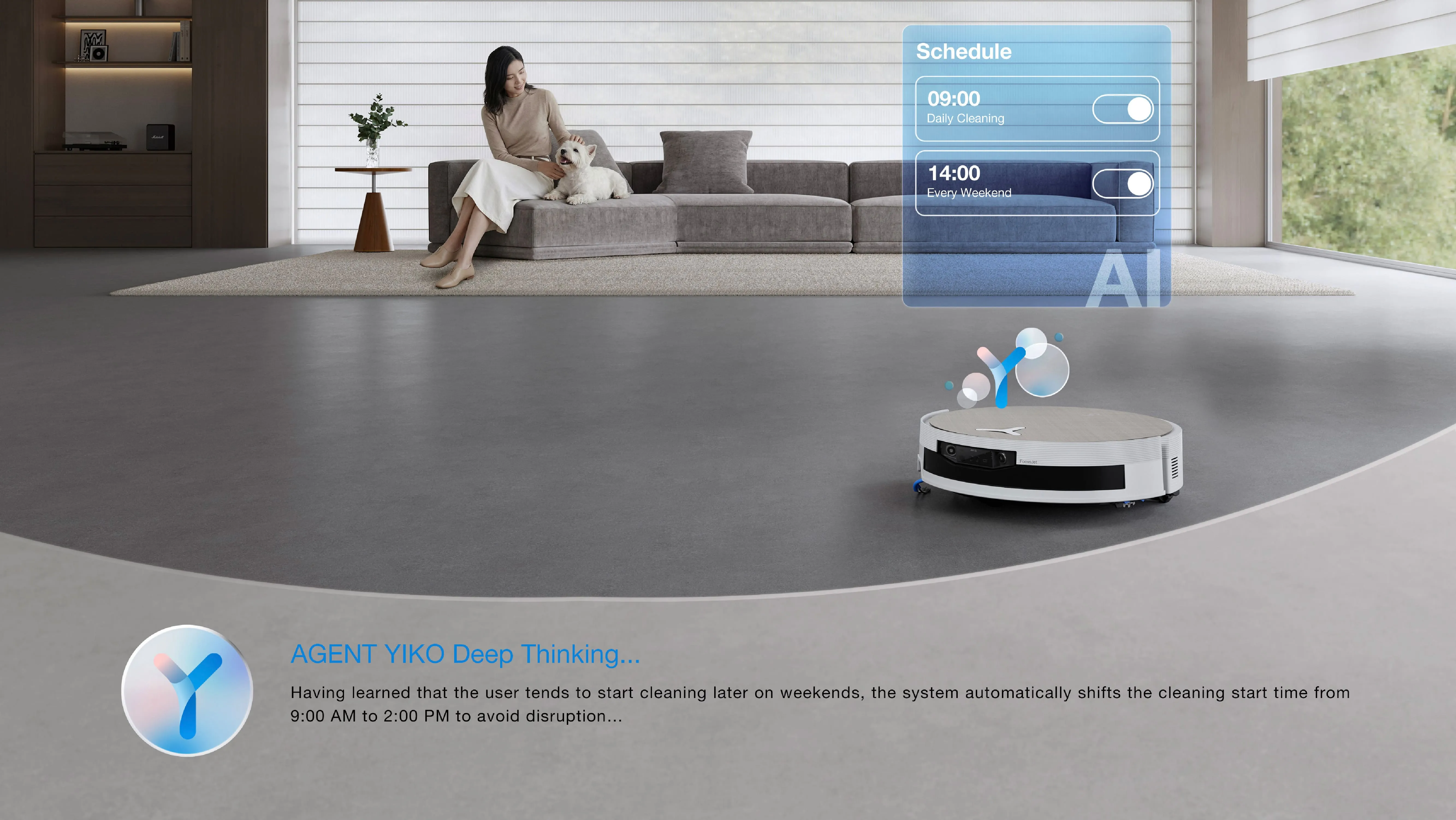
How to choose the right model for your home
Use this simple guide:
• Choose the eufy RoboVac 11S Max for a small apartment, hard floors, and basic scheduling.
• Choose the Roborock Q5 for multiple rooms, carpets, app control, and room-based schedules.
• Choose a self-emptying model if convenience and allergy control matter more than minimum energy use.
• Choose a stronger brush system if you have pets and thick carpet.
• Choose a model with replaceable filters and brushes to extend its working life.
• Avoid paying for advanced features that you will not use.
Think about cleaning efficiency as miles per gallon for a car. The question is not only how much power the robot uses. It is also how much clean floor it produces with that power.
The most energy-efficient robot vacuum for daily scheduled cleaning should match your floor plan, traffic level, and cleaning needs. A small, simple robot can be the best answer in one home, while a smart mapping robot can win in another.
Frequently Asked Questions
What is the most energy-efficient robot vacuum for daily scheduled cleaning?
The eufy RoboVac 11S Max is a strong choice for small homes because it has a simple design, modest power needs, and no self-emptying dock. The Roborock Q5 may be more efficient in larger homes because its mapping system reduces unnecessary travel.
Does a robot vacuum use a lot of electricity?
No, most robot vacuums use relatively little electricity compared with traditional upright vacuums. Your total use will rise with daily maximum suction, large floor areas, repeated passes, and automatic self-emptying.
Is a robot vacuum cheaper to run than a regular vacuum?
Usually, yes. A robot vacuum often uses a smaller motor and cleans at a lower power level, although actual savings depend on cleaning time, suction mode, and how often you use both machines.
Should I run my robot vacuum every day?
Daily cleaning is useful for homes with pets, children, or heavy foot traffic. If your home stays fairly clean, scheduling the robot two or three times per week can reduce energy use while still controlling dust.
Does a self-emptying robot vacuum use more energy?
Yes, a self-emptying robot vacuum uses extra electricity when the dock transfers debris into its bag. The additional use is usually brief, but a basic charging dock remains the better option for minimum energy consumption.
Is low suction better for energy efficiency?
Low suction normally uses less energy and is suitable for many hard floors. Use higher suction for carpet, pet hair, and heavy debris so the robot can clean the area effectively without repeated passes.
How can I reduce my robot vacuum’s electricity use?
Use room-based schedules, select standard suction for hard floors, clear obstacles, maintain the brush and filter, and avoid unnecessary repeated passes. You can also choose a model without a self-emptying dock.
Conclusion
The eufy RoboVac 11S Max is the best simple answer for many people seeking the most energy-efficient robot vacuum for daily scheduled cleaning. It uses a straightforward design, supports scheduled runs, and avoids the extra power demands of a self-emptying station.
The Roborock Q5 is a better fit for larger homes because its mapping and room controls can reduce wasted travel. Whichever model you choose, the biggest savings come from using the right suction level, setting practical schedules, and keeping the robot clean.
Measure your rooms, consider your floor type, and choose only the features you will use. Then set a smart schedule and let your robot handle the daily dust before it becomes a bigger chore.

Liora Pennings is a seasoned chef and kitchen enthusiast with a passion for turning everyday cooking into an effortless experience. With years of hands-on culinary expertise, she specializes in practical techniques, ingredient know-how, and smart kitchen solutions that help home cooks elevate their meals. At KitchFlair.com, Liora shares her best tips, time-saving tricks, and honest product reviews to guide readers toward a more efficient, enjoyable, and inspired cooking routine. Whether you’re a beginner or a seasoned home chef, Liora’s friendly, knowledge-packed insights make every visit to the kitchen a little easier—and a lot more delicious.