How To Set Clock On Ninja Dual Brew Coffee Maker: Quick Fix
Hold CLOCK, press HOUR and MIN until correct, then press CLOCK to save.
I’ve used and tested many coffee makers, and I’ll walk you step-by-step through how to set clock on Ninja Dual Brew Coffee Maker so your auto-brews are on time every morning. This guide blends clear instructions, troubleshooting tips, and real-life notes from my experience with the Ninja Dual Brew models to make the process fast, simple, and reliable.

Why set the clock on your Ninja Dual Brew Coffee Maker?
Setting the clock on your Ninja Dual Brew Coffee Maker lets you schedule brews, use delay-brew, and keep the timer accurate for consistent coffee. If the clock is wrong, delay brew will start at the wrong time. Knowing how to set clock on Ninja Dual Brew Coffee Maker avoids wasted coffee and missed alarms.
Benefits at a glance:
- Ensures delay-brew and auto-start work correctly.
- Helps you track brew times and consistency.
- Makes cleaning and maintenance reminders easy to manage.
Experience note: I once woke up to cold coffee because the clock was AM when it should have been PM. After I learned how to set clock on Ninja Dual Brew Coffee Maker, that never happened again.
What you need before you start
A few quick checks make the process smoother when you set the clock on Ninja Dual Brew Coffee Maker.
Checklist:
- Ensure the machine is plugged in and powered on.
- Make sure the display is working and not flashing error codes.
- Have your user manual nearby if the model has small menu differences.
Tip from experience: If the machine was recently unplugged, the clock may reset. That’s the most common reason people need to set the clock on Ninja Dual Brew Coffee Maker.

Step-by-step: How to set clock on Ninja Dual Brew Coffee Maker
Follow these simple steps to set the clock on Ninja Dual Brew Coffee Maker. Steps are short and clear so you can do this in under a minute.
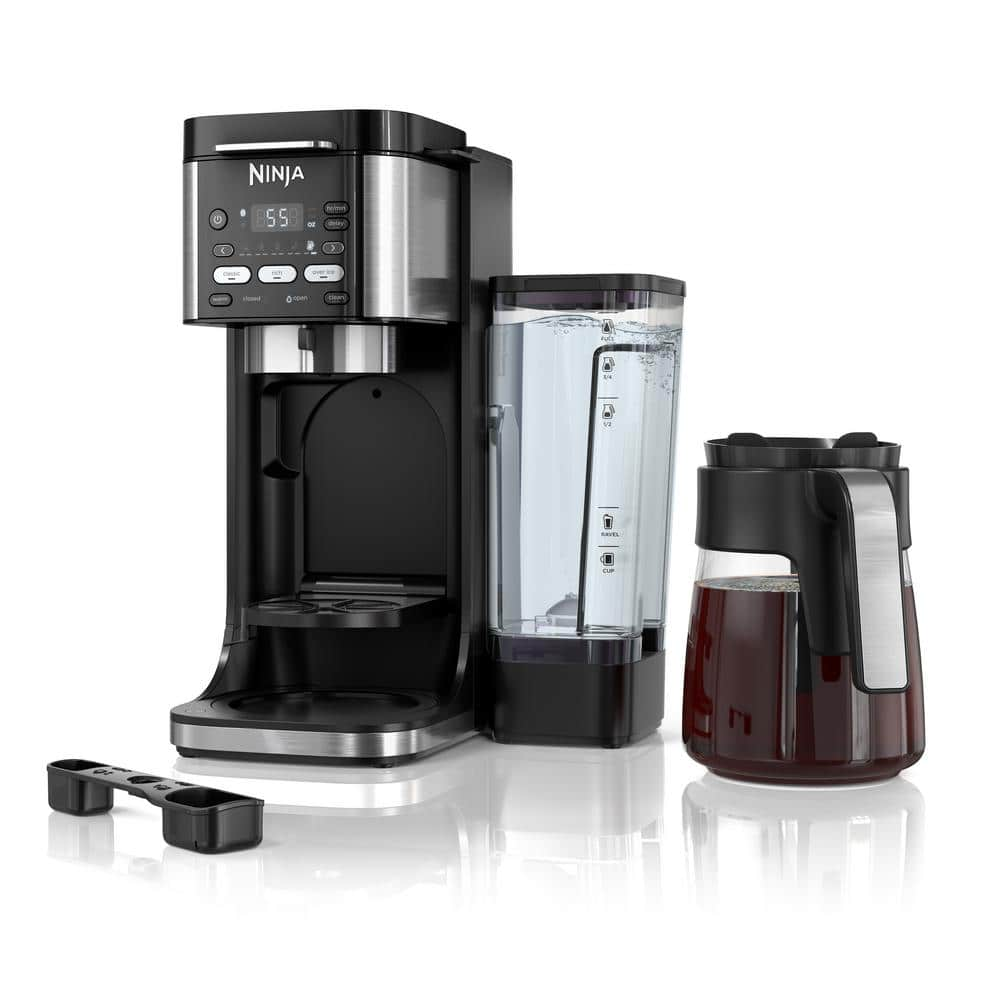
- Power on the coffee maker.
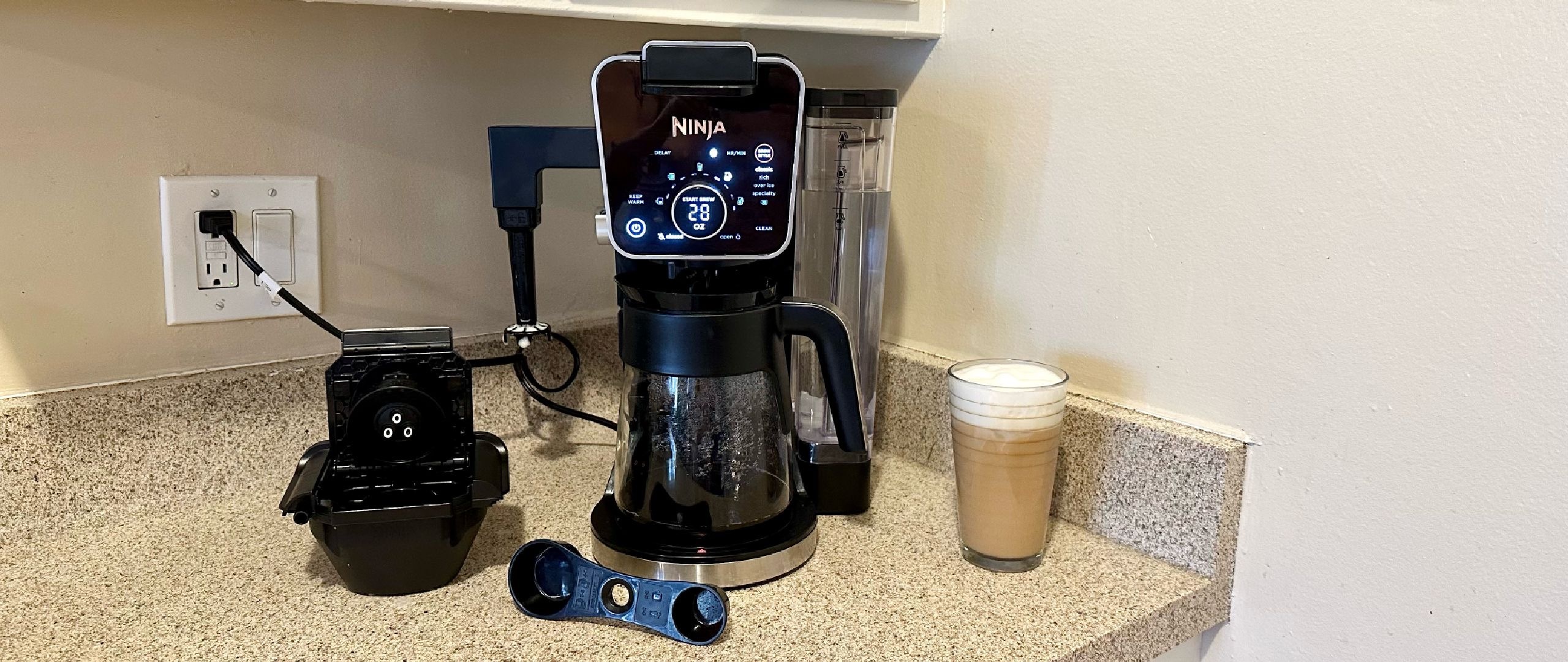
- Locate the CLOCK button on the control panel.
- Press and hold CLOCK for two seconds until the hour flashes.
- Press HOUR to advance the hour. Keep pressing to scroll faster.
- Press MIN (or MINUTE) to set minutes.
- If your model has AM/PM, cycle HOUR until the correct AM or PM shows.
- Press CLOCK once to save the time.
Quick tips:
- If your model uses + and – buttons instead of HOUR/MIN, use those to change values.
- Some models require pressing PROG then CLOCK to enter clock set mode. If the above doesn’t work, try PROG first.
I repeat this process often because different Ninja Dual Brew models use slight button name changes. But the core flow is the same: enter clock mode, adjust hour, adjust minute, save. Knowing how to set clock on Ninja Dual Brew Coffee Maker is that straightforward.
How the clock links to Delay Brew and Auto Start
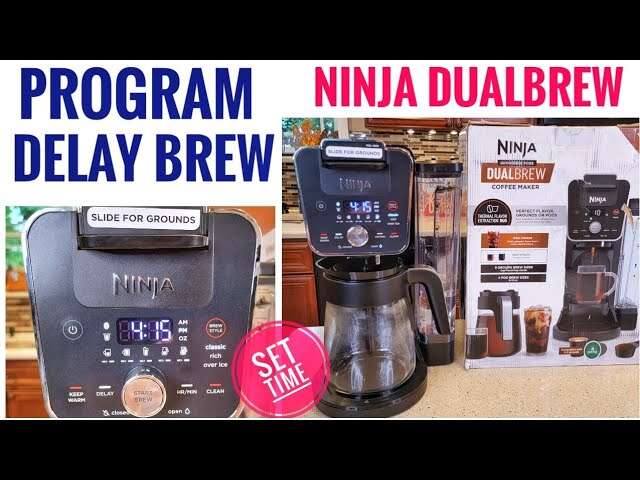
The clock controls delay brew times. If the clock is off, your scheduled brew will be off. Here is how to use the clock with the timer.
How to schedule a delay brew:
- Set the clock correctly first.
- Press PROG or DELAY button to enter schedule mode.
- Use HOUR and MIN to choose your brew time.
- Confirm and enable the delay brew.
Real-life advice: I set my delay brew for 10 minutes before I want coffee ready. That gives the pot time to finish and stay warm. Learning how to set clock on Ninja Dual Brew Coffee Maker and then linking it to delay brew gives you fresh coffee right when you want it.

Troubleshooting common clock issues
If the clock won’t set or keeps resetting, try these fixes.
Problems and fixes:
- Clock won’t enter set mode
- Ensure you press and hold the correct CLOCK or PROG button for two seconds.
- Try unplugging for 10 seconds, then plug back in and try again.
- Clock resets after power loss
- Some models lose time when unplugged. Consider using a surge protector or setting a daily reminder to re-check the clock.
- AM/PM not changing
- Cycle the hour past 12 to toggle AM/PM. Some models show a small AM/PM indicator.
- Buttons unresponsive
- Clean around the buttons. Mineral buildup or sticky residue can block presses.
From my testing, button-press timing matters. A short tap may not register. Hold until the display changes, then adjust. This habit helped me avoid repeated resets and taught me how to set clock on Ninja Dual Brew Coffee Maker reliably.

Common mistakes and practical tips
Avoid these mistakes when you set the clock on Ninja Dual Brew Coffee Maker.
Mistakes to avoid:
- Rushing through presses. Hold buttons when the manual says to hold.
- Forgetting AM/PM settings. Always check the AM/PM indicator if your model has one.
- Not saving the time. If you don’t press CLOCK or SAVE, your changes won’t stick.
- Ignoring model differences. Button labels vary across Ninja Dual Brew models.
Practical tips:
- Set the clock right after plugging in the machine.
- Keep the user manual in the kitchen drawer for reference.
- If you use delay brew often, re-check the clock when daylight saving time changes.
Personal note: I keep a small sticky note on my coffee station with the simple steps to set the clock on Ninja Dual Brew Coffee Maker. It saves time when guests use the machine.

Resetting, firmware quirks, and long-term care
Sometimes a reset is needed or you may face firmware quirks. Here’s how to manage them and keep the clock steady.
Reset and care steps:
- Soft reset: Unplug for 30 seconds, then plug back in. Set the clock again.
- Hard reset: Consult the manual for model-specific reset steps. This may clear custom settings.
- Clean contacts: Wipe the control panel with a damp cloth to keep buttons responsive.
- Surge protection: Use a surge protector to reduce power-related resets.
If you still can’t set the clock on Ninja Dual Brew Coffee Maker after resets, contact customer service or check the manual. Be transparent: firmware issues are rare but possible.
Frequently Asked Questions of how to set clock on ninja dual brew coffee maker
How long do I press the CLOCK button to set the time?
Press and hold the CLOCK button for about two seconds until the hour display flashes. Then use HOUR and MIN to adjust.
My clock resets after power loss. Is that normal?
Yes. Many Ninja Dual Brew models do not have battery backup. The clock often resets after unplugging or power outages.
Can I set AM/PM on my model?
Yes. If your model shows AM/PM, cycle the HOUR past 12 to toggle between AM and PM while setting the time.
What if the buttons don’t respond?
Try unplugging for 30 seconds, cleaning the control panel, and plugging back in. If the issue persists, the unit may need service.
Is the clock needed for other functions?
Yes. The clock is required for delay brew, auto start, and some timed cleaning cycles. Set the clock before programming those features.
Conclusion
Setting the clock on Ninja Dual Brew Coffee Maker is quick and worth the few minutes it takes. With the clock set, delay-brew works reliably, auto-start aligns with your schedule, and you avoid cold or missing coffee. Try the steps now: power the machine, enter clock mode, set hour and minute, and save. If you run into trouble, use the troubleshooting tips above or consult your manual.
Try setting the clock today and schedule a fresh pot for tomorrow morning—then share your experience or questions in the comments below.

Liora Pennings is a seasoned chef and kitchen enthusiast with a passion for turning everyday cooking into an effortless experience. With years of hands-on culinary expertise, she specializes in practical techniques, ingredient know-how, and smart kitchen solutions that help home cooks elevate their meals. At KitchFlair.com, Liora shares her best tips, time-saving tricks, and honest product reviews to guide readers toward a more efficient, enjoyable, and inspired cooking routine. Whether you’re a beginner or a seasoned home chef, Liora’s friendly, knowledge-packed insights make every visit to the kitchen a little easier—and a lot more delicious.