How To Set Clock On Cuisinart Dual Coffee Maker: Easy Guide
Press and hold the HR and MIN buttons until the correct time shows, then release.
I’ve used and tested Cuisinart machines for years, and I’ll walk you through how to set clock on Cuisinart dual coffee maker with clear steps, quick fixes, and practical tips. This guide blends hands-on experience with easy instructions so you can set the time fast and keep it accurate every morning.
Why set the clock on your Cuisinart Dual Coffee Maker?
Setting the clock lets you use timer features. You can program brew-start times and use auto-brew with confidence.
A correct clock helps the machine brew when you want it to and prevents missed morning coffee. I’ve seen users waste beans and time because the clock was off, so it’s worth the two minutes to set it right.

What you need before you start
Make sure the machine is plugged in and powered on.
Have the manual nearby if your model has extra buttons.
Know whether your model uses a 12-hour or 24-hour display; most Cuisinart dual coffee makers use 12-hour AM/PM.

Step-by-step: How to set clock on Cuisinart dual coffee maker
Follow these simple steps to set the clock accurately.
- Turn on the coffee maker.
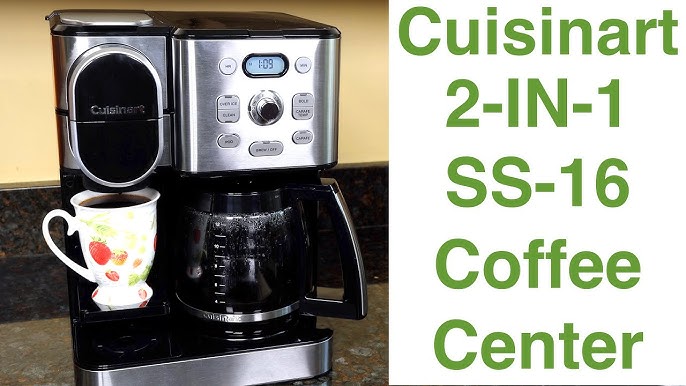
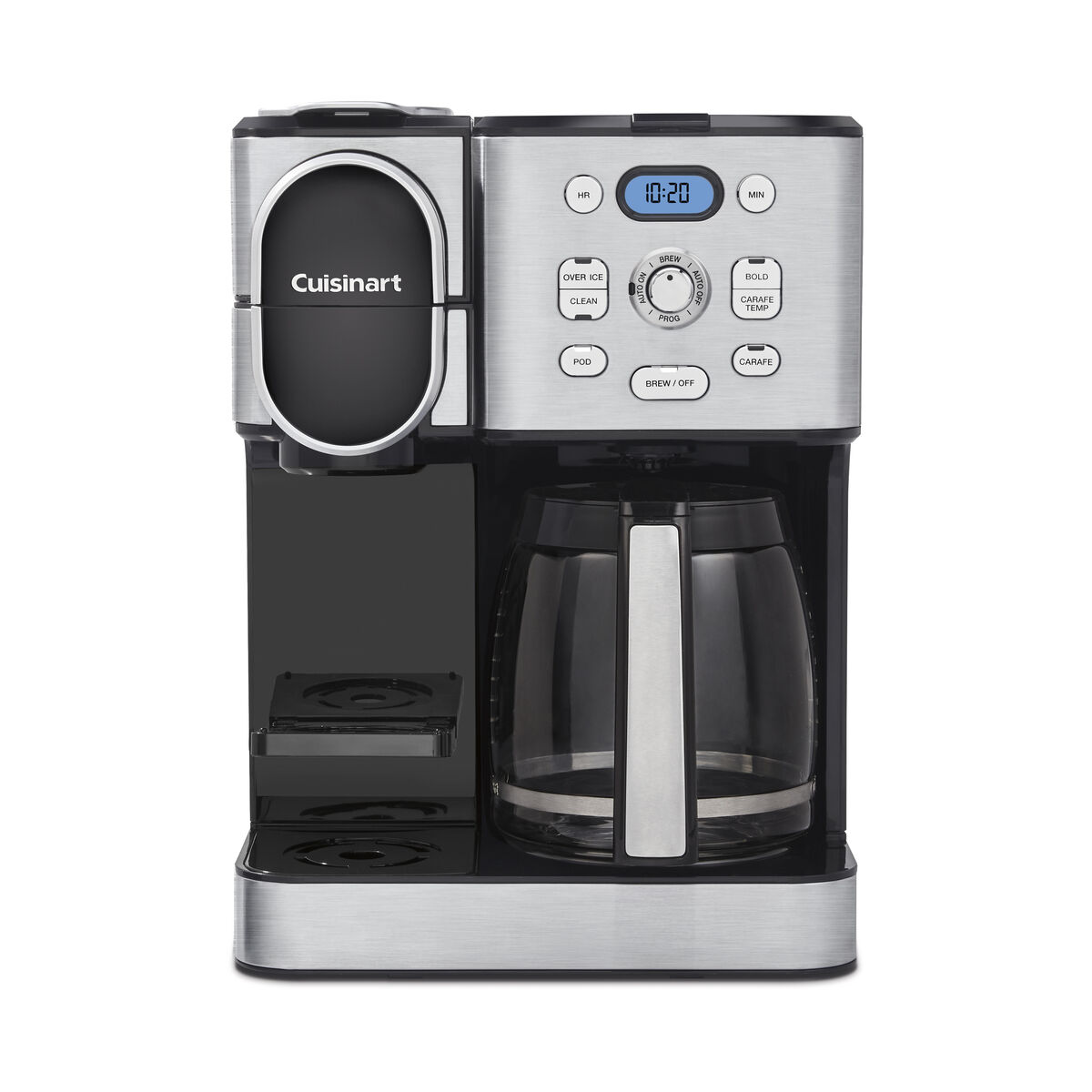
- Locate the HR and MIN buttons on the control panel.
- Press and hold the HR button to set the hour. Release when the correct hour shows.
- Press and hold the MIN button to set the minutes. Release when the correct minutes show.
- If your model has an AM/PM indicator, cycle through hours until the correct AM or PM shows.
- Some models use a single CLOCK or PROG button. Press CLOCK, then use HR and MIN to set time, and press CLOCK again to confirm.
- If you have a backup battery or memory feature, ensure it’s installed so the time stays set through power outages.
- Test the clock by setting a brew time for a minute or two ahead to verify the machine starts on schedule.
Repeat these steps anytime you lose power or travel with the unit. Practicing once makes the process feel natural and quick.

Troubleshooting common clock issues
If the clock won’t change, try these fixes.
- The machine is in standby or locked mode. Check for a lock symbol or consult the manual.
- Buttons are sticky or unresponsive. Unplug the machine for a minute, then plug back in and try again.
- The power blinked and reset the clock. Re-set the time and install a new backup battery if your model supports it.
- The display is dim or blank. Confirm the outlet works and try a different outlet.
- If the clock cycles or shows incorrect time after setting, the internal memory may be failing; contact support.
These steps usually solve common problems. If not, a short call to support often resolves model-specific issues.
Tips, tricks, and expert advice
Small habits save time and keep the clock correct.
- Set the time right after plugging in the machine to avoid redoing steps.
- Use AM/PM markers to avoid waking to cold coffee.
- Keep the manual or a quick note near the machine with the exact button sequence for your model.
- If you travel with the unit, wrap the cord loosely and use a small post-it to note the last set time.
- I once forgot to press the final CLOCK button on a model and the display looked set but wouldn’t auto-brew—always confirm by scheduling a test brew.
These simple practices make learning how to set clock on cuisinart dual coffee maker stress-free and reliable.

Maintenance: keeping the clock accurate
Check the clock after major power outages and regular cleaning.
Replace backup batteries yearly if available.
Wipe buttons gently to avoid sticky residue that prevents proper presses.
If you move the machine between time zones, update the clock immediately to preserve scheduled brews.
A brief monthly check helps avoid surprises and keeps your routine intact.
Frequently Asked Questions of how to set clock on cuisinart dual coffee maker
How long does it take to set the clock on a Cuisinart dual coffee maker?
Setting the clock usually takes less than two minutes once you know the button layout. It involves holding HR and MIN or using the CLOCK button to confirm.
My clock resets after a power outage. How do I stop this?
Install a backup battery if your model supports it and change batteries yearly; otherwise, re-set the clock after outages and consider using a surge protector.
Can I switch between 12-hour and 24-hour formats?
Most Cuisinart dual coffee makers use a 12-hour AM/PM format and do not offer a 24-hour option. Check your manual for model-specific features.
The MIN button moves too fast. How can I set minutes precisely?
Tap the MIN button in short presses instead of holding it, or hold it and release near the target then fine-tune with short taps.
The clock shows the wrong AM/PM after setting. What should I do?
Cycle the hour past 12 to change AM to PM or vice versa, and then reset minutes. Verify by scheduling a test brew one minute ahead to ensure correct AM/PM.
Conclusion
Setting the clock on your Cuisinart dual coffee maker is quick and pays off every morning with on-time coffee. Follow the simple steps here, test a scheduled brew, and use small habits like backup batteries and monthly checks to keep the time accurate. Try setting the clock now and schedule a test brew—then enjoy ready coffee when you need it. Leave a comment with your model if you want a tailored button sequence or troubleshooting help.

Liora Pennings is a seasoned chef and kitchen enthusiast with a passion for turning everyday cooking into an effortless experience. With years of hands-on culinary expertise, she specializes in practical techniques, ingredient know-how, and smart kitchen solutions that help home cooks elevate their meals. At KitchFlair.com, Liora shares her best tips, time-saving tricks, and honest product reviews to guide readers toward a more efficient, enjoyable, and inspired cooking routine. Whether you’re a beginner or a seasoned home chef, Liora’s friendly, knowledge-packed insights make every visit to the kitchen a little easier—and a lot more delicious.