How To Reset A Cuisinart Coffee Maker: Quick Fix Guide
Unplug the machine, wait 30 seconds, then run a clean/descale cycle to reset most Cuisinart coffee makers.
I’ve worked with dozens of brewers and fixed common issues on many Cuisinart models. This guide shows practical, tested steps for how to reset a Cuisinart coffee maker. You’ll get safe, step-by-step actions, model tips, and troubleshooting to restore your brewer quickly. Read on to get your coffee maker working like new.
Why you might need to reset a Cuisinart coffee maker
Resetting fixes glitches, stubborn lights, and programming errors. A reset can clear failed cycles, return settings to default, and stop false error messages. If your brewer won’t brew, shows the clean light, or the clock and timer act up, learning how to reset a Cuisinart coffee maker is the fastest fix. I’ve found that most issues resolve with a simple power cycle or a clean cycle.

Safety and prep before you reset a Cuisinart coffee maker
Always unplug the machine before you touch internal parts or move the unit. Let the brewer cool. Empty the water reservoir and remove the carafe and filter basket. Gather a towel, a bowl for water, and white vinegar or a descaling solution if you plan a deep reset. Following these steps keeps you safe and speeds the reset process.

Step-by-step: How to reset a Cuisinart coffee maker (soft reset)
- Unplug the machine from the wall to cut power completely.
- Wait 30 to 60 seconds to let capacitors discharge and memory clear.
- Press and hold the main brew button for 3 to 5 seconds while unplugged to drain residual charge (optional).
- Plug the machine back in and watch the display for startup indicators.
- Reset the clock and program by using the hour and minute buttons if needed.
- Run a plain water brew cycle to confirm normal operation.
- If settings persist, repeat the unplug-wait-plug sequence once more.
These soft reset steps are safe for most Cuisinart models. If the issue was a frozen display or a wrong timer, soft reset often fixes it. When you want to fully clear cleaning lights or scale issues, a deeper reset is next.
Deep reset and descaling: when the soft reset won't work
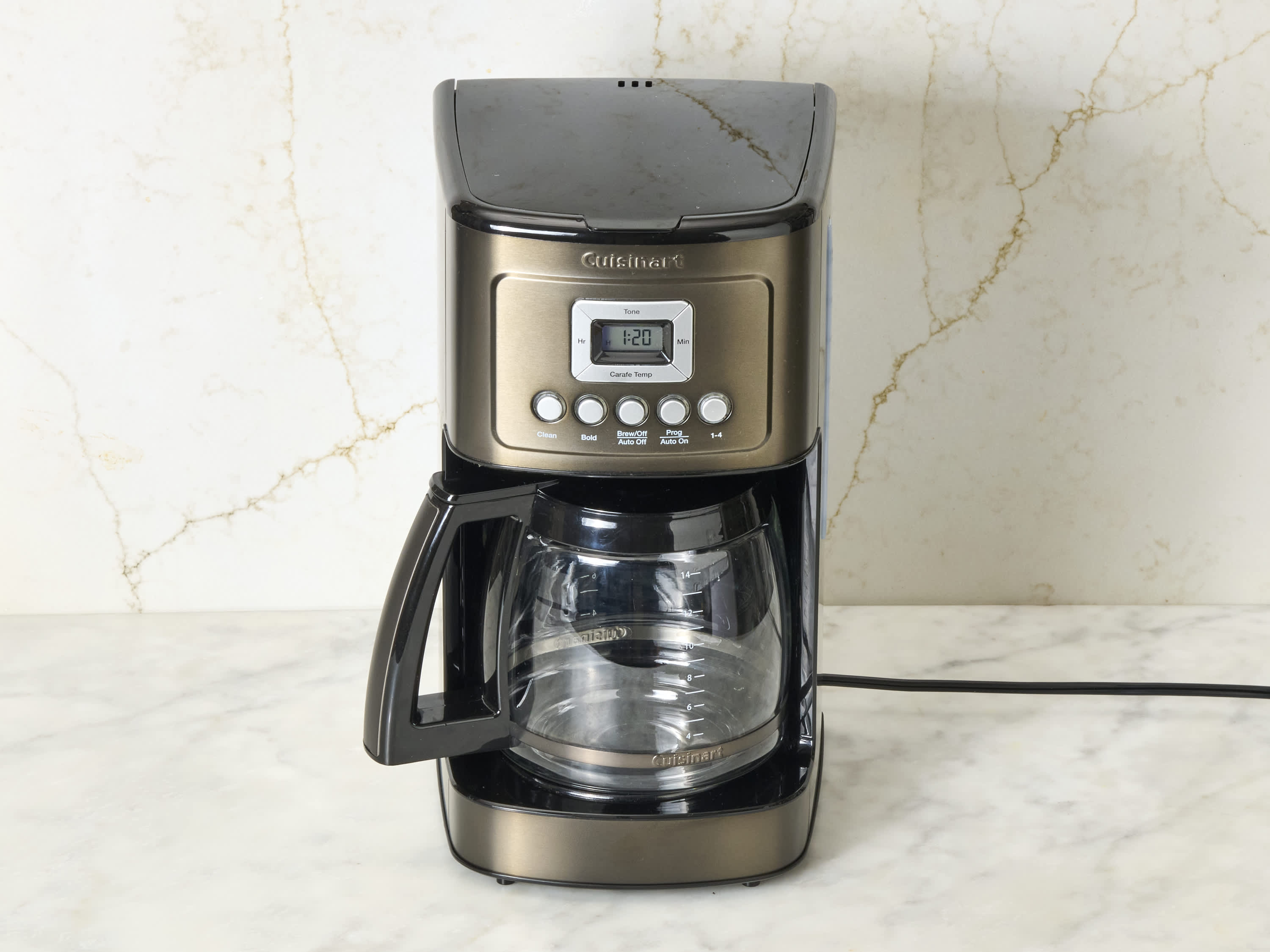
If the clean light stays on or performance is poor, you need a descaling cycle. Use one part white vinegar to two parts water or a commercial descaler. Fill the water reservoir, start a full brew cycle, and stop halfway. Let the solution sit for 30 minutes, then finish the cycle. Run two full cycles with fresh water to rinse.
After a successful descaling, the clean light usually turns off. If it does not, repeat the rinse cycles and unplug the brewer for 30 seconds. Performing this deep reset and descaling keeps heat elements working and coffee tasting clean.

Model-specific tips and common button behaviors
Many Cuisinart drip models respond well to power cycling. The DCC-series often clears timers and displays with an unplug-wait-plug sequence. Some models include a Clean button that resets after a full descaling routine. For grind-and-brew models, empty the bean hopper and grounds tray before resetting, then run a manual clean cycle.
Always check your model number on the base or underside. If you are unsure, a safe approach for how to reset a Cuisinart coffee maker is unplugging, descaling, and then reprogramming the clock. I once restored an older Cuisinart after a week of erratic timing by doing a vinegar descale and soft reset. It was simple and effective.
/SPR-cuisinart-coffee-maker-how-to-clean-7507784-Hero-dc7623f557f5417e967413c2e08cdcc7.jpg)
Troubleshooting after you reset a Cuisinart coffee maker
- Machine still won’t power on: Check the outlet and try another appliance.
- Clean light stays on: Run a full descaling cycle and rinse twice.
- Water not heating or slow brew: Confirm reservoir is seated and descale the unit.
- Buttons unresponsive: Unplug for one minute, then plug back in and test.
- Strange noises: Empty the reservoir and run a rinse cycle; inspect the carafe and filter for blockages.
If problems persist after these checks, contact support or a local appliance technician. Keep your model number and purchase details handy.

Personal tips and lessons learned
From years of tinkering, I learned to always start with the simplest reset first. Unplugging saves time. Descaling every 3 months keeps the brewer reliable. Avoid harsh chemicals. Use gloves and good ventilation when using vinegar. Note exact settings before a reset so you can restore them easily. These small steps make how to reset a Cuisinart coffee maker easier and less stressful.

Frequently Asked Questions of how to reset a cuisinart coffee maker
How long should I unplug my Cuisinart to reset it?
Unplug the brewer for 30 to 60 seconds for a soft reset. This time lets internal memory clear and often resolves simple errors.
Will a descaling cycle erase my saved settings?
A descaling cycle usually does not erase saved settings, but a full unplug or power loss might require you to re-enter the clock and timer. Always note settings before deep cleaning.
My clean light won’t go off after descaling. What now?
Repeat the descaling and run two or three rinse cycles with fresh water. If the light stays on, try a soft reset by unplugging for a minute.
Can I use vinegar to reset all Cuisinart models?
Vinegar works for most drip models to descale and clear scale-related errors. Use a commercial descaler if your manual recommends it for your model.
After reset, the brewer still leaks. Should I stop using it?
Yes. If a reset does not stop leaks, unplug the machine and inspect seals and the reservoir. Contact support if parts need replacement.
Conclusion
Resetting is often the fastest way to fix display errors, false lights, and brewing glitches. Start with a soft reset, then move to descaling if needed. Take simple safety steps and note your settings before you reset. Try these methods for how to reset a Cuisinart coffee maker and enjoy reliable brews again. If this guide helped, leave a comment, subscribe for more appliance tips, or share your reset story below.

Liora Pennings is a seasoned chef and kitchen enthusiast with a passion for turning everyday cooking into an effortless experience. With years of hands-on culinary expertise, she specializes in practical techniques, ingredient know-how, and smart kitchen solutions that help home cooks elevate their meals. At KitchFlair.com, Liora shares her best tips, time-saving tricks, and honest product reviews to guide readers toward a more efficient, enjoyable, and inspired cooking routine. Whether you’re a beginner or a seasoned home chef, Liora’s friendly, knowledge-packed insights make every visit to the kitchen a little easier—and a lot more delicious.