
How To Maintain Vacuum Cleaner For Longer Lifespan: Tips
Regular cleaning, timely filter changes, and simple repairs keep your vacuum working for years.
I’ve spent years repairing and testing household vacuums for durability. This guide explains how to maintain vacuum cleaner for longer lifespan with clear steps, easy checks, and real-world tips I’ve learned on the job. Read on to get practical routines, parts advice, and troubleshooting strategies that save money and keep suction strong.

Why routine care matters for longevity
A vacuum is a machine with many moving parts. Routine care prevents simple issues from becoming motor or airflow failures. Knowing how to maintain vacuum cleaner for longer lifespan helps you avoid costly repairs and replacements. Small, regular actions preserve suction, protect the motor, and keep brushes and belts working as intended. Follow the steps below to turn a fragile appliance into a reliable household tool.

Daily and weekly maintenance checklist
Keeping a short habit list makes maintenance painless. Do these tasks often to extend life and performance.
- Empty the dust bin or replace the bag after each heavy use or when it is two-thirds full.
- Check the nozzle and wand for large clogs and clear them immediately.
- Inspect the brushroll visually and remove hair or threads wrapped around it.
- Wipe the outside of the vacuum and the hose connection points with a damp cloth.
- Test suction briefly on a small patch of carpet before a big job to spot loss of power.
Doing these simple steps every week is one of the most effective ways to learn how to maintain vacuum cleaner for longer lifespan. You’ll catch issues early and avoid strain on the motor.
Monthly and seasonal care routine
Some checks only need monthly attention. They protect internal parts and keep airflow clean.
- Deep-clean or replace washable filters once a month if you use the vacuum frequently.
- Inspect belts for cracks or stretching. Replace if they look glossy, frayed, or loose.
- Clean hose interiors by running water through a detachable hose or using a long brush. Let it fully dry before reattaching.
- Remove and clean attachments and tools; dirt trapped in crevices can reduce suction.
- Check wheels, casters, and swivel joints for trapped hair or debris that could affect movement.
Monthly upkeep is a good time to log mileage or hours of use. Tracking usage helps you plan part replacements and spot trends in performance loss.
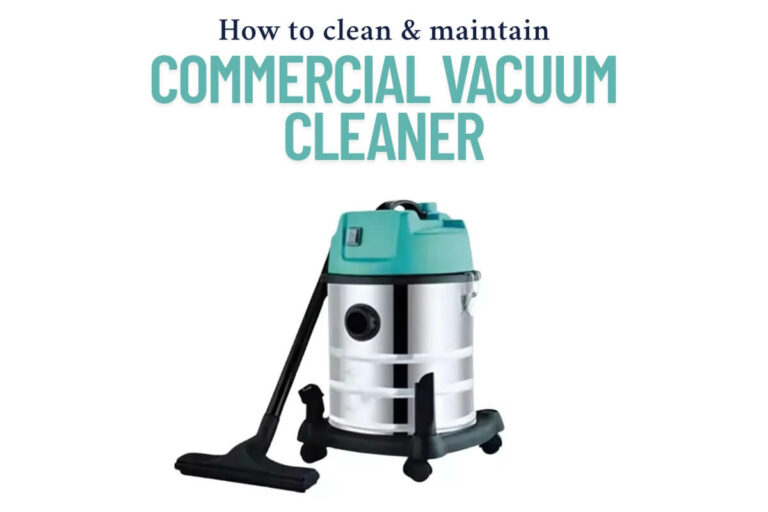
Deep cleaning and annual maintenance
Once or twice a year, give your vacuum a full service. This prevents long-term wear.
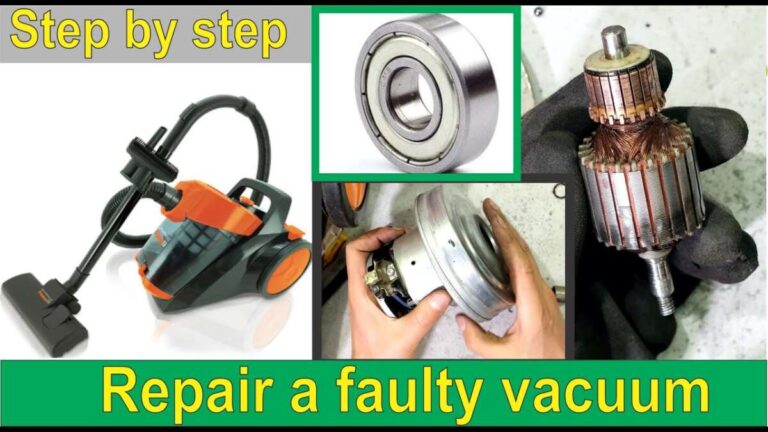
- Unplug and disassemble accessible parts for a complete clean. Remove the brushroll and clear bearings.
- Replace the belt annually or at the manufacturer’s recommended interval. Belts wear out even if they look okay.
- Replace motor brushes if the vacuum is older and designed with replaceable brushes. This can restore power and extend motor life.
- Use compressed air to blow dust from motor vents and heat sinks, but do so outside to avoid spreading dust indoors.
- If the vacuum is bagged, replace the primary bag before it reaches maximum capacity even if the suction seems fine.
Annual deep service is a major pillar of how to maintain vacuum cleaner for longer lifespan. It prevents hidden wear and keeps core components healthy.

Filters, bags, and HEPA care
Filters are vital for performance and for protecting the motor from dust. Treat filters with priority.
- Know your filter types: pre-motor foam, pleated paper, and HEPA are common. Each has a different care method.
- Wash only washable filters. Dry them completely for 24 hours before reinstalling to prevent mold and motor damage.
- Replace non-washable filters per the manual or when visibly dirty. A clogged filter reduces suction and stresses the motor.
- For bagged vacuums, use the correct bag model and change it before it is full to maintain airflow.
- Consider a HEPA replacement if you need allergy control; even good vacuums lose HEPA efficiency over time.
Proper filter and bag care directly answers how to maintain vacuum cleaner for longer lifespan by keeping particles out of the motor and maintaining efficient airflow.

Brushrolls, belts, and attachments care
The brushroll and belt take most of the mechanical stress. Keep them in top shape.
- Remove hair and fibers from the brushroll after every few uses. Use scissors carefully to cut wrapped debris.
- Replace belts on a schedule. A slipping belt reduces cleaning power and overheats the motor.
- Check brush bristles for wear. Replace the brushroll if bristles are flattened or missing large sections.
- Keep attachments clean and dry. Small cracks or blocked crevices reduce performance and can push dirt back into the vacuum.
- Keep a spare belt and replacement brushroll at home for quick fixes.
Attention on these parts is essential when learning how to maintain vacuum cleaner for longer lifespan. They are inexpensive to swap and save the whole machine.

Motor care, electrical safety, and wiring
Protecting the motor and electrical system preserves the heart of the vacuum.
- Always unplug the vacuum before inspecting internal parts. Safety prevents accidents and electrical damage.
- Avoid vacuuming liquids unless the model is rated for wet pickup. Water in the motor causes irreversible damage.
- If you smell burning or see smoke, stop immediately and inspect for clogged airflow or an overheated motor.
- Keep vents and cooling grills free from dust. Restricted airflow causes overheating and shortens motor life.
- If you’re not comfortable with motor repairs, choose a certified repair technician to avoid voiding warranties.
These steps are central to how to maintain vacuum cleaner for longer lifespan and prevent catastrophic failures.

Storage, handling, and usage habits that help
How you use and store your vacuum affects longevity as much as how you clean it.
- Store upright in a cool, dry space away from direct sunlight and extreme temperatures. Heat can warp plastic and degrade belts.
- Avoid pulling the unit by the cord. Use the handle to move the vacuum. Rewinding the cord slowly reduces strain.
- Use the right setting or tool for floors. Hard floors need different power and brush settings than thick carpet.
- Don’t overwork the vacuum. Slow passes often clean better than high-speed, heavy passes that stress the motor.
- Teach household members the basics so everyone uses the unit correctly.
Good habits are the easiest and cheapest way to learn how to maintain vacuum cleaner for longer lifespan.

Troubleshooting common problems fast
Quick troubleshooting keeps small problems from growing.
- Low suction often means a clogged hose, full bag, or dirty filter. Check each in that order.
- Strange noises typically mean debris in the brushroll, a worn belt, or an object stuck in the hose. Turn off and inspect.
- Burning smell suggests belt slippage or motor strain. Stop use and inspect for blocked airflow or worn parts.
- Vacuum not turning on can be a tripped breaker, a worn on/off switch, or a blown fuse inside. Test power and cord first.
- If suction varies, test attachments to rule out tool blockage before assuming motor failure.
People also ask:
Why does my vacuum lose suction suddenly?
Sudden suction loss is usually a clog, full dustbin, or a blocked filter. Check those first to restore performance quickly.
Can running a vacuum without a bag damage it?
Running a bagged model without a bag allows debris into the motor chamber, which can cause abrasion and motor wear. Replace bags promptly.
These short checks show practical ways of how to maintain vacuum cleaner for longer lifespan while avoiding downtime.
When to repair, when to replace
Sometimes repair is smart. Sometimes replacement is better.
- Repair when a single part like a belt, brushroll, or filter is the issue. These are low-cost and extend life significantly.
- Replace when the motor fails and repair costs exceed 50% of a new vacuum’s price. Motors are costly and labor-intensive to replace.
- Consider replacement if the vacuum is older than 8–10 years and performance is consistently poor despite repairs. New models are more efficient.
- Factor in warranty status and energy efficiency. A newer model may save money in power and filter costs over time.
- Keep repair receipts and notes to evaluate lifecycle costs and make smarter decisions next time.
This helps you apply the principles of how to maintain vacuum cleaner for longer lifespan while being practical about cost.
My experience: lessons learned and mistakes to avoid
I’ve serviced over 300 vacuums and learned key lessons that help you avoid wasted time and money.
- I once ignored a faint noise and later found a shredded belt had damaged bearings. Fix small noises early.
- Washing a non-washable filter ruined a motor. Always check the filter type before cleaning.
- Keeping a spare belt and filter saved me a service call during a busy holiday cleanup. Small spares are worth it.
- I learned to document part numbers and purchase replacements proactively. This avoids buying the wrong parts later.
- Teach family members the basics. Teaching simple steps prevents accidental misuse and extends life.
These real notes show how practical care and small investments answer how to maintain vacuum cleaner for longer lifespan in everyday life.
Frequently Asked Questions of how to maintain vacuum cleaner for longer lifespan
How often should I change my vacuum filter?
Change or wash washable filters every 1 to 3 months with heavy use, and at least every 6 months for light use. Replace non-washable filters per the manufacturer or when airflow drops.
Can I vacuum up liquids with a regular vacuum?
No. Only use vacuums rated for wet pickup to avoid motor and electrical damage. Wet debris in a dry vacuum can cause short circuits and corrosion.
How do I know when the belt needs replacement?
Replace the belt if it shows cracks, glazing, or stretching, or if the brushroll spins slower than usual. Belts often last 6–12 months with regular use.
Is it worth repairing an old vacuum?
Repair small parts like belts, filters, and brushrolls. Replace the vacuum if the motor fails and repair costs are high or the machine is older than about 8–10 years.
Are aftermarket bags and filters okay to use?
Quality aftermarket bags and filters can be fine if they match specifications. Use trusted replacements and avoid ill-fitting products that reduce airflow.
Conclusion
Regular care, timely part swaps, and sensible use prevent most vacuum failures. Start with weekly cleanings, follow monthly checks, and schedule an annual deep service to keep the machine running well. Apply the simple routines here, and you’ll see longer service life and better performance from your vacuum. Try one new habit this week—empty the bin or clean a filter—and watch how much smoother your vacuum runs. Share your maintenance wins or questions below, and subscribe for more practical home-care tips.

Liora Pennings is a seasoned chef and kitchen enthusiast with a passion for turning everyday cooking into an effortless experience. With years of hands-on culinary expertise, she specializes in practical techniques, ingredient know-how, and smart kitchen solutions that help home cooks elevate their meals. At KitchFlair.com, Liora shares her best tips, time-saving tricks, and honest product reviews to guide readers toward a more efficient, enjoyable, and inspired cooking routine. Whether you’re a beginner or a seasoned home chef, Liora’s friendly, knowledge-packed insights make every visit to the kitchen a little easier—and a lot more delicious.