How To Fix Vacuum Cleaner Not Picking Up Fine Dust: Fixes
Clean or replace filters, clear blockages, check seals and brushroll, then test suction immediately.
I’ve fixed dozens of vacuum issues for homes and clients, so I know exactly why a vacuum cleaner not picking up fine dust feels frustrating. This guide walks you through simple checks, step-by-step fixes, and smart upgrades so you can capture fine dust reliably. Read on for clear troubleshooting, safety tips, and easy maintenance routines that save time and keep your air cleaner.
How fine dust behaves and why it’s hard to pick up
Fine dust means tiny particles. They are often under 10 microns. These particles float and cling to surfaces. Normal vacuum airflow can carry larger debris but let fine dust pass through filters or escape through small leaks.
Fine dust also creates electrostatic cling. It will stick to plastics, fabric, and brush bristles. A vacuum cleaner not picking up fine dust usually shows weak suction, wrong filters, or poor airflow design. Understanding particle behavior helps you pick the right fix.

Common causes for a vacuum cleaner not picking up fine dust
- Clogged filter or full bag. Filters trap dust and slow airflow as they clog.
- Blocked hose, wand, or nozzle. Even small clogs cut suction dramatically.
- Leaks in seals or cracks in the hose. Air pulls from leaks instead of the floor.
- Worn or missing brushroll bristles. Brushrolls fail to lift dust from carpets.
- Incorrect attachment or height setting. Hard floors and low piles need different settings.
- Wrong filter type for fine dust. Low-efficiency filters let fine dust through.
- Motor or impeller wear. Reduced motor power lowers suction.
- Dust escaping while emptying. Bagless dustbins can release fine dust when emptied.
These causes explain most cases where a vacuum cleaner not picking up fine dust. Fixes match each cause.

Step-by-step troubleshooting checklist
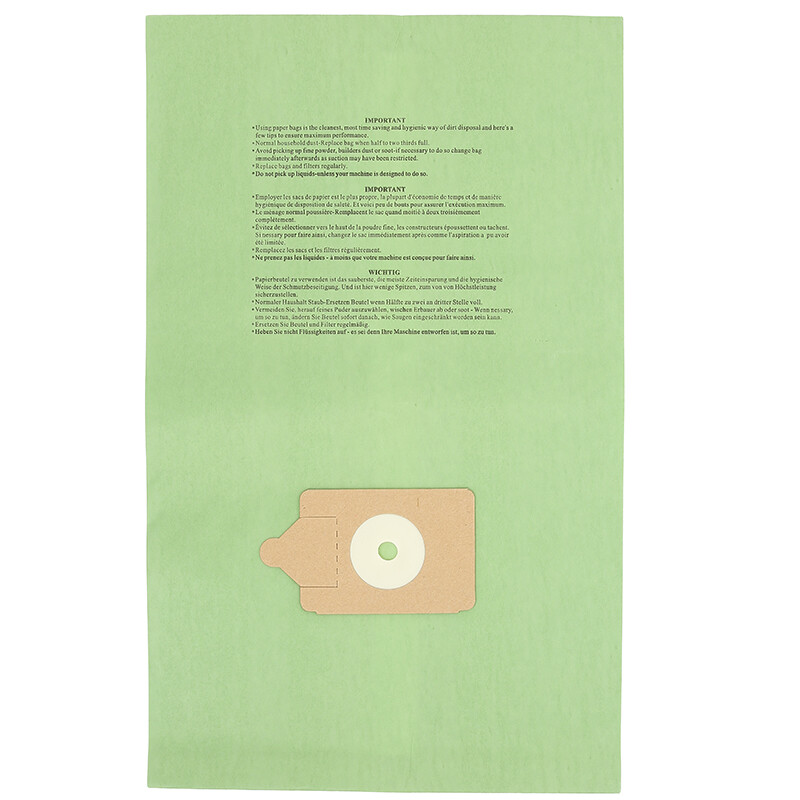
- Empty the dustbin or change the bag. A full bin chokes airflow.
- Remove and inspect filters. Tap out dust and wash if washable.
- Check the hose, wand, and nozzle for clogs. Shine a flashlight through them.
- Inspect seals, gaskets, and hose connections for cracks or loose fits.
- Test brushroll function and belt tension. Replace worn belts or bristles.
- Switch to proper attachment for the surface. Use hard-floor tool for fine dust on floors.
- Do a suction test at the hose end. If weak, trace for blockages or leaks.
- Try a temporary HEPA or fine-particle inline filter if needed.
Work through this list. It isolates the cause when a vacuum cleaner not picking up fine dust is a mystery.

Detailed fixes and how-to
Clean or replace filters
- Remove pre-motor and post-motor filters.
- Wash washable filters with cold water and let them air dry fully.
- Replace paper or HEPA filters per the manufacturer schedule.
Clean filters restore airflow and trap fine dust. A clogged filter is the most common reason a vacuum cleaner not picking up fine dust fails.
Clear blockages
- Detach hose and use a broom handle or flexible brush to clear obstructions.
- Check the air path at each joint and under the brush head.
- Use compressed air to blow dust out of tight spots.
Blockages often hide in bends. Clearing them usually restores suction quickly.
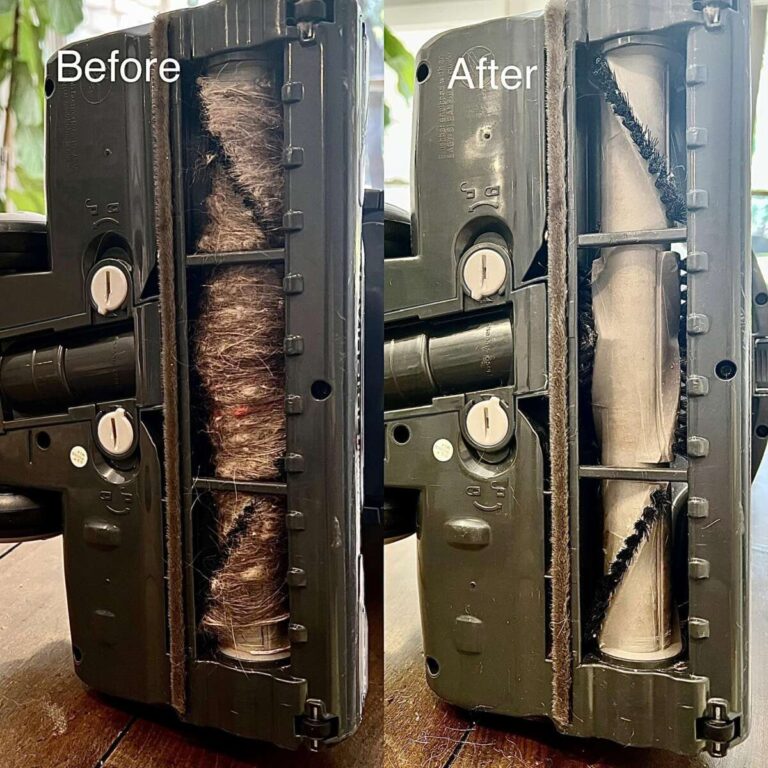
Fix brushroll and belt issues
- Remove the brush cover and pull out hair and threads.
- Trim tangled fibers with scissors.
- Replace a slipping or broken belt.
A healthy brushroll lifts dust so the vacuum can suction it. Without it, fine dust stays glued to carpet fibers.
Seal leaks and check fittings
- Inspect the hose ends, seals and gaskets.
- Apply silicone grease or replace worn gaskets if needed.
- Press fittings firmly in place and test for air leaks by feeling for escaping air.
Even a small leak causes the machine to lose suction and fail at fine dust pickup.
Use the right attachments and height settings
- Lower height for carpets as recommended.
- Use a soft-bristled floor tool for hard floors.
- Use crevice and dusting tools for edges and corners where fine dust collects.
The wrong tool makes a vacuum cleaner not picking up fine dust even if suction is strong.
Improve filtration for fine dust
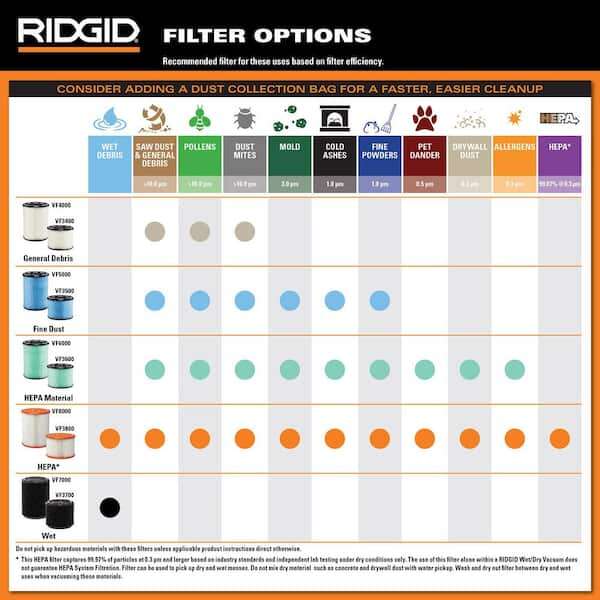
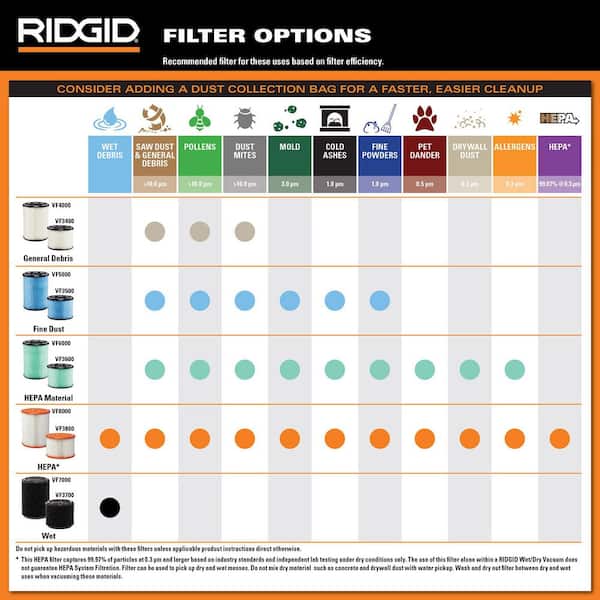
- Upgrade to a certified HEPA filter if your model supports it.
- Consider a secondary inline fine filter for bagless machines.
- Use sealed-bag models for very dusty work when possible.
Better filtration traps smaller particles and prevents them from re-entering air.
Test motor and airflow
- Do a suction test with the hose removed; cover the hose opening to check motor strength.
- If motor sounds weak, smells burnt, or overheats, stop and consult a technician.
Motor or impeller damage can be the reason a vacuum cleaner not picking up fine dust despite clear airflow paths.

Tips for handling fine dust safely and effectively
- Wear an N95 respirator when emptying dustbins with fine dust. Fine particles become airborne.
- Slow, overlapping passes pick up fine dust better than one fast sweep.
- Use a damp microfiber cloth on hard floors first to capture most dust, then vacuum.
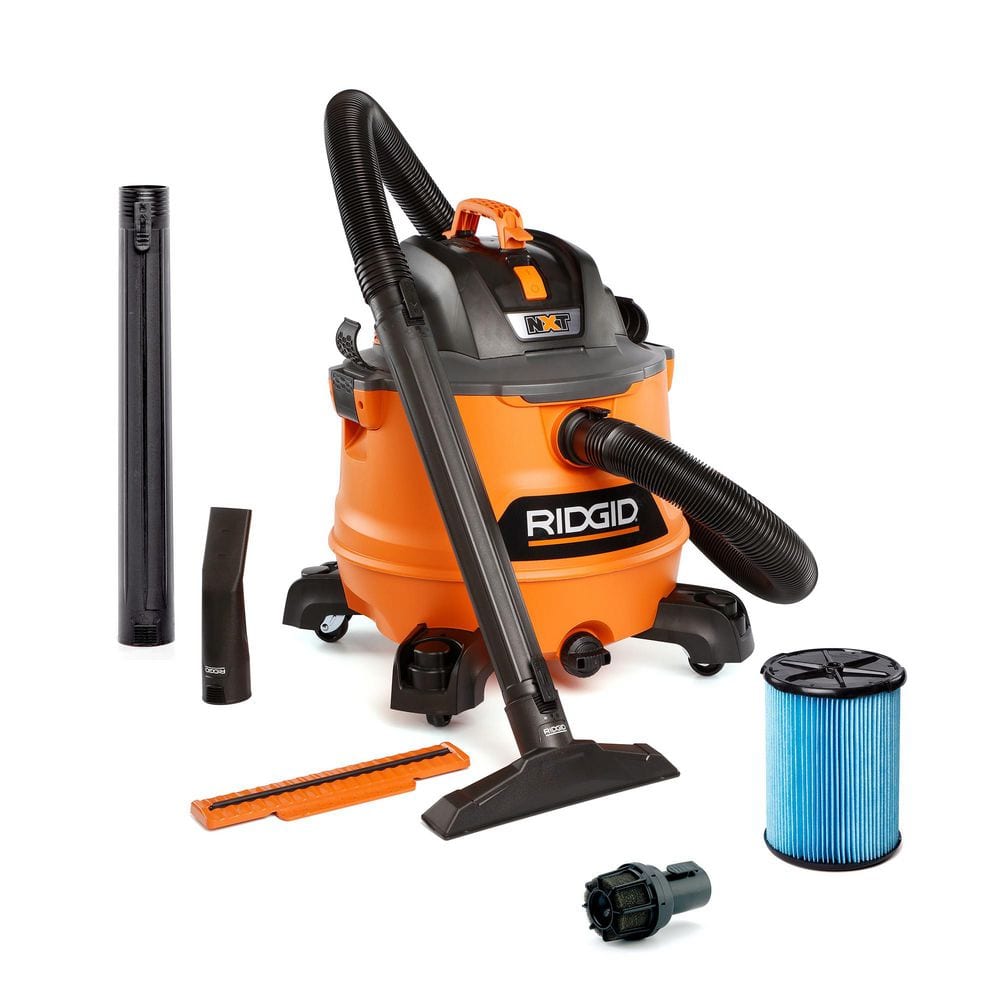
- For heavy fine dust (sanding or construction dust), use a shop vacuum with a proper filter.
- Empty dust outdoors when possible to avoid reintroducing dust in the home.
These small changes keep fine dust from becoming a chronic problem and protect your lungs.
Preventive maintenance and best practices
- Clean filters monthly if you vacuum often. Replace yearly or as recommended.
- Empty bin or replace bag before it’s fully packed.
- Inspect hoses and attachments quarterly for cracks and wear.
- Keep brushroll clear of hair and fibers after each use if you have pets.
- Store vacuum in a dry place to protect seals and electronics.
Routine care prevents a vacuum cleaner not picking up fine dust from recurring.

Tools and parts to consider
- Replacement HEPA or high-efficiency filters tailored to your model.
- Spare belts and a replacement brushroll.
- Crevice tool and soft dusting brush for fine particles.
- Flexible hose brush or coil cleaner for deep blockages.
- Small vacuum gauge or simple hand-suction test method to check suction.
Having these items ready cuts repair time and keeps suction strong for fine dust.
Personal experience and lessons learned
I once repaired a client vacuum that failed to pick up fine dust after a renovation. The filter looked fine but was clogged between pleats. After replacing the HEPA and sealing a cracked hose end, suction returned. I learned to always inspect pleats and seals closely. Another time, I taught a homeowner to use a damp microfiber pass before vacuuming, which cut repeat cleaning in half. These real fixes save time and money.
Limitations and when to call a pro or replace the vacuum
- If the motor loses power, makes grinding sounds, or emits smoke, stop and seek professional help.
- An older vacuum with repeated motor or controller failures may cost more to repair than replace.
- If your model cannot accept a HEPA upgrade and you live with allergies, consider a newer sealed HEPA vacuum.
Being honest about cost and safety limits prevents wasted effort when a vacuum cleaner not picking up fine dust needs professional care or replacement.
Frequently Asked Questions of how to fix vacuum cleaner not picking up fine dust
Why is my vacuum cleaner not picking up fine dust even after cleaning the filter?
Check for hose or brushhead blockages and for air leaks at connections. Filters can look clean but still block airflow between pleats.
Can I use a shop vac to pick up fine dust at home?
Yes, a shop vac with a fine dust or HEPA-type filter handles construction and sanding dust better than household vacuums. Use proper PPE and empty outdoors to reduce dust exposure.
How often should I replace HEPA filters to catch fine dust?
Replace HEPA filters every 6 to 12 months depending on use and dust levels. Check manufacturer guidance for exact intervals.
Will wetting the filter help pickup of fine dust?
Only washable filters designed for wet cleaning should be rinsed. Never wet non-washable or paper filters, as that can damage them and reduce performance.
How can I test the suction strength of my vacuum?
Remove the hose and cover the opening with your hand briefly; strong suction will hold your hand firmly. Compare to original performance to detect loss.
Conclusion
Fixing a vacuum cleaner not picking up fine dust starts with simple checks: empty the bin, clean or replace filters, clear blockages, and seal leaks. Apply the step-by-step fixes above, upgrade filters when needed, and follow safety tips to protect your air and lungs. Try the checklist today and you’ll likely restore powerful fine dust pickup in one session. If problems persist, consider professional repair or a filter upgrade and share your experience or questions below — I’d be glad to help.

Liora Pennings is a seasoned chef and kitchen enthusiast with a passion for turning everyday cooking into an effortless experience. With years of hands-on culinary expertise, she specializes in practical techniques, ingredient know-how, and smart kitchen solutions that help home cooks elevate their meals. At KitchFlair.com, Liora shares her best tips, time-saving tricks, and honest product reviews to guide readers toward a more efficient, enjoyable, and inspired cooking routine. Whether you’re a beginner or a seasoned home chef, Liora’s friendly, knowledge-packed insights make every visit to the kitchen a little easier—and a lot more delicious.