How To Fix Coffee Maker Blinking Clean Light Issue: Fixes
Reset, descale, and clean the brew path to clear the blinking clean light reliably.
I’ve fixed dozens of coffee makers and written troubleshooting guides for home brewers. This post explains why the clean light blinks, exact steps to fix it, and how to prevent it from returning. Read on for clear, tested advice about how to fix coffee maker blinking clean light issue so you can brew without worry.

Why the clean light blinks: causes and quick diagnosis
A blinking clean light is the machine telling you something needs attention. Common causes are mineral build-up, a full maintenance counter, leftover detergent, sensor issues, or electrical glitches. Knowing the root cause helps you fix the problem fast.
Common causes explained
- Mineral scale from hard water can trigger the clean indicator.
- A maintenance timer or cycle may have reached its limit and needs a reset.
- Residue or clogged tubing can confuse sensors and keep the light active.
- Faulty sensors, wiring, or a firmware hiccup can cause false blink alerts.
How to quickly check the cause
- Check the manual for maintenance intervals and reset steps.
- Run a visual check for scale or residue inside reservoirs and brew components.
- Try a manual cycle with clean water to see if the light clears—this narrows the issue to software or sensor problems.
How to fix coffee maker blinking clean light issue starts with diagnosis. Identify whether the fault is scale, a counter, or electronic. Then follow the right fix below.
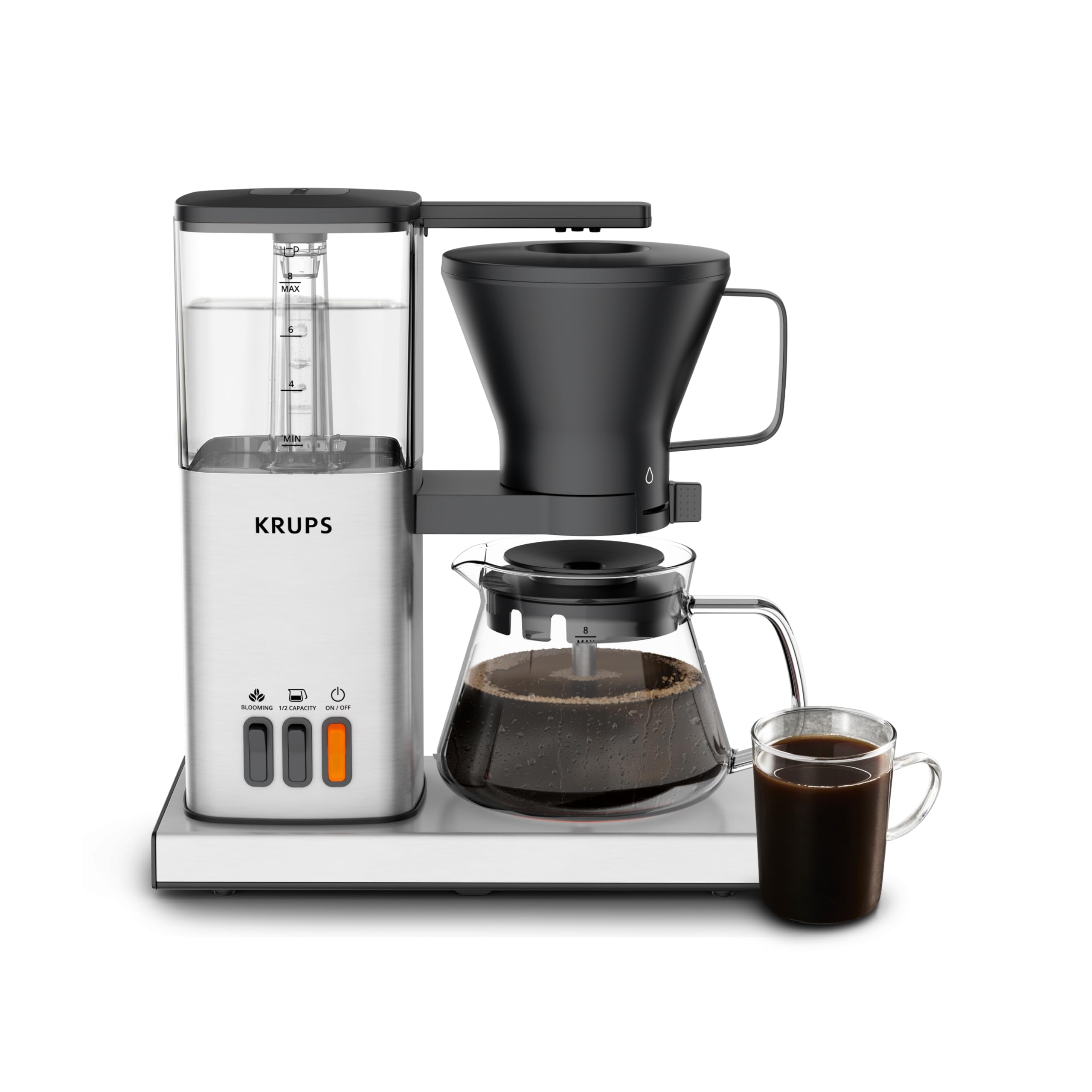
Basic quick fixes (step-by-step)
These quick fixes resolve most blinking clean light events. Try them before deep cleaning or calling repair.
- Reset the machine
- Unplug the coffee maker for 60 seconds.
- Plug it back in and run a plain-water brew.
- Many machines clear the clean light after a reset and rinse.
- Empty and rinse removable parts
- Remove water reservoir, filter basket, and carafe.
- Rinse each with warm water and a soft cloth.
- Reassemble and run a water-only cycle to test.
- Run a rinse cycle
- Fill the reservoir with fresh water only.
- Run a full brew cycle to flush sensors and lines.
- If the light stops, the issue was likely a false trigger.
- Check for obvious clogs
- Look at the spray head and tubing for scale or coffee oil buildup.
- Clear blockages with a soft brush or a paper clip carefully.
- Run a rinse cycle after clearing.
If these quick fixes don’t work, proceed to a full descaling and deep clean for how to fix coffee maker blinking clean light issue at its core.

Full descaling and deep cleaning guide
Descaling removes mineral deposits that hide in heat exchangers and tubing. This is the most common, lasting solution for how to fix coffee maker blinking clean light issue.
What you need
- Descaling solution or a DIY mix: 1 part white vinegar to 2 parts water, or citric acid solution per the product instructions.
- Clean water for multiple rinse cycles.
- Soft brush and clean cloth.
Step-by-step descaling
- Empty and prepare
- Remove coffee grounds and filters.
- Pour the descaling solution into the reservoir.
- Run a descaling cycle
- Start a full brew cycle and pause halfway if recommended by the manufacturer.
- Let the solution sit for 15–30 minutes to loosen scale.
- Complete the cycle and rinse
- Finish the brew cycle.
- Run at least 2–3 full cycles with fresh water to remove any residual solution.
Deep clean removable parts
- Soak carafe, filter basket, and reservoir lid in warm, soapy water.
- Use a soft brush to remove coffee oils from the spray head and filter basket.
- Reassemble and run a final rinse cycle.
Tips for choosing solutions
- Use manufacturer-approved descalers for warranty safety.
- Citric acid is gentler on some plastics than straight vinegar.
- Avoid abrasive tools that scratch internals.
After descaling, the clean light often resets automatically. If it doesn’t, follow the reset steps in your manual or in the “reset” section below to fully clear the indicator.

When it’s a sensor or electrical issue
If cleaning and descaling don’t fix the blinking light, the problem may be electronic. These steps help you isolate sensor faults and electrical causes.
Check and reset the maintenance counter
- Many machines have a software counter for maintenance cycles.
- Follow the manual’s reset sequence; typically a button combo or menu option.
Inspect sensors and wiring
- Disconnect power and remove panels only if you’re comfortable.
- Check for loose connectors, corrosion, or water damage around sensors.
- Re-seat connectors and clean corrosion with isopropyl alcohol.
Firmware and control board issues
- Some smart machines update firmware; check for available updates.
- A firmware glitch can cause false indicators. Resetting to factory defaults can help.
- If the control board is damaged, professional repair or replacement may be needed.
When to call repair or replace
- If wiring is burned, waterlogged, or a control board smells burnt, stop using the machine and call a technician.
- Compare repair cost to replacement price; on older or inexpensive models, replacement may be more economical.
These steps cover typical electronic causes for how to fix coffee maker blinking clean light issue. If you’re unsure, seek professional help to avoid harm.

Preventive maintenance: keep the clean light from returning
A little routine care prevents most blinking clean light problems. Follow these habits for long-lasting performance.
Weekly tasks
- Empty and rinse the reservoir and carafe after each use.
- Clean the filter basket and wipe the spray head.
Monthly tasks
- Descale if you have hard water or every 1–3 months depending on usage.
- Deep-clean removable parts and run a hot water flush.
Other tips
- Use filtered or softened water to slow scale buildup.
- Replace paper filters and reusable filters as needed to avoid oils and residue.
- Note the machine’s maintenance schedule and reset counters after proper cleaning.
Preventive care is the best approach to how to fix coffee maker blinking clean light issue before it starts. It saves time and maintains coffee quality.

Personal experience, mistakes to avoid, and practical tips
I’ve cleaned dozens of machines at home and for friends. A few lessons stand out.
Lessons learned
- Overusing vinegar can leave an odor; rinse thoroughly or use citric acid for a cleaner scent.
- Skipping the rinse cycles is the most common mistake. Rinses prevent taste transfer and sensor confusion.
- Always follow manufacturer guidance for descaling frequency and product choice.
Practical tips
- Keep a small descaling log on the machine. A sticky note works well.
- If the clean light blinks immediately after descaling, run extra rinse cycles before assuming failure.
- If a light blinks after a firmware update, try a factory reset before calling for service.
These real-world tips make how to fix coffee maker blinking clean light issue less intimidating. Small habits go a long way.

Frequently Asked Questions of how to fix coffee maker blinking clean light issue
Why does my coffee maker’s clean light blink even after descaling?
If the clean light stays on after descaling, you may need additional rinse cycles or a reset of the maintenance counter. Double-check for any remaining scale or residue in the spray head and run two to three water-only cycles.
Can I use vinegar to descale every coffee maker?
Vinegar works but can leave a smell and may harm some machines over time. Use manufacturer-approved descalers or citric acid when in doubt, and rinse thoroughly after vinegar use.
How often should I descale to prevent the clean light from blinking?
Descale every 1–3 months depending on water hardness and usage. Using filtered water can extend the interval and reduce scale buildup.
What if the clean light blinks and the machine won’t reset?
Try unplugging for 60 seconds, then plug back in and run a rinse cycle. If that fails, check the manual for a specific reset code or menu option, and consider electrical or sensor faults.
Is it safe to open the coffee maker to inspect sensors?
You can visually inspect external connectors if you’re comfortable, but avoid opening sealed components or working on Power parts. For wiring or board issues, seek professional repair to avoid injury.
Will hard water damage my coffee maker permanently?
Hard water speeds scale buildup, which reduces efficiency over time. Regular descaling and filtered water can prevent permanent damage and prolong machine life.
Conclusion
You now have a clear, step-by-step plan for how to fix coffee maker blinking clean light issue. Start with quick resets and rinses, move to full descaling when needed, and inspect sensors or firmware only if cleaning doesn’t solve the problem. Keep a simple maintenance routine to avoid future headaches, and don’t hesitate to call a pro for electrical faults. Try the steps today, track your results, and share your experience or questions below — your feedback helps others brew better.

Liora Pennings is a seasoned chef and kitchen enthusiast with a passion for turning everyday cooking into an effortless experience. With years of hands-on culinary expertise, she specializes in practical techniques, ingredient know-how, and smart kitchen solutions that help home cooks elevate their meals. At KitchFlair.com, Liora shares her best tips, time-saving tricks, and honest product reviews to guide readers toward a more efficient, enjoyable, and inspired cooking routine. Whether you’re a beginner or a seasoned home chef, Liora’s friendly, knowledge-packed insights make every visit to the kitchen a little easier—and a lot more delicious.