How To Repair Vacuum Cleaner Airflow Sensor Malfunction: Do
Clean or replace the sensor, clear blockages, and recalibrate the unit to restore proper airflow.
I have fixed dozens of vacuums in my shop and at home. I know how to repair vacuum cleaner airflow sensor malfunction from hands-on work and from reading service manuals. This guide will walk you through clear steps, tools, safety tips, and tests so you can diagnose and fix the problem with confidence. Read on for a practical, friendly, and expert take on how to repair vacuum cleaner airflow sensor malfunction.
What an airflow sensor does and why it fails
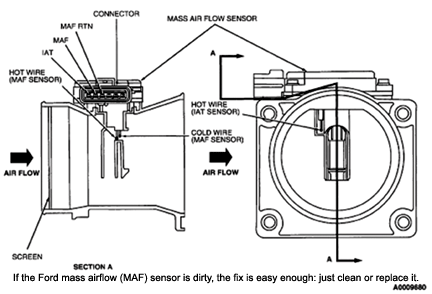
An airflow sensor measures air speed or pressure inside the vacuum. It tells the machine when suction is high or low. When the sensor fails, the vacuum may cut power, show error lights, or run weak. Causes include dust buildup, wiring damage, clogged hoses, and failed electronics. Knowing these causes makes it easier to fix the issue.

Common symptoms of an airflow sensor malfunction
Low or no suction despite a clear brushroll.
The motor cycles on and off.
Error codes or warning lights on the display.
Loss of automatic height or suction control.
False block detection messages.

Tools and parts you'll need to repair airflow sensor malfunction
Screwdrivers: Phillips and flathead.
Multimeter for continuity and voltage checks.
Compressed air can or small vacuum for cleaning.
Soft brushes and cotton swabs.
Replacement sensor or wiring harness (model-specific).
Small needle-nose pliers and electrical tape.
Service manual or parts diagram for your model.
Step-by-step: how to repair vacuum cleaner airflow sensor malfunction
Follow safety first. Unplug the vacuum and remove the battery if it’s cordless. Work in a clean, well-lit space.
-
Inspect for obvious blockages
- Remove the wand, hose, and brush head.
- Look for clogs, hair, and debris.
- Clear blockages with fingers, a brush, or a crevice tool.
-
Check filters and dust bin
- A full filter can mimic sensor failure.
- Clean or replace HEPA and foam filters.
- Empty the dust bin and wipe the chamber.
-
Locate the airflow sensor
- Use the manual or diagram to find the sensor.
- Common spots are near the dust chamber or motor inlet.
- The sensor may be a small tube with a PCB or a pressure switch.
-
Clean the sensor and ports
- Use compressed air or a soft brush.
- Gently clean the sensor face and the small tubes or ports.
- Avoid harsh scrubbing that can damage components.
-
Inspect wiring and connectors
- Look for loose plugs, frayed wires, or corrosion.
- Wiggle connectors gently while the unit is off to spot poor contact.
- Re-seat any loose connectors.
-
Test the sensor with a multimeter
- Set the meter to continuity or voltage per the manual.
- For pressure switches, listen for clicks while blowing gently into the port.
- For electronic sensors, check the signal pin while moving air through the port.
-
Replace the sensor if faulty
- Order the correct part number for your model.
- Swap the old sensor and reconnect wiring.
- Keep screws and small parts organized.
-
Reassemble and run a test
- Put all parts back in order.
- Run the vacuum and observe behavior and display.
- Check for proper suction and that error messages are gone.
-
Calibrate if needed
- Some models require reset or calibration after replacement.
- Follow reset steps in the manual or hold power buttons as instructed.
- Confirm the vacuum recognizes normal airflow.

Testing and calibration after repair
Start simple tests. Run the vacuum on a bare floor. Watch the motor and lights. Use a known clean hose to verify suction. If your model has a diagnostic mode, enter it and read sensor values. Compare readings before and after repair. If values are within the expected range, the sensor repair worked.
Maintenance tips to prevent future airflow sensor malfunctions
Empty the dust cup after each use.
Clean filters monthly or as the manual says.
Inspect the hose and attachments for tears.
Keep the sensor ports free of sticky residue.
Avoid vacuuming liquids or large debris unless the model allows it.
Schedule a full clean and inspection every six months.
When to call a pro or replace the vacuum
If the sensor test shows correct wiring but no response, the control board may be bad.
If the vacuum is still under warranty, contact the manufacturer.
If the cost of parts and labor exceeds the machine’s value, consider replacement.
Call a pro when you see burnt electronics, motor noise, or when you lack tools or comfort doing electrical checks.
Personal experience: mistakes I made and lessons learned
I once replaced a sensor only to find a tiny straw of plastic stuck in the port. I had assumed electronics were dead. Lesson: always inspect ports and tubes first.
On another job, I used a non-OEM sensor and the vacuum threw errors. Lesson: match the sensor type and firmware expectations.
These real fixes taught me to do a quick visual check first, then electrical tests, then replacement.
Related concepts, limits, and safety notes
Airflow sensors are either mechanical pressure switches or electronic flow sensors.
Mechanical switches are simpler and easier to test.
Electronic sensors read small voltages and need careful handling.
Limitations: DIY fixes can fail if the control board is damaged.
Safety: always disconnect power, wear eye protection when using compressed air, and follow fire-safety rules when working near motors.
Frequently Asked Questions of how to repair vacuum cleaner airflow sensor malfunction
How do I know the airflow sensor is the problem?
If cleaning filters and clearing blockages does not fix low suction or error codes, the sensor is a likely culprit. Multimeter tests and listening for clicks (on pressure switches) help confirm it.
Can I clean the airflow sensor myself?
Yes. Use compressed air and a soft brush. Do not use liquids unless the manual allows it. Be gentle to avoid damaging sensitive parts.
How long does a replaced sensor usually last?
With good maintenance, a sensor can last years. Factors like dust, pet hair, and moisture shorten lifespan.
Will replacing the sensor void my warranty?
If you open the unit and it is under warranty, you may void the warranty. Check the warranty terms before DIY repairs.
Is it cheaper to fix or buy a new vacuum?
If the vacuum is older or parts cost near the value of a new unit, replacement may be better. Newer, high-end models are often worth repairing.
How quickly can I test a sensor?
A basic visual and continuity test takes 10–20 minutes. Full diagnostics and calibration may take longer.
Conclusion
Fixing airflow sensor issues can bring a tired vacuum back to life. Start with simple cleaning and inspection. Move to tests and careful part replacement only when needed. With the right tools and steps, you can successfully learn how to repair vacuum cleaner airflow sensor malfunction and save money. Try the steps here, share your experience in the comments, or subscribe for more repair guides.

Liora Pennings is a seasoned chef and kitchen enthusiast with a passion for turning everyday cooking into an effortless experience. With years of hands-on culinary expertise, she specializes in practical techniques, ingredient know-how, and smart kitchen solutions that help home cooks elevate their meals. At KitchFlair.com, Liora shares her best tips, time-saving tricks, and honest product reviews to guide readers toward a more efficient, enjoyable, and inspired cooking routine. Whether you’re a beginner or a seasoned home chef, Liora’s friendly, knowledge-packed insights make every visit to the kitchen a little easier—and a lot more delicious.